What virtual hair colour try-on does
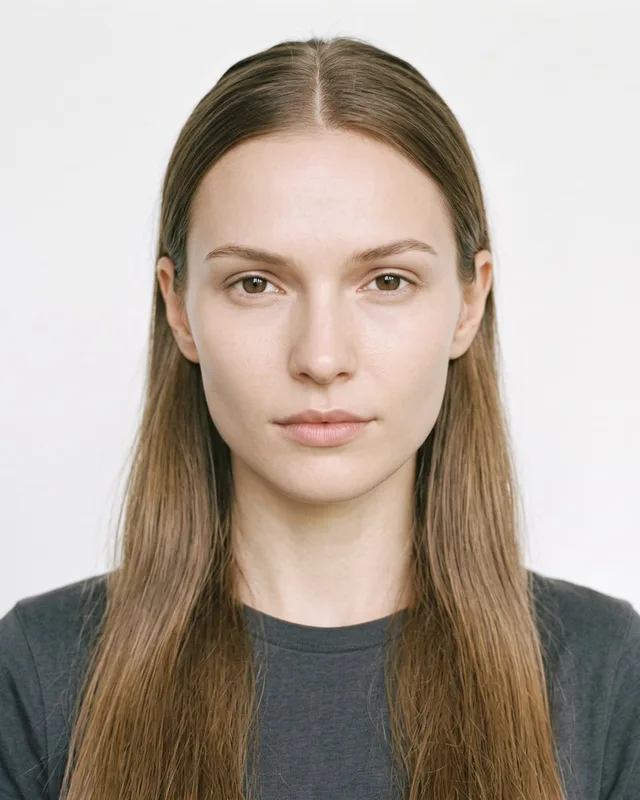
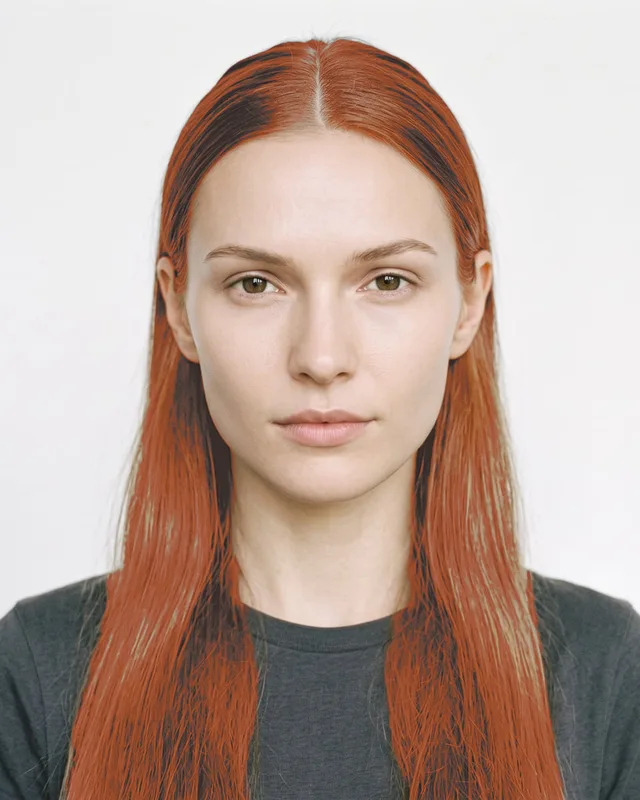
A shopper opens the try-on from your product page, a link or a QR code, allows the camera — or picks a photo — and sees their own hair in your shade. It is not a wig laid over the head and not a colour filter over the whole picture: the try-on finds the hair, keeps every strand, highlight and shadow the person already has, and changes only the colour. As they turn their head, the colour follows.
On TryItOnMe it runs in the browser on phones and computers. Shoppers don’t download an app or create an account, and the camera video never leaves their device.
What makes hair colour try-on believable
Hair is one of the hardest things to recolour convincingly. Four things separate a useful preview from a novelty filter:
- Clean edges. The colour should stop where the hair stops and follow loose strands, without a blurry halo on the forehead or the background.
- The person’s own texture. Dark hair dyed lighter should keep its strands, and light hair dyed darker should keep its depth — not turn into a flat painted shape.
- A natural hairline. Real dye fades into the roots and the baby hairs; a hard line looks like a wig.
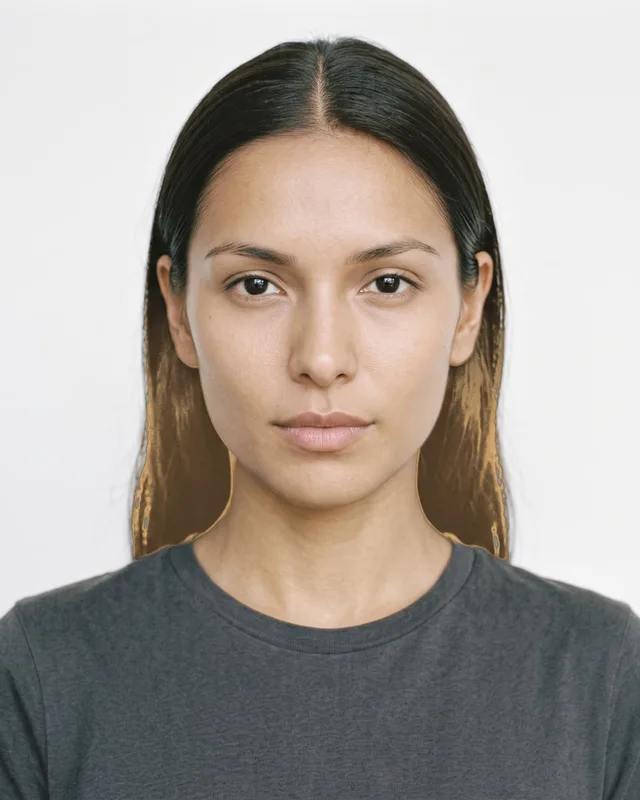
- Honesty on dark hair. A pale blonde on dark brown hair doesn’t look like the shade card unless the hair is lightened first. TryItOnMe shows colour on dark hair realistically by default — as dye looks without bleaching — and lets you tick Vivid for shades sold for lightened hair.
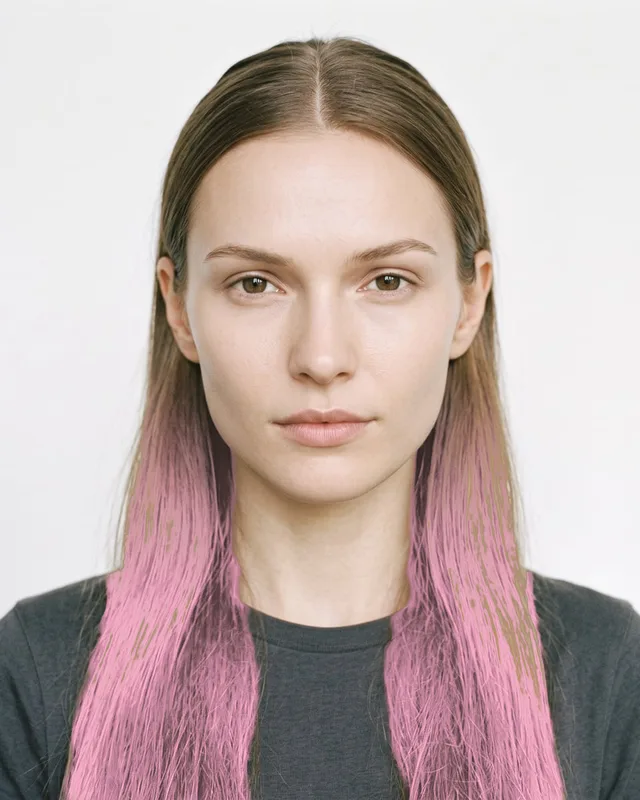
All over, ombré and highlights
Most colour isn’t all over. On TryItOnMe you set each shade’s style, and shoppers can change it:
- All over — the whole head, natural or glossy.
- Ombré — from the shopper’s own colour at the roots into your shade toward the ends, or the reverse from the roots. The boundary follows the strands, like a balayage, and shoppers can move it and soften it.
- Highlights — soft ribbons running down long hair, or lit strands on short hair. Shoppers choose how many.
The try-on tells long hair from short, so the same shade works for everyone.
Who uses hair colour try-on
- Hair dye brands selling permanent, semi-permanent or fashion colours online: shoppers pick the right shade at home and order with confidence.
- Hair salons offering colour: share a try-on link before an appointment — on social media, in a message or as a QR code at the front desk — so clients arrive knowing what they want.
- Beauty retailers stocking several colour brands: every brand’s shades in one try-on, next to the makeup. Shoppers can keep a hair colour on while they try a lipstick or earrings.
How to add hair colour to your store
- Add each shade with its colour — a hex code, or a measured Lab value for the closest match — and its SKU. A range can share one product, so switching shades in the try-on counts as one try-on.
- Choose the style and finish: all over, ombré or highlights; natural or glossy; realistic or vivid.
- Check it on our models — women and men of different backgrounds — with a hair close-up.
- Go live: a “Try it on” button on your product pages (Shopify, WooCommerce or any website), and a try-on link and QR code for everywhere else.
No product photos, no 3D models and no developer are needed.
What it costs
TryItOnMe has a free plan forever and paid plans priced by try-ons, not by products or shades — so a range of 60 shades costs the same as a range of six. See pricing.
See hair colour try-on, or try it on yourself.
Questions
What is virtual hair colour try-on?
Software that recolours a person’s own hair in their camera view or a photo, so they can see a hair dye shade on themselves before buying it or booking a colour appointment. It runs in the browser on a phone or computer; there is nothing to install.
Is virtual hair colour try-on accurate?
It is a realistic preview, not a guarantee: the final result of a dye depends on the person’s starting colour, previous colour and how it is applied. TryItOnMe keeps the shopper’s own strands, shine and shadows, and shows colour on dark hair as dye looks without bleaching first, so expectations stay close to reality.
Can I try ombré, balayage-style blends and highlights virtually?
Yes. TryItOnMe shows each shade all over, as an ombré (toward the ends or from the roots, blended along the strands like a balayage) or as highlights. Shoppers can move and soften the blend, choose how many highlights and set the intensity.
What does a hair dye brand need to add its shades?
The colour of each shade (a hex code or a measured Lab value) and its SKU, plus the style and finish. No product photos or 3D models are needed.
How much does hair colour try-on cost?
On TryItOnMe there is a free plan forever, and paid plans are priced by try-ons, never by the number of products or shades. Every shade is included on every plan.