Clothing virtual try-on A studio photo of them, wearing your clothes
Clothing works differently from live try-on: the shopper uploads a photo and gets back a studio-style photo of themselves wearing your garment, made by AI.
14 days of Pro free · no card
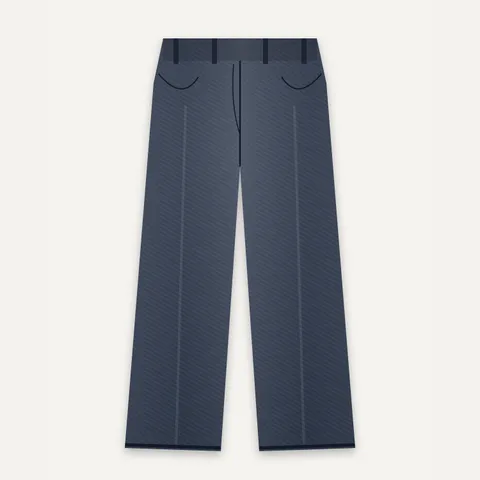
TryItOnMe’s AI clothing try-on turns a shopper’s photo into a studio-style photo of them wearing the store’s garment. Each photo uses one credit; credit packs never expire and a failed photo gives its credit back. The shopper’s photo is deleted after 24 hours.
Never charged per product
Add every garment you sell, on every plan. You pay for try-ons, not catalogue size.
Free to start, free forever
14 days of Pro with no card, then the Free plan for as long as you like.
On any website — or none
Shopify, WooCommerce or any other site, or just a try-on link for social media and chats.
Live demo
Try an AI photo on yourself
Pick a garment, add a photo of yourself and get a studio-style photo of you wearing it. You agree first; the result is deleted after 24 hours.
- No app, no sign-up for shoppers
- Works on phones and computers
- Save or share the result
What you get
Everything clothing sellers need
Their photo, your garment
Shoppers upload one photo and see themselves wearing it, in a studio-style image.
Pay per photo
One credit = one photo. Packs never expire, and a failed photo gives its credit back.
Asked, then deleted
Shoppers agree first; their photo is used only to make the image, and the result is deleted after 24 hours.
Next to live try-on
Sell clothing and accessories? Both live in the same dashboard, links and analytics.
Made to share
Shoppers keep the photo and share it — your garment, on them, in their feed.
Every garment included
Unlimited products on every plan; you only buy credits for the photos made.
Getting started
What you need per garment
- A clear photo of the garment, flat or on a model.
- AI credits — packs on the pricing page.
Prefer not to do it yourself? Our team can prepare your catalogue — see done-for-you setup.
Add your products
Upload in bulk, import a spreadsheet, or connect your Shopify or WooCommerce shop on a paid plan.
Check the fit
See each product tried on, adjust it on the live camera if you like, and save it for every shopper.
Go live anywhere
Add one line of code or the WooCommerce plugin — or share each product’s try-on link.
FAQ
Clothing try-on, answered
Is clothing try-on live on the camera?
No. Clothing uses an AI photo: the shopper uploads a photo and gets back a studio-style photo of themselves wearing the garment. Accessories, eyewear and makeup are live on the camera.
What happens to the shopper’s photo?
The shopper agrees first. Their photo is used only to make the image, and the result is deleted after 24 hours. This is the one case where a shopper’s image leaves their device.
How much does it cost?
Each AI photo uses one credit. Credits are sold in packs that never expire, on every plan — see pricing.
Last reviewed · More questions
Sell other things too? Same platform, same plan


Put your clothing on your shoppers today
Start with 14 days of Pro, free and with no card. After that, stay on the Free plan for as long as you like — every product included, never charged per product.
14 days of Pro · no card · then Free, unless you choose a plan