Luxury Watches Try On Vendor Checklist: How to Choose the Right Virtual Try‑On Partner
Quick Summary
- Use a structured checklist (technical, integration, UX, data, commercial, legal, operations) to assess VTO vendors.
- Score vendors from 0–5 and run a pilot if the average is 3.5 or higher and there are no critical red flags.
- Request evidence: live try-on links, analytics screenshots, SLA assets, and a DPA before contracting.
- Prioritize link-based (no-code) deployments for accelerated and omnichannel sharing.
Introduction
This luxury watches try on vendor checklist helps you shortlist, evaluate, pilot, and procure virtual try‑on (VTO) vendors for your brand. If procurement or digital teams are evaluating providers, this guide lays out a practical checklist and the exact questions to ask during discovery meetings so you can avoid common pitfalls and select a partner that drives conversions for luxury watch e‑commerce.
For busy directors: score vendors 0–5 on each category, flag any critical red flags immediately, and move vendors with an average ≥ 3.5 (and zero critical red flags) to pilot.
Downloadable assets (one‑page PDF checklist and editable CSV scorecard) available via tryitonme.com.
One‑Page Checklist (score 0–5)
- Technical & Product: PBR/material fidelity; scale & fit validation; lighting/reflections; multi‑angle interaction.
- Integration & Deployment: Link‑based (no‑code) option; per‑SKU turnaround; platform compatibility (Shopify/Magento).
- UX & Design: One‑click try‑on; mobile responsiveness; WCAG accessibility; white‑labeling.
- Data & Analytics: Try‑on rate, conversion lift, AOV, returns delta; raw event export.
- Commercial & Support: Transparent pricing; asset & hosting fees; SLAs.
- Legal & Security: GDPR/CCPA compliance; image/biometric handling; DPA availability.
- Operations: 3D asset workflow; file‑format support; localization.
Pilot threshold: average score ≥ 3.5 and “No Critical Red Flags.” (See Evaluation Framework section for weightings and CSV template.)
How to Use This Luxury Watches Try On Vendor Checklist
- Score each vendor 0–5 on every checklist item.
- Apply suggested weightings (sample in Evaluation Framework) to compute a weighted score.
- Eliminate any vendor with a critical red flag (SDK‑only lock‑in, opaque pricing, or poor privacy practices).
- Shortlist 2–3 vendors meeting the pilot threshold and run a 2–6 week PoC with 10–20 representative SKUs.
- Require vendor‑supplied demos, sample try‑on links, asset‑SLA docs, and analytics screenshots before signing.
Why Virtual Try‑On Matters for Luxury Watches
The business case for VTO in luxury watches is simple: shoppers buying high‑value, detail‑driven items need confidence that the product looks and fits as expected. Industry overviews and vendor resources report improved engagement and commerce outcomes from interactive 3D/AR product visualization — see Shopify’s guide to 3D models and augmented reality for commerce and broader AR adoption trends. Use those sources during vendor conversations to justify experimentation and budget. See a sector ROI analysis at cermin.id ROI analysis.
Practical examples:
- Use VTO on product pages and in paid social ads to increase engagement with high‑ticket SKUs.
- Offer QR codes in retail that open the same product link used online to create a seamless omnichannel experience.
Technical & Product Checklist (core experience)
True‑to‑life rendering & materials
- Ask for Physically Based Rendering (PBR) support and render samples showing metals (gold, stainless steel), sapphire crystal effects, and leather strap grain. See technical background on PBR and glTF.
- Require vendor render samples and side‑by‑side comparisons to product photography. See example comparisons at cermin.id.
Scale, fit & validation
- Request scale‑validation artifacts: wrist‑size matrix, measurement tolerances, and mapping method for watch geometry to varied wrist diameters.
- Ask for test cases: small female wrist, larger male wrist, and mid‑size wrists to confirm proportionality.
Latency & device performance
- Ask for real‑world latency numbers (ms) and performance tests on low‑end devices and slow networks. Align expectations with mobile performance best practices: web.dev/fast.
- Require load/performance test artifacts and a plan for progressive enhancement on slow connections.
Lighting, reflections & multi‑angle interaction
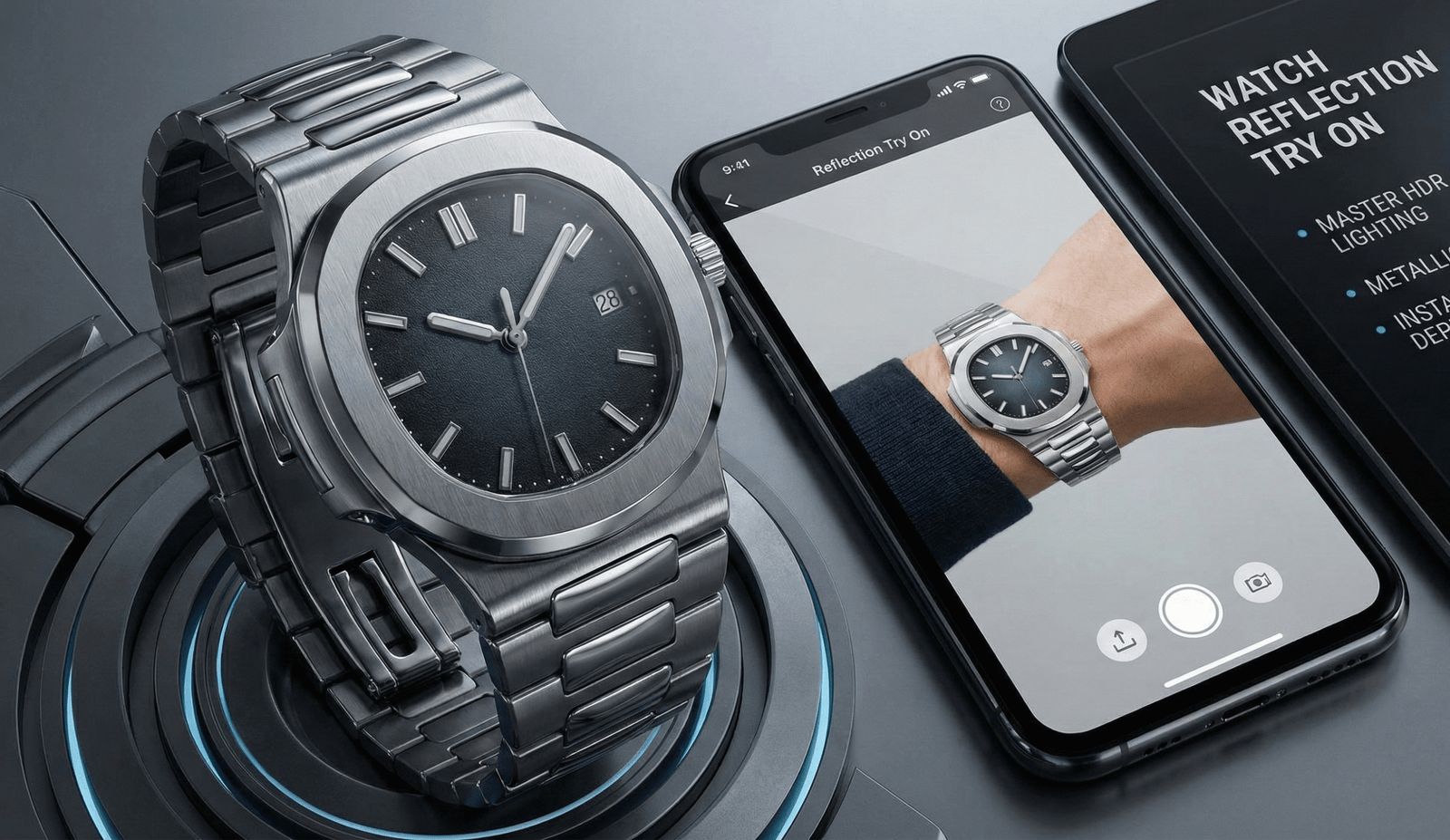
- Require HDR lighting examples, accurate reflections on metal and crystal surfaces, and smooth multi‑angle controls (rotate/zoom).
- Demand to see the watch under multiple scene lights so you can evaluate material fidelity.
Customization (straps, finishes, engravings)
- Verify support for SKU variants: strap swaps, metal finishes, engraving previews.
- Ensure variant switching is immediate in the try‑on link (no full reloads).
Cross‑channel compatibility
- Confirm the shareable product link works in desktop web, mobile web, native app wrappers, social posts, and QR‑code flows.
Integration & Deployment Checklist (speed & friction)
No‑code / link‑based vs SDK/API
Prioritize zero‑code, link‑based deployment for speed. Ask the vendor: do you provide shareable product links that require zero SDK integration? If yes, ask how links are generated, whether they’re stable per SKU, and how they are embedded in product pages or marketing channels. See an example vendor offering at cermin.id tryitonme page and context on no‑code benefits in Forbes on no‑code.
Time‑to‑market & per‑SKU timelines
- Ask for average time per SKU to produce a try‑on link and whether they offer SLA for asset turnaround.
- Require examples or a timeline matrix for small/medium/complex SKUs.
Platform compatibility & retail workflows
- Confirm native/workflow integrations for Shopify, Magento, and custom platforms. Ask how links are embedded into product pages and how QR codes are generated for store use. See a Shopify integration guide at cermin.id Shopify guide.
Implementation support & handoffs
- Request onboarding documentation, training sessions for merchandisers, and the format of the handoff (e.g., GLTF files, asset mirrors).
UX & Design Checklist (shopper experience)
One‑click try‑on & onboarding guidance
- Demand a demo of the full shopper flow: product page → one‑click try‑on → onboarding overlay → try‑on experience → add‑to‑cart. Evaluate clicks and time-to‑first‑try.
- Ask about consent flows and guidance text for capturing user images (if required).
Mobile responsiveness & accessibility
- Require WCAG‑aligned behavior across breakpoints and keyboard/assistive support. See W3C WAI guidelines.
- Ask for accessibility test reports or examples.
Branding & UI customization
- Verify how much UI can be white‑labeled: fonts, colors, microcopy, and removal of vendor branding to preserve luxury identity.
Data, Analytics & Measurement Checklist
Required KPIs & dashboards
- Require vendor tracks: try‑on rate, conversion after try‑on, add‑to‑cart after try‑on, AOV for try‑on users, and returns delta. Ask for sample dashboard screenshots and metric definitions. See KPI guidance at Optimizely KPI glossary.
Raw event export & integrations
- Demand raw event export to GA4/BigQuery/your BI tool and request a sample event schema.
- Ask whether events include unique (but pseudonymized) session identifiers for attribution.
A/B testing & attribution methods
- Confirm the vendor’s statistical methods for conversion lift (cohort windows, control groups) and request prior PoC summaries (anonymized).
Commercial Checklist (pricing & SLAs)
- Request line‑item pricing: per‑SKU setup, monthly hosting, per‑try usage, and any revenue‑share options. Ask for a 12–24 month TCO example that includes asset creation, hosting, analytics, and support. See a pricing reference at cermin.id pricing.
- Ask explicitly about asset‑creation fees, hosting overages, and API/event limits that could trigger charges.
- Require written SLAs for uptime, incident response times, and escalation paths before signing.
Legal, Privacy & Security Checklist
Data handling & biometric images
- Ask whether user images are stored, retention policy, opt‑out and deletion workflows, and encryption in transit/at rest.
- Reference regional privacy guidance: GDPR and CCPA. Require a Data Processing Agreement (DPA).
IP ownership & content rights
- Clarify ownership and licensing for 3D assets and user‑generated content. Negotiate ownership if you plan to move vendors later.
Compliance certifications & audits
- Ask for SOC2/ISO/pen‑test reports if the vendor handles sensitive data.
Operational & Logistics Checklist
3D asset creation workflow & timelines
- Request an end‑to‑end workflow (photography/CAD → modeling → QA → delivery) and sample SLA documents. If the vendor claims specific turnaround (e.g., “under 3 business days”), mark as (vendor claim — verify) and request written proof.
In‑house vs vendor‑provided assets
- Clarify accepted input formats (2D photos, CAD, OBJ/GLTF) and whether the vendor includes asset creation in package pricing.
Localization & global scale
- Ask about language support, measurement units, skin‑tone representation, and localized imagery for regional markets.
“Questions to Ask Try On Vendor” — Discovery Script
Technical questions (copyable)
- Do you provide a shareable, no‑code product link per SKU? How are links created and managed?
- Do you support Physically Based Rendering (PBR) for metal, crystal, and leather materials? (ask for samples)
- How do you validate scale and fit across wrist sizes? Provide your validation artifacts.
- Provide latency numbers and performance tests for low‑end devices and 3G/4G networks.
- Which file formats (CAD/OBJ/GLTF/2D) do you accept and deliver?
- How are lighting and reflections handled (HDR support)?
- Can you demonstrate multi‑angle rotation, zoom, and variant swapping in a demo link?
- Do you supply raw event exports and a sample event schema?
Integration & deployment questions
- What is the average time to create a try‑on link per SKU? Provide timelines for simple vs complex SKUs.
- Does your product integrate with Shopify, Magento, or custom storefronts? Provide integration guides.
- How do you support QR codes and in‑store kiosks?
Data & analytics questions
- Which KPIs and dashboards do you provide? Can we export raw events to our BI stack?
- How do you measure conversion lift and attribution? What statistical methods do you use?
Commercial & legal questions
- Provide a detailed pricing sheet and a 12/24‑month TCO example. What’s included/excluded?
- Who owns the 3D assets by default? Can we negotiate ownership?
- Provide your DPA and data retention policy.
Security & compliance questions
- Are images encrypted in transit and at rest? Provide pen‑test/SOC2/ISO evidence if available.
- How do you handle data deletion requests and right‑to‑be‑forgotten flows?
Implementation & operations questions
- What onboarding, training, and content handoff processes do you provide?
- What is the recommended pilot scope and timeline for luxury watches?
Pitfalls & Red Flags to Avoid
- SDK‑only vendors that force long dev cycles and potential lock‑in. See vendor lock‑in guidance at Forbes.
- Vendors that won’t provide sample live try‑on links or analytics screenshots.
- Opaque pricing or recurring hidden fees for asset creation or hosting.
- Vendors storing user images without clear retention and opt‑out policies.
- Poor or no raw event export capability — analytics black box.
Evaluation Framework & Sample Scoring Rubric
Suggested weightings (sample):
- Accuracy/Realism: 30%
- Integration/Deployment: 20%
- UX/Design: 15%
- Analytics/Data: 10%
- Pricing & TCO: 10%
- Security & Compliance: 10%
- Support & Roadmap: 5%
Scoring: 0–5 per criterion. Weighted aggregate score threshold for pilot: 3.5/5. Exportable CSV‑ready scorecard template: request via tryitonme.com.
Pilot / PoC Plan for Luxury Watches (practical runbook)
Scope, timeline & sample SKUs
- Pilot scope: 10–20 high‑value SKUs representing multiple metals, strap types, and sizes.
- Suggested timeline: 2–6 weeks depending on asset ownership (vendor vs you supply CAD/2D photos).
- Deliverables: shareable product links for each SKU, analytics dashboard access, raw event export. See vendor comparisons at cermin.id.
Success metrics & decision gates
- Primary KPIs: try‑on rate, conversion lift for try‑on users vs control, AOV change, returns delta for tried‑on SKUs.
- Decision gate example: if conversion lift after try‑on does not exceed your required threshold after the pilot window, pause rollout or renegotiate terms.
KPIs to Measure Success (dashboard‑ready)
Key formulas:
- Try‑on rate = number of try‑on sessions / product page views.
- Conversion after try‑on = purchases by users who tried on / try‑on sessions.
- AOV uplift = AOV(try‑on users) − AOV(baseline).
- Returns delta = return rate(tried‑on SKUs) − return rate(baseline SKUs).
Prioritize raw events so your analytics team can run cohort and attribution analysis. Use Optimizely’s KPI guidance for experiment definitions.
Case Example / Vendor Spotlight: tryitonme.com — How It Maps to the Checklist
Neutral mapping to checklist (vendor claims should be verified):
- Zero‑code, link‑based deployment: tryitonme.com provides shareable product links instead of an SDK/API model. (vendor claim — verify)
- Onboarding flow: tryitonme describes a packaged onboarding where customers provide standard product photos and the vendor handles AR processing. (vendor claim — verify)
- Turnaround: tryitonme lists fast link delivery timelines; request written SLA before procurement. (vendor claim — verify)
- Analytics & export: tryitonme advertises analytics and exportable event tracking — request dashboard screenshots and sample schemas. (see tryitonme)
Before contracting: ask tryitonme for live sample watch try‑on links, SLA documents, and anonymized pilot summaries to validate claims.
Final Recommendation Checklist & Procurement Tips
- Start small with a 10–20 SKU pilot and require measurable KPIs and reporting cadence.
- Demand transparency: line‑item pricing, DPA, SLA, asset ownership, and data export rights.
- Negotiate trial pricing tied to pilot KPIs and include exit/portability clauses to avoid lock‑in.
- Require proof: live demo links, performance reports, asset‑SLA docs, and sample analytics.
Downloadable Assets & CTAs
- One‑page “Luxury Watches Try On Vendor Checklist” PDF — request via tryitonme.com.
- Editable Vendor Scorecard (CSV) — request via tryitonme.com.
- Printable “Questions to Ask Try On Vendor” checklist — request via tryitonme.com.
- Demo & Pilot sign‑up: Book a demo with tryitonme.com to get sample try‑on links and onboarding docs.
Closing note — verification before procurement
Before signing any contract, request the following from shortlisted vendors and attach them to your procurement package: live demo links for representative watches, performance test artifacts, asset creation SLA, pricing sheet with exclusions, raw event schema, and a signed DPA. For tryitonme‑specific claims (turnaround, onboarding steps, SLA), request written confirmation and sample links from the vendor at tryitonme.com and mark any unverified claims in your evaluation as “vendor‑provided — pending verification.”
If you’d like, we can prepare a ready‑to‑run 10‑SKU pilot brief and a filled CSV scorecard for your procurement team — or you can Book a Demo with tryitonme.com to request sample links and downloadable assets.
FAQ
Q: What is the luxury watches try on vendor checklist?
A: A procurement‑focused checklist to evaluate VTO vendors on realism, integration, UX, analytics, commercial terms, and privacy — designed to shortlist and pilot providers.
Q: Why choose a no-code, link‑based VTO?
A: No‑code product links reduce development time and enable cross‑channel sharing (product pages, email, social, QR codes). Ask vendors for proof of link‑based workflows and stable per‑SKU links.
Q: What KPIs should I measure in a VTO pilot?
A: Try‑on rate, conversion after try‑on, AOV for try‑on users, and returns delta, plus raw event exports for attribution and cohort analysis.
Q: What are the biggest red flags when evaluating a VTO vendor?
A: SDK‑only deployment (integration lock‑in), opaque pricing, lack of raw analytics export, and unclear data retention for user images are top disqualifiers.
Q: Do VTO solutions store customer images?
A: It depends. Ask the vendor about storage, retention, opt‑out, encryption, and request a DPA — cite GDPR and CCPA requirements.
Q: How long does it take to go from asset submission to a live try‑on link?
A: Timelines vary; ask vendors for average per‑SKU times and for written SLAs. If a vendor claims “under 3 business days,” request written proof and examples.