2D vs 3D Try On Stud Earrings
- 2D try‑on is fast, low‑cost, and scales across large catalogs; 3D delivers higher realism, better occlusion handling, and stronger pose robustness.
- Studs are judged closely (size, sparkle, metal finish), so choose 3D for high‑AOV or hero SKUs and 2D for broad reach and testing.
- Hybrid approach: launch catalog‑wide 2D, then upgrade top performers to 3D for PDPs; measure via A/B tests.
- Zero‑code, link‑based vendors like tryitonme.com can speed experiments and deployment.
Introduction
The choice between 2D vs 3D try on for stud earrings is essentially a tradeoff: speed and scale versus realism and pose robustness. This investigative guide is written for product managers, merchandisers, marketers, UX designers, and jewelry brand owners who need a practical decision framework—and a fast implementation path (including a zero‑code link option) so you can launch quickly and measure results.
Who this guide is for and what you’ll learn
This piece is for teams comparing 2D try on and 3D try on approaches for stud earrings. You’ll get:
- Clear definitions and simple pipeline diagrams for both approaches.
- The pros/cons side‑by‑side and a quick decision table.
- A prescriptive decision framework and phased rollout plan (90/180/365 days).
- Practical production checklists, A/B test ideas and metrics.
- How to implement fast with tryitonme.com’s no‑code, shareable try‑on links.
Definitions & technical primer — 2D vs 3D try-on basics
This section defines the two approaches and their core pipelines so product teams can compare tradeoffs objectively.
What “2d try on” means (image compositing pipeline)
2D try on uses image compositing: detect → align → composite. The system detects the face or ear region, estimates anchor/landmark positions, then overlays a 2D earring asset (cutout, sprite, or animated sticker) onto the user image or camera feed. Vendors describe this detect/align/composite pipeline for jewelry try‑ons — see examples from Perfect Corp and Mirrar.
Quick diagram idea:
- Detect face/ears → Align landmarks (ear lobe pivot) → Composite 2D asset (scale/rotate) → Output to camera/view.
Strengths: very fast to produce, low asset cost, and lightweight to deploy across many SKUs. Limitations: less convincing depth, weaker lighting response, and more visible failures with occlusion or head rotation (hair, ear shape, or tilt).
What “3d try on” means (3D asset + rendering pipeline)
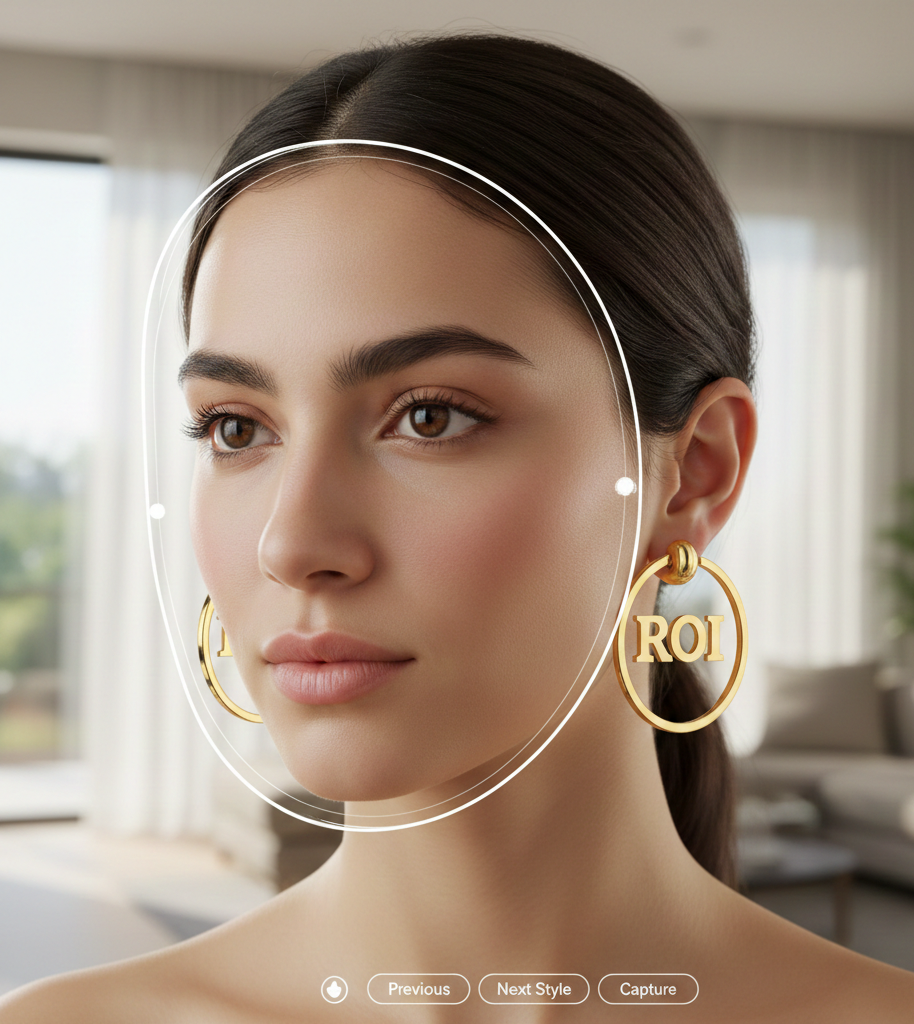
3D try on binds an actual 3D model to a detected ear/face pivot and renders it with material properties and lighting—pipeline: detect → track pose → render 3D object with materials. See Snap Lens Studio’s guides on earring try‑ons and similar 3D approaches from Snap Lens Studio and Perfect Corp.
Compact contrast:
- 2D: Detect → overlay sprite → adjust scale/rotation.
- 3D: Detect → estimate 3D pose → render model with materials & lighting → composite output.
Why stud earrings are a special case
Studs are small and judged by fine visual cues—size/proportion, sparkle, metal finish, and close contact with the lobe. These characteristics amplify differences between 2D and 3D:
- Small scale: slight placement or scale errors are noticeable.
- Occlusion: hair or ear geometry often partially hides a stud.
- Head tilt/rotation: parallax and perspective changes quickly reveal compositing errors.
- Specular highlights: polished metals and diamonds depend on convincing light‑response, which is difficult for flat overlays. See examples from Perfect Corp and Snap Lens Studio.
Because studs are judged closely, the choice of technology can materially affect purchase confidence. For pricing & vendor context see cermin.id stud earrings pricing.
Side-by-side comparison — pros & cons
2d try on — advantages & limitations
Advantages (when to pick 2D)
- Rapid setup and rollout across large catalogs. Source: Perfect Corp.
- Low asset cost—usually clean photos and isolated cutouts suffice. Source: Mirrar.
- Lightweight on device CPU/battery; good for social and ads.
- Ideal for low‑AOV fashion studs and early demand testing.
Limitations / failure modes
- Weaker realism for reflective metals and diamonds. See Perfect Corp.
- Poorer handling of occlusion and head rotation—can appear “stuck” to the image plane. See Mirrar.
- Lighting/skin tone mismatches are more visible.
3d try on — advantages & limitations
Advantages (when to pick 3D)
- Stronger depth cues, parallax, and pose robustness—maintains spatial consistency as users move. See Snap Lens Studio.
- Better material fidelity for polished metals and stones; reflections and highlights look convincing. See Perfect Corp.
- Improved occlusion handling and realistic integration with the ear.
Limitations
- Higher asset production cost and longer time to produce models and optimized textures. See Snap Lens Studio.
- Greater compute requirement (device/browser), which can impact load times and battery on mobile web.
- Not ideal for catalog‑wide, days‑to‑launch rollouts when budget/time are constrained.
Quick comparative at-a-glance: Setup speed: 2D = Fast | 3D = Slower. Cost: 2D = Low | 3D = Higher. Catalog scale: 2D = Excellent | 3D = Curated. Realism: 2D = Approximate | 3D = High. Occlusion: 2D = Weak | 3D = Better. Head rotation: 2D = Limited | 3D = Robust. Best use case: 2D = Social / catalog grid | 3D = PDP hero / premium studs. Sources: Perfect Corp, Snap Lens Studio.
Visual quality & realism considerations
If your SKU’s perceived value depends on shine, fire, or reflective behavior (diamond studs, polished gold), 3D usually provides a measurably better preview—renders can simulate specular highlights and reflections that 2D overlays cannot reproduce. See Perfect Corp for examples.
Visual examples to include in creative briefs:
- GIF idea A: 2D overlay held steady while head rotates slightly — shows “pinned” artifact.
- GIF idea B: 3D model rotating with head motion with dynamic highlights — shows consistent parallax and reflections.
Sources for these behaviors: Snap Lens Studio, Perfect Corp.
UX, performance & device compatibility
- 2D try on: faster load, lower CPU and battery cost — strong for social ads, emails, and low‑friction mobile web experiences. See Perfect Corp.
- 3D try on: heavier assets and runtime—best placed on product detail pages or high‑intent sessions where users tolerate slightly longer load times for higher fidelity. See Snap Lens Studio.
Practical rule: use 2D where reach and speed matter; reserve 3D for pages/channels where realism will drive conversion.
Production workflow, cost & time-to-market
Typical 2D workflow & timeline
- Asset needs: clean, high‑resolution product photos (front/side), isolated PNGs.
- Steps: cutout → define placement anchors → batch map to SKUs → QA on representative faces → deploy.
- Typical timing: days-to-a-few-weeks for catalog rollouts depending on SKU count. Sources: Perfect Corp, Mirrar, cermin.id pricing.
Typical 3D workflow & timeline
- Asset needs: 3D model geometry, high-quality textures, metal/stone material setups, pivot/anchor definitions.
- Steps: modeling → texturing/materials → pivot/account for ear geometry → optimization (LODs, compressed textures) → testing on devices.
- Typical timing: weeks-to-months per SKU depending on complexity. Sources: Snap Lens Studio, cermin.id RFP.
Scalability & maintenance (hybrid-friendly guidance): bulk 2D pipelines scale quickly for catalogs. Upgrade a smaller set of hero SKUs to 3D to maximize ROI — see cermin.id ROI guidance. Maintain both asset types and route users by channel or A/B test to find what lifts conversion for each SKU.
Practical decision framework — which is better 2d 3d try on
- What’s the SKU AOV and margin? Low → 2D; High → 3D.
- What’s the visual complexity (highly reflective/stone‑heavy)? High → 3D.
- Where will you deploy? Social/ads → 2D; PDP/high‑intent → 3D.
- Timeline & budget constraints? Tight → 2D now, 3D later.
Outcome recommendations: If reach and speed are primary: choose 2D. If realism and reducing purchase hesitation are primary: choose 3D. If you need both: start with 2D for catalog coverage, then upgrade winners to 3D. See vendor guidance: cermin.id vendor checklist.
Implementation options & recommended phased approach
90-day MVP
- Launch catalog‑wide 2D try on to test demand and collect interaction data.
180-day optimization
- Identify top‑performing SKUs (CTR, add-to-cart lift) and commission 3D assets for winners. See vendor guidance: cermin.id vendor checklist.
365-day scale
- Implement 3D on hero PDPs, run A/B tests to quantify ROI, and push winners into ads and social.
This hybrid approach balances speed, cost control, and measured fidelity investment. Source: Perfect Corp.
Why tryitonme.com is the Right Fit for Your Business
If you want the fastest path to test and scale virtual try‑on without engineering overhead, tryitonme.com supports both 2D try on and higher‑fidelity approaches via a zero‑code, link‑based VTO model:
- Zero‑code, link‑based deployment that works across web, mobile, and social (no SDK/API engineering). See features: tryitonme.com/features.
- Fast onboarding and simple package model—6‑month packages by SKU quantity; the tryitonme team/AI handles AR processing and delivers shareable links quickly. See pricing: tryitonme.com/pricing.
- Shareable product try‑on links that you can embed on PDPs, send in email, or post in social. Demo & contact: tryitonme.com/demo.
Onboarding (simple 4‑step flow):
- Prepare standard product photos (front/side).
- Send them to tryitonme.com.
- tryitonme’s team/AI handles AR processing.
- Receive the ready‑to‑use shareable try‑on link (typically delivered under 3 business days per product onboarding flow). See: tryitonme.com/pricing.
A/B test plan & tracking setup
Concrete test ideas:
- KPI experiment A: 2D try on vs 3D try on on the same PDP (rotate visitors).
- KPI experiment B: 2D product grid (site search results) vs 3D hero placement on PDP.
- Baseline test: Try‑on enabled vs no try‑on.
Recommended metrics: CTR on try‑on button; Add‑to‑cart rate; Conversion rate (purchase); Session time and interaction depth; Return rate (post‑purchase). Aim for 95% confidence for definitive decisions; where traffic is low, run longer tests or prioritize directional learning. Source: Perfect Corp.
Case examples & short scenarios
- Low‑cost fashion studs → 2D try on: fast catalog rollout drives discoverability on social.
- High‑ticket diamond studs → 3D try on: realistic sparkle and depth reduce hesitation on PDP.
- Social campaign promoting a new collection → 2D try on: lightweight, fast creatives and shareable links.
- Testing phase → Hybrid: launch 2D for all SKUs, convert top performers to 3D.
Visual assets & production guidance for the article
Required visuals and captions:
- Side‑by‑side GIF (2D vs 3D) caption: “2D overlay (left) vs 3D model (right) — note parallax and highlight behavior.”
- Mobile demo video of a tryitonme.com link caption: “Live shareable try‑on link working on mobile web.”
- Decision flowchart caption: “Flowchart to choose 2D, 3D, or Hybrid.”
- Timeline graphic caption: “90/180/365 day rollout plan.”
- Cost comparison table.
Suggested image sizes and ALT text:
- Hero: 1600×900 — ALT: “2d vs 3d try on stud earrings comparison hero image”
- GIFs: 1200×675 — ALT examples: “2d try on stud earring overlay on mobile camera view” and “3d try on stud earring render showing realistic depth and reflections”
- Flowchart: 1400×2000 — ALT: “Decision flowchart for choosing 2d or 3d try on for stud earrings”
SEO & on-page recommendations
- H1 uses exact primary keyword: 2d vs 3d try on stud earrings.
- Use related keywords naturally (2d try on, 3d try on, virtual fitting room, augmented reality shopping, VTO for e‑commerce).
- Suggested meta description: “Compare 2D and 3D try‑on for stud earrings — pros, costs, when to choose each, and how to launch fast with tryitonme.com’s zero‑code product links.”
FAQs
Which is better: 2d or 3d try on?
Conditional: 2D try on is better for speed, scale, and low‑cost rollouts; 3D try on is better when realism (sparkle, reflections, depth) materially affects purchase confidence. Sources: Perfect Corp, Snap Lens Studio.
What assets are required?
2D: clean photos and isolated cutouts. 3D: modeled geometry, textures, pivots, and optimized assets. Sources: Snap, Perfect Corp.
How long does implementation take?
2D can be delivered quickly (days-to-few-weeks depending on SKU count); 3D typically takes longer (weeks-to-months per SKU). Sources: Perfect Corp, Snap.
Can virtual try‑on reduce returns?
Virtual try‑on helps shoppers preview fit and appearance pre‑purchase, which is the mechanism brands use to reduce returns; exact impact varies by SKU and execution. Sources: Perfect Corp, Mirrar.
Closing recommendations & CTAs
Recommended hybrid path: launch catalog‑wide 2D try on to collect interaction/data, then upgrade high‑value or high‑performing studs to 3D try on for PDPs and hero placements. This balances speed, cost, and conversion uplift.
- Request a demo
- Generate a free link for one SKU (contact via demo page)
- Start an A/B test with tryitonme.com — book a consultation