
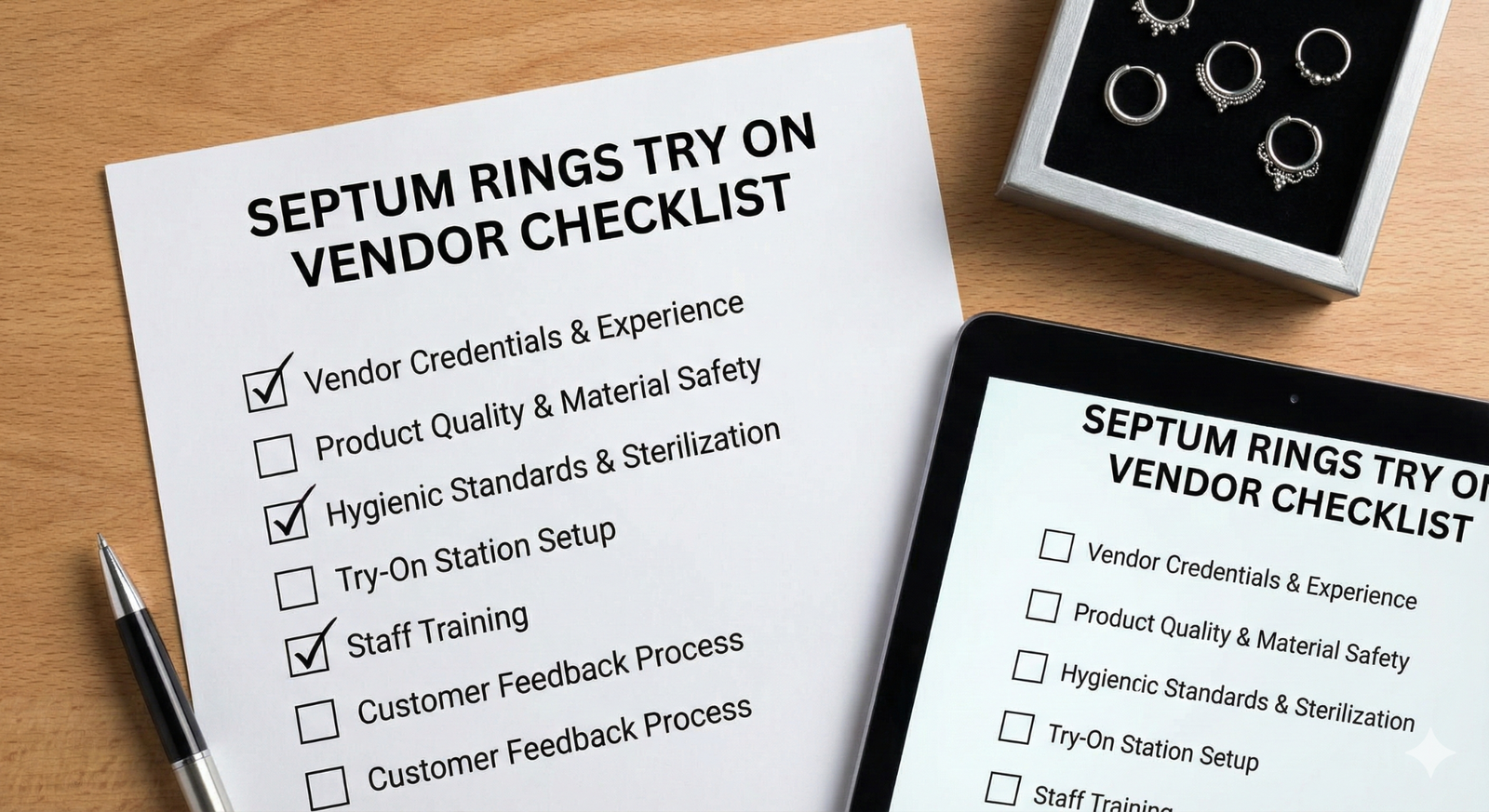
Septum Rings Try On Vendor Checklist — How to Evaluate Virtual Try‑On Providers and Avoid Costly Pitfalls
Quick Summary
- Use no-code/link pilots for quick validation before investing in SDK/API integration.
- Focus on alignment accuracy, occlusion, and material rendering for small and sensitive septum rings.
- Request a demo with your SKUs and test links for iOS/Android and in-app browsers (Instagram/TikTok).
- Ensure the vendor can forward events to GA4/Segment and provides a DPA for privacy compliance.
Introduction — What this checklist helps you do
This checklist helps your team assess virtual try-on (VTO) providers, run low-risk pilots, and avoid the technical and commercial pitfalls that often turn big promises into expensive projects. VTO for jewelry and accessories can increase shopper confidence and conversions while reducing returns—see PicupMedia’s benefits summary and Queppelin’s broader VTO guide.
Use this guide to:
- Systematically compare vendors using a repeatable scoring rubric.
- Develop a pilot plan that can be quickly implemented.
- Copy/paste a list of vendor questions for RFPs, calls, and emails.
Quick note: tryitonme.com is a link-based, no-code VTO for accessories (including septum rings) that provides ready-to-use try-on links in less than 3 business days — the platform requires no SDK or API integration. (Product details and pricing: tryitonme jewelry no‑code VTO, tryitonme pricing for accessories.)
Why VTO Matters for Septum Rings (business impact)
Use keywords: virtual try-on vendor checklist
VTO is no longer just a novelty for jewelry—it’s a conversion lever worthy of validation. For septum rings, VTO addresses the uncertainty about size and appearance that often hinders purchases. Key commercial impacts:
Increase purchase confidence and conversion: VTO helps shoppers visualize size, gauge, and finish, reducing hesitation (see PicupMedia’s benefits summary: PicupMedia).
Reduce returns and post-purchase dissatisfaction: Showing relative fit and scale reduces expectation mismatch (industry context: Queppelin).
Expand social reach and discovery: Shareable try-on selfies become organic marketing on Instagram/TikTok (social commerce guide: BrandXR).
Increase AOV and cross-sell: Engagement with VTO creates opportunities to showcase complementary SKUs. For framing the ROI of septum rings, see the playbook: ROI of septum rings VTO.
What Makes Septum Rings Uniquely Challenging for VTO
Use keywords: septum rings try on vendor checklist
Technical challenges for septum rings include:
- Fine alignment and fine-scale — placement must be pixel-level; small errors are clearly visible (example and reference: Glamar).
Wide variation in nasal anatomy — tracking must be effective across many face types (Glamar).
Rotation, occlusion, and edge cases — the ring must rotate naturally and properly close/reverse behind the nose contour (Glamar).
Material and specular realism — metal must exhibit convincing reflections (Perfect Corp.).
Gauge, curvature, and geometry — various closure styles require accurate scaling and geometry.
High‑Level Virtual Try On Vendor Checklist (overview)
Use keywords: virtual try-on vendor checklist
VTO is no longer just a novelty for jewelry—it’s a conversion lever worthy of validation. For septum rings, VTO addresses the uncertainty about size and appearance that often hinders purchases. Key commercial impacts:
- Accuracy & Realism (alignment, occlusion, material rendering)
- Tracking & Modeling (landmarks, depth, mesh)
- Input Formats & Content Pipeline (photos, CAD, 3D formats)
- Rendering & Performance (on‑device vs server, FPS, load)
- UX & Conversion (mobile UI, CTA, shareability)
- Implementation & Integrations (no‑code vs SDK/API, PIM compatibility)
- Analytics & Measurement (events, attribution)
- Costs, Commercial Terms & Support (pricing, SLAs)
- Data Privacy & Compliance (biometric handling)
Accuracy & Realism (checklist items)
Use the optional keyword once: septum rings try on vendor checklist
Request verifiable proof of realism:
- Realistic placement demo: “Please demonstrate live septum ring placement on at least 8 different faces (age, skin tone, nose shape).”
- Request your own SKUs if possible. (Reference: Glamar.)
- Occlusion verification: “Show head rotation where the ring passes behind the nose contour without clipping.”
- Scale fidelity confirmation: “Prove gauge and diameter maintain true-to-life dimensions—request measurement comparisons or side-by-side photos.”
- Material rendering check: “Show the same SKU in gold, silver, and oxidized in realistic lighting.” (Material guidelines: Perfect Corp.)
Tracking & Modeling (checklist items)
Use keywords: virtual try on vendor checklist
- Ask about the method: “Is the tracking based on 2D landmarks, depth estimation, or a full 3D face mesh?” (Overview: Queppelin).
- Test dynamic motion: “Can you demonstrate the ring during rapid head rotation and expression changes?”
- Edge cases: “How does the tracking work with glasses, beards, heavy makeup, low light, or partial face cropping?”
Input Formats & Content Pipeline (checklist items)
use keywords: questions to ask try on vendor
- Ask about accepted formats: “What formats do you accept (2D photos, CAD, OBJ/GLTF/FBX)?” (Photo & product guide: Mirrored blue-light glasses try-on.)
- 3D from photos: “Can you create 3D models from photos alone, or do you need CAD?”
- Volume & turnaround: “How many photos/models per SKU, content cost per SKU, and typical turnaround time?”
- Example request: “Please provide a sample content checklist for septum rings and a detailed pricing sheet.”
Rendering & Performance (checklist items)
Use keywords: virtual try on vendor checklist
- Rendering model: “Does rendering happen on-device (browser/WebGL) or server-side? If server-side, where is the server located and what is the latency?” (Tradeoffs: PicupMedia.)
- Performance targets: Initial load time ideally 3–5 seconds on mobile, stable tracking >24–30 FPS for a smooth experience.
- Fallbacks: “What happens in the Instagram/TikTok in-app browser or when bandwidth is low? Are there static previews or a simplified experience?”
UX & Conversion Considerations
Use keywords: questions to ask try on vendor
- Mobile-first UI with simple onboarding and large touch targets.
- Selfie, save, and share features to drive organic reach (e.g., Glamour).
- Clear CTA flow: size/gauge selection and add-to-cart from the try-on session.
- Analytics hooks: Vendors should generate try-on, add-to-cart, and purchase events that can be integrated into GA4/Segment.
- Support A/B testing to measure lift.
Example A/B test idea:
- Control: product page without VTO. Variant: product page with try-on link. Measure session-to-try and try-to-purchase.
- Social test: organic vs. boosted posts leading to in-app try-on link to measure engagement and CPA.
Implementation & Integrations Assessment
Use keywords: virtual try on vendor checklist
- Deployment options: zero-code/link-based, iframe/embed, SDK, API.
- Link-based providers like tryitonme.com can provide links without an SDK/API (see: tryitonme pricing).
- Speed to launch: ask, “What’s the fastest path to a live link for a single SKU?” and request a timeline in hours/days/weeks.
- Catalog compatibility: “Can you ingest our PIM/Shopify/Magento feed and sync SKUs automatically?” (Shopify patterns: Mirror Shopify guidance.)
- Update workflow: “How do I add a new SKU and how long does it take?”
- Social compatibility: “Does the link work on Instagram and TikTok in-app browsers?”
Zero‑code vs SDK vs API — Which to pick
Use keywords: questions to ask try on vendor
- Choose zero-code/link for quick pilots, social campaigns, and validation without engineering.
- Choose SDK/API for deep integration, custom UI, or server-side analytics and full catalog automation.
- Procurement question: “What is the fastest path to a live product link for a single SKU, and how many engineering hours will it require?” (Link-based pricing reference: tryitonme pricing.)
Product Catalog & Update Workflow
Use keywords: virtual try on vendor checklist
- CMS/PIM compatibility: “Integration with Shopify, Magento, or CSV/PIM feeds?”
- Bulk upload: “Is there a bulk ingestion process and templates?”
- Sync cadence: “How often can SKUs be synced or updated automatically?”
- Acceptance criteria example: New SKUs appear in the live link within 48–72 hours of content upload. (Reference: tryitonme no-code VTO.)
Operations, Costs & Commercial Terms
Use keywords: questions to ask try on vendor
Commercial checklist — ask for each line item:
- Pilot price and scope (7–14 days).
- Per-SKU setup fee and ongoing costs per SKU.
- Per-session or bandwidth costs, if applicable.
- Content creation costs (per SKU) and multi-material rendering costs.
- SLA (uptime, response times) and support model (onboarding manager vs. ticketing).
Ready-to-use request: “Provide a price sheet that includes pilot pricing, per-SKU setup fees, per-session costs, and content fees.”
Data Privacy & Compliance
Use keywords : virtual try on vendor checklist
- Ask whether facial data is processed on-device or sent to a server; if server-side, ask for the server location and retention policy.
- Does the vendor retain facial images or biometric templates? Ask for details of retention and deletion procedures.
- Require a Data Protection Agreement (DPA) and proof of GDPR/CCPA compliance; vendors without documentation are a red flag.
Cross‑Platform Reliability & Social In‑App Behavior
Use keywords: questions to ask try on vendor
- Test live links on iOS Safari, Android Chrome, desktop, and in Instagram/TikTok in-app browsers.
- Request a device/OS coverage matrix and fallbacks for low-end/low-bandwidth devices.
- Request test links to be tested on at least three representative devices.
Trial & Evaluation Process — RFP & Pilot Plan (step‑by‑step)
Use keywords: virtual try on vendor checklist
- Define KPIs: session-to-try, try-to-add-to-cart, try-to-purchase, return rate, engagement time.
- Select 6–12 representative SKUs (gauge variations, material variations, complexity).
- Request a demo + 3–5 branded test links for your SKUs.
- Run a 7–14-day pilot with A/B testing on product pages and social media.
- Track KPIs and gather qualitative feedback via a short post-try survey.
- Score vendors with a decision matrix and calculate projected ROI.
Focused RFP templates available: RFP septum rings.
Pilot Setup — practical checklist
Use keywords: questions to ask try on vendor
- Prepare SKU photos or CAD files, product page URLs, and a spreadsheet of dimensions/materials.
- Determine traffic splits and analytics endpoints (GA4, Segment).
- Ask the vendor: “Provide three test links: product page embed, Instagram/TikTok in-app link, and standalone share link.”
Ready‑to‑Ask Vendor Questions (grouped)
Use keywords : questions to ask try on vendor
Technical & Product
- Can you demo septum rings on diverse face shapes using our SKUs?
- What tracking method do you use (landmarks/depth/3D mesh)?
- How do you ensure microscopic alignment and correct occlusion?
- Do you support CAD/3D ingestion and photoreal material rendering?
- What fallback exists for in‑app browsers?
Implementation & Timeline
- What is the fastest path to a live product link for one SKU?
- How many engineering hours are needed for full integration?
- How long to onboard 50 SKUs?
Content & Costs
- What formats do you accept and how much does content creation cost per SKU?
- Are multi‑material renders included or extra?
- Do you offer bulk content discounts?
Metrics & Measurement
- Which KPIs and dashboards do you provide?
- Can you forward events to GA4/Segment/Shopify?
- Do you support A/B testing and experimentation?
Security & Legal
- How is biometric data handled and retained?
- Can you sign a DPA and meet GDPR/CCPA?
- What are IP/asset rights for renders?
References
- Can you share jewelry/accessory case studies and references?
- May we run a pilot with analytics access?
Scoring Rubric & Decision Matrix
Use keywords : virtual try on vendor checklist
Score each vendor 1–5 and calculate the weighted total:
- Core accuracy & realism: 30%
- Implementation speed & effort: 20%
- UX & conversion features: 15%
- Analytics & measurement: 10%
- Security & compliance: 10%
- Commercial terms & support: 15%
Multiply the score by the weight, add them up to get the vendor score, then compare incremental revenue vs. total cost.
Must‑haves vs Nice‑to‑have (quick checklist)
Use keywords : septum rings try on vendor checklist
Must‑haves
- Accurate septum alignment and occlusion.
- Supports mobile and social in-app browsers.
- Easy shareable link or embed.
- Clear pricing and pilot options.
- Data privacy compliance (DPA, consent flows).
- Analytics and event tracking.
Nice‑to‑have
- 3D CAD ingestion and photoreal renders.
- Multi‑angle video previews.
- On‑platform add‑to‑cart and checkout.
- Experimentation dashboard.
- Creative services for content production.
Common Pitfalls & Red Flags to Avoid
Use keywords : questions to ask try on vendor
- “Perfect accuracy” without a live demo — request a demo on your SKUs.
- Hidden costs for content/materials — request a full price sheet.
- Requires heavy engineering to pilot — choose a no-code link for quick validation.
- No privacy documentation — treat as non-compliant.
- No analytics or attribution — request event forwarding or raw export.
Pilot Evaluation & ROI Calculator
Use keywords : virtual try on vendor checklist
Simple ROI framing:
- Incremental revenue = baseline conversions × conversion lift × AOV.
- Net gain = Incremental revenue − (vendor fees + content creation).
Use pilot results (session-to-try, try-to-purchase lift) to project revenue. Link-based no-code pilots like tryitonme.com minimize engineering and time-to-value.
Why tryitonme.com is the Right Fit for Your Business
Use keywords : septum rings try on vendor checklist; virtual try on vendor checklist
- Zero-code, link-based deployment — no SDK/API required.
- Fast onboarding — send a standard product photo, the tryitonme team/AI processes the AR, and you receive a unique try-on link in under 3 business days. (Details: tryitonme jewelry no-code VTO.)
- Focus on accessories — eyewear, jewelry, watches, hats, including septum rings.
- Pilot-friendly commercial model — a 6-month plan is suitable for quick validation. (Booking & pricing: tryitonme, mirror pricing.)
Example Vendor Call Script & Email (pasteable)
- Please demo 3 of our septum ring SKUs on multiple face shapes and provide videos.
- Can you provide a 7–14 day pilot with 3 test links (product page embed, Instagram/TikTok in‑app link, standalone share link)?
- Confirm content needs, turnaround time, and itemized pilot fees.
- Provide projected pricing at scale (per month / per SKU / per session).
- Share 2 recent jewelry/accessory references and pilot results if available.
- Can you sign a DPA and forward try/add/purchase events to our GA4 property?
Downloadable Assets & Deliverables
Use keywords : virtual try on vendor checklist
- Printable checklist PDF (one-page and full version).
- Scoring spreadsheet (XLSX / Google Sheets) with weighted rubric.
- Vendor call email/script and RFP template (DOC/PDF).
- 3–4 demo screenshots and instructions for requesting the tryitonme.com pilot link (tryitonme).
SEO & Publishing Checklist (final QA before publishing)
Use keywords : septum rings try on vendor checklist
- The primary keyword appears in the title and within the first 100 words.
- Secondary keywords (“virtual try-on vendor checklist,” “questions to ask about try-on vendors”) are used naturally in headings and the body.
- Alt text for all screenshots and demo images.
- External citations are included where claims are made (PicupMedia, Queppelin, Glamar, Perfect Corp., BrandXR).
- A CTA link to the tryitonme.com demo/pilot is present and functional.
- Target word count: 2,000–2,400 words.
- Downloadable assets are attached (PDF, XLSX/Google Sheets) and internal links to related posts.
Conclusion & Next Steps (CTA)
Use keywords : virtual try on vendor checklist
Summary: Shortlist vendors with a checklist, run a quick no-code pilot to validate realism and conversion, score vendors with a decision matrix, and calculate projected ROI. If you want to minimize engineering and go live quickly, request a 7–14-day pilot link from a link-based provider like tryitonme.com. For pricing and package details: tryitonme pricing.
Take action this week — select six representative SKUs and request three test links to start a pilot. For budget planning and specific septum ring package options, see: septum ring pricing.
FAQ
Q: What pricing models should we expect?
A: Common combinations: per‑SKU setup fees, per‑session usage, monthly platform fees, and content creation charges — request itemized price sheet and pilot pricing. (Industry: PicupMedia.)
Q: How long does a pilot take with a no‑code link provider vs SDK?
A: Link-based providers can deliver test links within hours to days; SDKs/APIs typically take weeks due to engineering work. (Reference: Queppelin.)
Q: How do we measure lift during a pilot?
A: Ensure the try → add‑to‑cart → purchase event is available and run a 50/50 A/B test on the PDP. Monitor session-to-try, try-to-purchase, and return rates to estimate the impact.
Q: Should we be concerned about facial data storage?
A: Yes — ask the vendor to explain whether data is processed on‑device or server‑side, retention policies, and request a DPA for GDPR/CCPA compliance.
Q: How fast can tryitonme deliver a pilot link and what are typical content requirements?
A: Link-based providers like tryitonme claim fast onboarding (unique try-on link in up to 3 business days) with standard product photography required; see details and packages at tryitonme no-code VTO and pricing.
Appendix: Research & Citation Map (for editors/writer)
- PicupMedia — jewelry VTO benefits: https://blog.picupmedia.com/top-5-benefits-of-jewelry-virtual-try-on/
- Queppelin — virtual try‑on guide: https://www.queppelin.com/virtual-try-on-a-detailed-guide/
- Glamar — nose ring VTO challenges: https://www.glamar.io/blog/best-virtual-nose-ring-try-on
- Perfect Corp. — jewelry/material rendering: https://www.perfectcorp.com/business/blog/retail/unique-piercings-virtual-try-on
- BrandXR — social VTO guidance: https://www.brandxr.io/the-complete-guide-to-virtual-try-ons-for-ooh-advertising
- tryitonme.com — product/pilot link: https://tryitonme.com