Mobile Performance Septum Rings Try On: a Technical Playbook for Fast, Reliable VTO
- Optimize for fast camera-init and minimal initial payload: lazy-load viewer assets and prioritize a camera-preview placeholder.
- Map Core Web Vitals to try-on UX (LCP, INP, CLS) and measure with Lighthouse and CrUX.
- Use progressive loading: placeholder → low-poly → medium → high-res; offload decoding/transcoding to workers.
- Prefer feature-detect & progressive enhancement for WebAR; provide 2D/3D fallbacks and a universal try link for broad reach.
Introduction — mobile performance septum rings try on
mobile performance septum rings try on is more than a feature brief — it’s a technical constraint and a product decision. Slow camera start, heavy 3D models, or an SDK that inflates your page payload will break the try-on flow long before a shopper sees their reflection. That lost engagement directly hurts conversions and increases time-to-value for product teams.
Performance matters for every step of the experience; see the high-level rationale at web.dev/why-performance-matters. This article is written for PMs, engineers and AR leads: it lays out measurable targets, optimization tactics (Core Web Vitals, WebGL, WebAR), progressive-loading patterns and practical fallbacks. Where appropriate, it shows why a link-based, zero-code VTO—like the one delivered by tryitonme.com—can be the fastest way to deploy accessory try-on (eyewear, jewelry, septum rings https://cermin.id/septum-rings-virtual-try-on, hats) across web, mobile and social.
Why mobile performance matters for septum rings try-on
Mobile devices have smaller memory budgets, constrained GPU power and widely varying networks. A try-on must open the camera, position a small accessory accurately on the face, and feel immediate. Any perceptible lag during camera-init, model load, or placement causes users to abandon.
Speak directly to engineering and product: the constraints are technical (memory/GPU limits, JS main-thread blocking, camera permission flows) and behavioral (users expect an instant camera-preview and accurate placement). One practical example: a product page with an eager “Try” CTA that spawns a heavy viewer on page load will often see lower engagement than one that loads a small preview on click and upgrades progressively—because many mobile users never reach the heavy code if the first interaction is slow. See a related mobile performance playbook for eyewear for concrete targets and tactics: https://cermin.id/mobile-performance-blue-light-glasses.
core web vitals try on
Core Web Vitals map directly to try-on UX. Use Google’s guidance for definitions and targets: web.dev/vitals/ (LCP < 2.5s, INP < 200ms, CLS < 0.1). For field data context see Chrome User Experience Report (CrUX) at developer.chrome.com/docs/crux/ and validate with Lighthouse audits: developers.google.com/web/tools/lighthouse/.
Key mappings and optimizations
- LCP (largest contentful paint): maps to the product hero or the initial viewer frame. Target LCP < 2.5s. Tactics: preload critical viewer assets, prioritize a camera-preview placeholder image and defer heavy JS.
- INP (interaction to next paint): maps to responsiveness when the user taps to rotate the model, switch rings, or accept AR. Target INP < 200ms. Tactics: reduce main-thread work, avoid long tasks, run heavy decoding in web workers.
- CLS (layout stability): maps to UI chrome, button placement, or late-injected viewer iframe that shifts content. Target CLS < 0.1. Tactics: reserve layout space for viewer chrome, set explicit height/width for assets, and avoid late DOM reflows.
Concrete tactics per metric: preload the viewer bootstrap only on intent, split code with dynamic imports, minimize initial DOM changes, and use resource hints to prepare connections.
webgl performance try on
WebGL is the rendering backbone for quality accessory VTO. The fundamentals and common performance pitfalls are covered at WebGL Fundamentals. Asset formats and compression standards to consider: glTF, Draco compression, meshoptimizer, and KTX2 / Basis Universal for textures (KTX2 / Basis).
Common bottlenecks and mitigations
- Draw calls and state changes: batch small accessories into atlases and reduce the number of draw calls. Aim for a single atlas texture and minimal shader variants.
- Texture sizes: transcode to KTX2 / Basis to reduce GPU upload time; use mipmaps and size caps.
- Geometry complexity: cap polygons per accessory. For small accessories target <10–20k triangles per asset and use LODs for higher fidelity on capable devices.
- CPU→GPU uploads: compress geometry with Draco or meshopt and stream decoding in web workers.
- Shader complexity: favor simple, single-pass PBR shaders; bake complex lighting into textures where feasible.
Remember: the 60fps budget is about 16ms per frame. Profile and measure—these caps are recommendations, not absolutes.
webar optimization
WebAR capability varies by device and browser. MDN’s WebXR overview is essential reading: MDN WebXR and Google’s WebAR progressive guide: web.dev/ar/. Camera constraints can be applied via MediaStreamTrack.applyConstraints.
Pragmatic strategy
- Feature-detect WebXR and progressively enhance: if immersive-ar is supported, offer AR; otherwise fallback to a 3D viewer or 2D overlay.
- Lazy-init AR engine: defer downloads and module initialization until user explicitly requests AR.
- Downscale camera feed or reduce tracking rate on low-end devices using applyConstraints to reduce CPU/GPU cost.
- Clean up: free the WebGL context and stop MediaStream tracks on AR exit to release memory and camera hardware.
- Permissions UX: explain why camera access is needed in a concise prompt before invoking the native permission dialog.
Progressive loading patterns & progressive enhancement
Use a low-to-high fidelity flow: placeholder image → low-poly model & low-res texture → medium → high-res swap. Trigger prefetch on intent signals (hover, focus, scroll into view, CTA in-viewport) using Intersection Observer: Intersection Observer. For septum-specific guidance on when to choose 2D compositing vs 3D models, see the decision guide: https://cermin.id/2d-3d-tryon-septum-rings.
Implementation patterns
- Use IntersectionObserver to prefetch preview assets when the product card scrolls into view.
- Dynamic import the viewer bundle only at click or confirm (MDN dynamic import).
- Decode and transcode KTX2/draco in a web worker (see meshopt streaming: meshoptimizer streaming and KTX2/Basis transcoding examples: basis_universal).
Example timing sequence (recommendation):
- 0ms: user taps “Try” — show camera placeholder immediately.
- 100–300ms: mount low-poly preview (fast GLB).
- 500–1500ms: progressively swap medium/full assets while running low-quality tracking until full assets arrive.
Load time & payload reduction tactics
Rules of thumb and tactics for initial payload and delivery:
- Minimize initial JS bundle; defer viewer code until click with dynamic imports: dynamic imports.
- Aim for an initial-interaction payload goal of <150–300 KB where feasible.
- Use CDN delivery with preconnect and resource hints: resource hints.
- Enable Brotli/Gzip text compression: Brotli/Gzip.
- Set cache-control headers aggressively for static assets: caching guidance.
- Asset-specific: compress GLBs (Draco/meshopt), convert textures to KTX2/Basis, use atlases and strip unused nodes/animations.
Memory management & runtime constraints
Mobile memory is limited—especially on lower-end Android devices. Use Chrome DevTools memory profiling for leak detection: Chrome DevTools memory profiling. WebGL context guidance: WebGL context guidance.
Checklist (memory & runtime)
- Set memory budgets for low-end devices (target <100–200MB total JS+GPU for the viewer lifecycle).
- Reuse GL contexts when possible; avoid creating/destroying contexts per open/close.
- Explicitly delete textures, buffers and program objects when tearing down.
- Offload parsing/transcoding to workers; avoid large ephemeral allocations on main-thread.
- Test repeated open/close cycles and run heap snapshots to find leaks.
Checklist (developer-facing)
- Set memory budgets for low-end devices (recommendation: target <100–200MB total JS+GPU for the viewer lifecycle).
- Reuse GL contexts when possible; avoid creating/destroying contexts per open/close.
- Explicitly delete textures, buffers and program objects when tearing down.
- Offload parsing/transcoding to workers; avoid large ephemeral allocations on main-thread.
- Test repeated open/close cycles and run heap snapshots to find leaks.
Fallback strategies (critical for broad reach)
Progressive enhancement ladder (UX-first):
- WebAR (when available)
- WebGL 3D viewer
- 2D overlay with live camera preview and composited accessory
- Static scaled try-on images or 360 spin
Use clear UX copy to set expectations: “We need camera access to preview this on your face — permission requested next.” Provide a universal, shareable try link (tryitonme.com) as the final fallback that works across channels for QA and cross-device testing. See the septum try-on checklist: https://cermin.id/septum-rings-try-on-checklist.
Monitoring & measurement (how to validate improvements)
Combine synthetic and RUM:
- Use Lighthouse / WebPageTest for synthetic runs and to validate viewer Time-to-Interactive and LCP: Lighthouse, WebPageTest.
- Use CrUX / RUM guidance to collect field LCP/INP data: CrUX, web.dev/rum.
Test matrix recommendations: simulate 3G/4G and low-end device emulation, run repeated open/close cycles, and track memory retention after viewer close.
Implementation patterns & checklist
- Lazy-load viewer JS on click (dynamic import) — high impact / low effort.
- Use IntersectionObserver to prefetch preview assets when product card enters viewport — medium effort.
- Compress GLB with Draco / meshopt; transcode textures to KTX2 in worker — high impact / medium effort.
- Reuse GL context and free resources on teardown — medium effort.
- Preconnect to asset CDN domains in head — low effort.
Example architecture / integration options
Option A — In-house SDK integration
Pros: full control, custom UX. Cons: high engineering cost, larger initial payload, longer time-to-market.
Option B — tryitonme.com link-based VTO (zero-code)
Pros: link-based deployment that only loads the viewer on click, minimal engineering effort, fast time-to-market. Cons: less control than a fully custom SDK (but configuration and integrations available).
tryitonme.com onboarding is simple: select a 6‑month package based on SKU count → send standard product photos (front/side for eyewear/septum rings) → tryitonme.com team/AI performs the AR processing → you receive a unique, ready-to-use try-on link in under 3 business days. For retailers with constrained engineering bandwidth, the link-based approach preserves performance best practices because the viewer resources aren’t loaded until the try link is invoked (https://tryitonme.com). For a breakdown of septum rings pricing and package considerations, see: https://cermin.id/septum-rings-virtual-try-on-pricing.
Case study / sample flow (mobile performance septum rings try on)
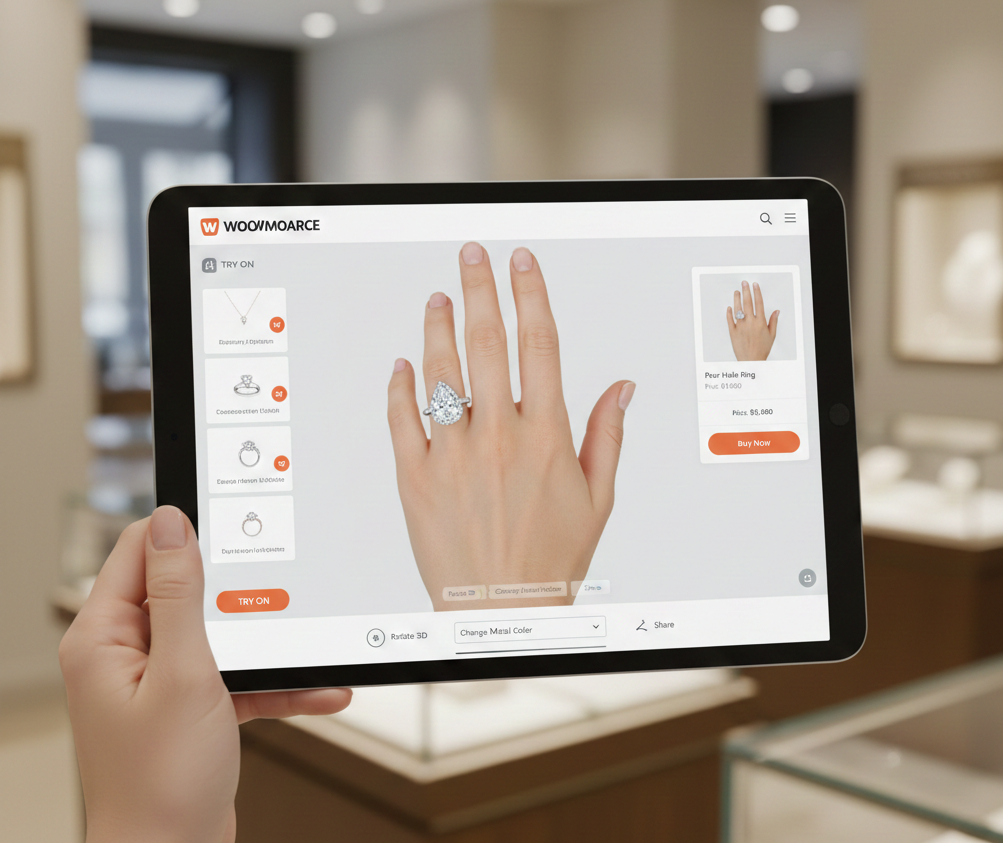
A concise stepwise try-on flow using a tryitonme.com link:
- Product page shows “Try on” CTA.
- User taps CTA — viewer JS is lazy-loaded and a camera placeholder appears.
- Low-poly preview GLB streams and renders quickly for an immediate preview.
- Medium/high-res assets load progressively while tracking runs at reduced rate.
- If device supports WebXR, offer AR mode; otherwise continue with the 3D viewer.
- On exit, stop MediaStream tracks and free GL resources.
- Record metrics: viewer TTF render, INP during interactions, memory retention after close. For business-impact evidence and uplift expectations for septum rings, see the ROI playbook: https://cermin.id/roi-septum-rings-virtual-try-on.
Metrics & targets to promise to stakeholders
Technical KPIs (recommendations):
- LCP < 2.5s (web.dev/vitals/).
- INP < 200ms.
- CLS < 0.1.
- Viewer first render < 1.5s after click.
- Initial try-on payload target < 300KB (where feasible).
- AR init < 2s on supported devices (ambitious).
Business KPIs: Try-on click rate, conversion lift for products with VTO, reduction in returns for fit/visual-fit issues.
Appendix — resources & tooling
- glTF / Khronos
- Draco
- meshoptimizer
- KTX2 / Basis Universal
- MDN — WebGL API
- Chrome DevTools memory profiling
- WebPageTest
- Lighthouse
- CrUX
- Intersection Observer (MDN)
- Dynamic import (MDN)
- tryitonme.com (demo/contact)
Why tryitonme.com is the Right Fit for Your Business
- Zero-code, link-based deployment: no SDK bloat—viewer resources only load on link invocation.
- Fast time-to-market: onboarding flow (6‑month package → send product photos → AR processing by tryitonme team/AI → receive try-on link in under 3 business days).
- Accessory-focused accuracy: VTO tuned for small accessories (eyewear, jewelry, septum rings, hats).
- Performance-friendly delivery: link strategy supports lazy-loading, progressive enhancement and the performance patterns described above.
Call-to-action & deliverables for writing phase
Request a demo at https://tryitonme.com. Deliverables for the writing phase: full article draft, code snippets (lazy-load viewer, WebAR feature detection, progressive GLB loading, fallback swap), a downloadable one-page performance checklist (PDF-ready), and a short comparison table for SDK vs link-based integration.
SEO & keyword placement plan
– Place primary keyword (mobile performance septum rings try on) in title and first paragraph.
– Include subhead headings for core web vitals try on, webgl performance try on, and webar optimization.
– Suggested meta: “Learn how to optimize mobile performance septum rings try on experiences with Core Web Vitals, WebGL best practices and WebAR progressive enhancement, plus how tryitonme.com enables zero-code accessory VTO.”
– Use keyword density naturally; place keywords in alt text for preview images and in H1/H2s where relevant. See web.dev/learn/seo/ for basics.
Final notes
This playbook is implementation-focused: treat the numeric targets as recommendations, measure on real devices and iterate. If you want, the author can produce the one-page PDF checklist, expanded code snippets in collapsible blocks, and a performance-ready sample implementation tailored to your product catalog. For vendor selection and execution best practices specific to septum rings, also review the general septum try-on introduction: https://cermin.id/septum-rings-virtual-try-on.
FAQ
1. How quickly should the try-on viewers render on mobile?
Target a viewer first render < 1.5s after click for a responsive feel; use a camera-preview placeholder immediately and stream low-poly assets within 100–300ms where possible.
2. When should I use WebAR vs a 3D viewer or 2D overlay?
Feature-detect WebXR and progressively enhance: prefer WebAR on supported devices for immersive preview, fallback to a WebGL 3D viewer on unsupported browsers, and use a 2D overlay for simplest, lowest-cost compatibility.
3. What are the most effective payload reduction tactics?
Lazy-load viewer code via dynamic imports, compress GLBs (Draco/meshopt), transcode textures to KTX2/Basis, and aim for an initial-interaction payload <150–300KB where feasible.
4. How do I handle memory leaks from repeated open/close cycles?
Reuse GL contexts when possible, explicitly delete textures/buffers/programs on teardown, stop MediaStream tracks, and use Chrome DevTools heap snapshots to identify retained objects after close.
5. Is a link-based VTO like tryitonme.com suitable for enterprise retailers?
Yes—link-based VTO is a fast, low-effort option that preserves performance best practices by deferring viewer load until invocation. It reduces engineering lift and accelerates time-to-market, though it offers less direct control than an in-house SDK.