
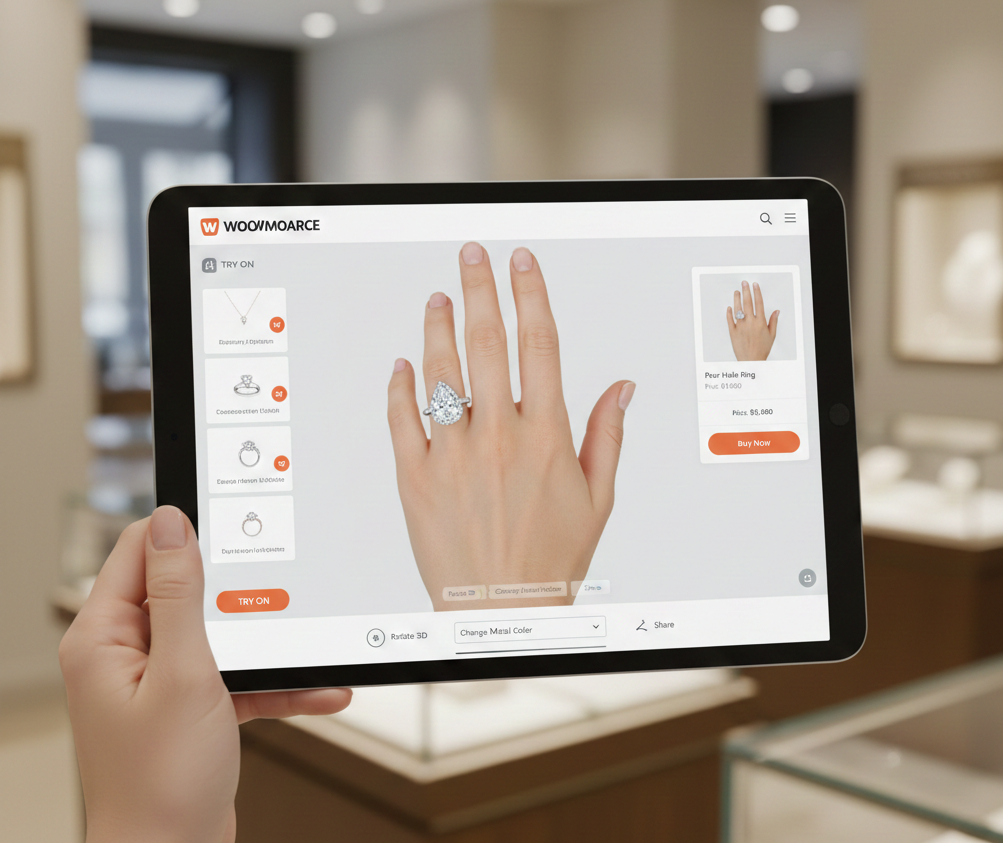
Engagement Rings Try On Analytics: A GA4 Event Taxonomy, KPIs & Funnel Tracking Guide
- Use GA4’s event-first model to connect try-on to add-to-cart and purchase.
- Quick implementation: link-based flow (tryitonme.com) for SDK-free launch; full integration for richer data.
- Standardize event and parameter names (snake_case) and promote product_id, session_id, and tryon_type as custom dimensions.
- Create a funnel: product_page_view → tryon_link_click → tryon_open/start → engaged → tryon_add_to_cart → tryon_complete_purchase.
Why measuring try-on matters
Virtual try-on (VTO) is more than just a novelty—with proper tracking, try-on behavior becomes an intent signal that connects browsing to purchasing. Event-based measurement in GA4 makes it easy to capture interactions as separate events with parameters, allowing you to assess engagement depth and conversion lift within a single property. For a reference on basic GA4 concepts, see the GA4 event basics, as well as the GA4 walkthrough beginner’s guide and the practical event-tracking primer.
Measurement framework — define objectives and the funnel
Start with stakeholder alignment on the business objective (e.g., increasing ring collection conversion rates while reducing returns) and then agree on the funnel to be instrumented:
- Awareness — product page view
- Interest — try-on CTA click
- Engagement — try-on opens and user interacts (camera start, item swaps)
- Intent — add-to-cart / save / share
- Conversion — purchase attributed to try-on
GA4 planning best practices and naming guidance: GA4 planning.
Checklist — goals & success metrics
- Goal: Increase conversion for target ring collection. Success metric: +X% purchase rate among try-on users vs baseline.
- Goal: Improve try-on engagement. Success metric: Increase average tryon_duration by Y seconds.
- Goal: Reduce returns. Success metric: Compare return rate of try-on-attributed purchases vs baseline.
GA4 event taxonomy for engagement rings try-on (core)
Copy-paste friendly event list (use snake_case, consistent parameters):
- tryon_link_click
- When/why: Fired when user clicks the “Try On” CTA — top-of-funnel intent.
- Core params: product_id, sku, variant, price, tryon_type, session_id, utm_source
- tryon_open
- When/why: Try-on UI/session opens (modal, new tab, link target).
- Core params: product_id, session_id, tryon_type, experiment_id
- tryon_start
- When/why: Camera/AR initialization succeeds.
- Core params: product_id, session_id, device, browser, tryon_type — lihat juga mobile perf notes: mobile performance.
- tryon_item_change
- When/why: User swaps ring variant/size/material.
- Core params: product_id, variant, material, color, session_id, duration_seconds
- tryon_duration
- When/why: Timed metric capturing session length.
- Core params: duration_seconds, session_id, product_id
- tryon_save / tryon_favourite
- When/why: User saves a look.
- Core params: product_id, saved_variant, session_id
- tryon_share
- When/why: User shares externally.
- Core params: product_id, share_channel, session_id
- tryon_add_to_cart
- When/why: Add-to-cart triggered from a try-on result.
- Core params: product_id, sku, price, variant, session_id, result
- tryon_complete_purchase
- When/why: Purchase attributed to prior try-on.
- Core params: product_id, order_id, revenue, session_id, tryon_type
- tryon_exit
- When/why: Session end without conversion.
- Core params: product_id, session_id, duration_seconds, exit_reason
GA4 event constraints & reference: Google event reference and best practices: event-tracking best practices.
Recommended parameters (promote key ones to custom dimensions)
- product_id, sku, variant
- price, color, material
- tryon_type (link, embedded, modal, AR)
- session_id / tryon_session_id
- duration_seconds
- result (added_to_cart, saved, shared, none)
- experiment_id
- utm_source / utm_medium / utm_campaign
Promote product_id, session_id, tryon_type, and experiment_id to custom dimensions for consistency in reporting. Planning reference: GA4 planning.
GA4 events try on — implementation guidance
Two implementation paths depending on deployment:
A) Full integration (preferred for embedded or iframe-based VTO)
- Pattern: Try-on UI → dataLayer or postMessage → GTM → GA4.
- Benefits: direct, low-latency capture and richer parameter passing. GTM→GA4 Guide: GTM→GA4 patterns.
B) Link-based / no-code flow (fastest, ideal for tryitonme.com)
- Pattern: Instrument a CTA to send tryon_link_click with query parameters (product_id, tryon_session, UTM). If the provider supports return URLs/callbacks, capture tryon_session on the return to fire tryon_open/tryon_complete.
- Advantages: Minimizes SDK work — suitable for fast marketing. Example of a link-based vendor: tryitonme.com and comparison details: tryitonme vs. competitors.
GTM trigger mapping
Mapping practice:
- Trigger: Custom Event — matches event name (e.g. tryon_link_click) or Click Trigger with data attributes.
Tag: GA4 Event — map dataLayer variables or click variables to GA4 event parameters. See primary tracking: event tracking primary.
Step-by-step for link-based implementation (concise checklist)
- Add tracked CTA: append product_id, tryon=true, utm parameters to link.
- On CTA click: fire tryon_link_click with session_id generated client-side.
- If try-on service returns redirect with tryon_session and tryon_complete flags, capture on page load and fire tryon_open or tryon_complete_purchase.
- Promote session_id and product_id to custom dimensions for stitching.
- Validate event flow di GA4 DebugView dan Realtime reports.
Why tryitonme.com is the Right Fit for Your Business
tryitonme.com is a link-based, zero-code VTO platform for accessories like engagement rings — ideal for rapid deployment without an SDK, making analytics easier to instrument. Benefits:
- Zero-code, link-based deployment — launch via simple shareable product link.
- Fast time-to-market — ready-to-use try-on link dalam under 3 business days setelah asset submission.
- Simple onboarding dan analytics-friendly link flow.
Try on KPIs — what to monitor and formulas
Primary KPIs:
- Try-on CTR = tryon_link_clicks / product_page_views
- Try-on engagement rate = users_who_started_tryon / users_who_clicked_tryon
- Try-on conversion rate = purchases_attributed_to_tryon / tryon_link_clicks
- Add-to-cart lift = (ATC_rate_with_tryon – baseline_ATC_rate) / baseline_ATC_rate
Secondary KPIs:
- Average try-on duration (mean duration_seconds)
- Items tried per session (total tryon_item_change events / sessions)
- Save/share rate = tryon_save or tryon_share / tryon_open
- Return-rate comparison: returns_for_tryon_attributed_purchases vs baseline_returns
KPI design & event mapping: event-to-metric guidance and parameter guidance: GA4 parameter guidance.
Funnel tracking try on — configuring funnels in GA4
- product_page_view (entry)
- tryon_link_click
- tryon_open / tryon_start
- engaged (tryon_item_change OR duration_seconds > X)
- tryon_add_to_cart
- tryon_complete_purchase
Putuskan antara ordered funnels (strict) dan open funnels. Tangkap engaged via event atau threshold agar mencerminkan interaction yang bermakna. GA4 funnel overview: GA4 funnel docs.
Dashboards & reports to build
- Funnel visualization (counts + conversion rates)
- Event volume timeline (tryon_link_click, tryon_open, tryon_add_to_cart)
- Product-level CTR & conversion (by SKU/variant)
- Cohort comparison: try-on users vs non-try-on users (conversion & returns)
- Experiment results panel (CTA / UX tests vs baseline)
Decide between ordered (strict) and open funnels. Capture engagement via events or thresholds to reflect meaningful interactions. GA4 funnel overview: GA4 funnel docs.
Experimentation & optimization ideas
- CTA copy A/B: “Try On” vs “See It On” — measure Try-on CTR & downstream conversions.
- CTA placement: hero vs gallery vs sticky bar.
- Incentive test: try-on-exclusive discount vs no incentive (measure add-to-cart lift).
- UX tests: reduce camera permission friction, add quick tutorial overlay (measure open→engaged conversion).
Case study / example walkthrough (simulated)
- Product page views: 20,000
- Try-on clicks (tryon_link_click): 1,400
- Try-on opens (tryon_open): 1,050
- Engaged users (duration > 10s): 480
- Add-to-cart from try-on: 140
- Purchases attributed to try-on: 42
Key KPI calculations (simulated): Try-on CTR = 1,400 / 20,000 = 7.0%; Click-to-open = 75%; Open-to-engaged = 45.7%; Engaged-to-ATC = 29.2%; Click-to-purchase = 3.0%.
Common pitfalls & troubleshooting
- Duplicate events: Dedupe by event_id or a combination of session and timestamp.
- Lost attribution across domains/redirects: Persist tryon_session_id and UTM parameters.
- Missing ecommerce linkage: Ensure product_id/SKU parity between try-on and ecommerce events.
- Inflated durations: Accommodate background tabs/screen locks.
- Privacy & consent: Do not send PII; comply with consent mode and local regulations. Reference: GA4 basics and best practices: Event tracking primer.
Reporting cadence & targets
- Daily: during launch or active experiment.
- Weekly: KPI reviews and quick optimizations.
- Monthly: strategic deep-dive & cohort analysis.
Start with a baseline period of 2–4 weeks then set iterative improvement goals (e.g. 10–20% lift depending on maturity).
Implementation checklist tailored to tryitonme.com
- Purchase tryitonme.com 6‑month package by SKU and submit product photos (front/side). (tryitonme)
- Add tracked “Try On” CTA on product pages with query params: product_id, tryon=true, utm_source.
- Create GTM trigger to capture tryon_link_click.
- Generate session_id on CTA click and pass as tryon_session in the link.
- Map incoming return params (tryon_session, tryon_complete, variant) to fire tryon_open / tryon_add_to_cart.
- Promote session_id and product_id to custom dimensions in GA4.
- Build funnel exploration: product_page_view → tryon_link_click → tryon_open → engaged → tryon_add_to_cart → purchase.
- Run pilot A/B test (CTA copy or placement) for 4 weeks; monitor daily during launch.
Next steps & call-to-action
Run a 4-week pilot for one engagement ring collection: instrument CTA, measure a 2-week baseline, then run a 2-week priority test. For a quick link-based deployment, request a demo/pilot from tryitonme.com or see the vendor’s implementation details: tryitonme no-code VTO.
Final production checklist (short)
- QA event names and parameters according to taxonomy.
- No PII in parameters.
- Promote product_id/session_id to GA4 custom dimensions.
- Validate flows in GA4 DebugView and Realtime.
- Include tryitonme demo/signup link if relevant: tryitonme.com.
- Confirm funnel report vs. raw event counts.
FAQ
1. How do I associate a purchase with a try-on session?
Persist the tryon_session_id (or session_id) as a query param in the redirect/return URL and ensure the purchase event includes the same session_id so you can stitch events and attribution in GA4.
2. Which parameters are important to promote as custom dimensions?
Promote at a minimum: product_id, session_id (tryon_session_id), tryon_type, and experiment_id to ensure consistent slicing and cohorting across explorations and dashboards.
3. Can I implement this without engineering effort?
Yes — with a link-based approach (e.g., tryitonme.com), you can add a CTA containing query params and fire tryon_link_click via GTM/Click Trigger; return params can trigger tryon_open/tryon_complete when the user returns.
4. How can I prevent duplicate events?
Use a unique event_id per event or dedupe in downstream reports with a combination of session_id + timestamp; on the GTM side, avoid multiple tag firings for the same trigger.
5. How long should the pilot run?
Recommended: 2–4 weeks of baseline for initial measurements, then 2–4 weeks for the experiment, depending on traffic volume, to ensure a sufficient sample size for significance.