
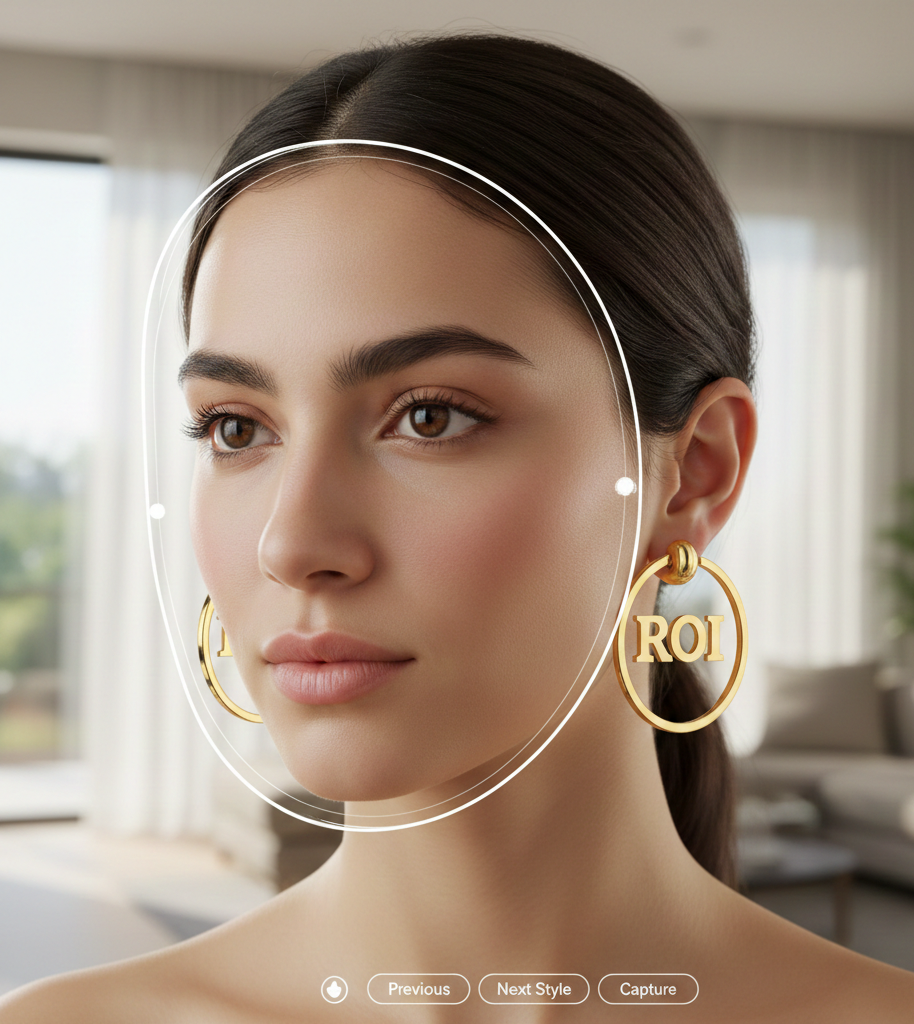
2D vs 3D Try On Earrings
When to choose 2D compositing or 3D models for virtual try-on
- Start with 2d try on for catalog speed and scale; use 3d try on for hero SKUs where realism matters.
- 2D is lightweight and fast to deploy; 3D delivers depth, parallax and realistic lighting for premium presentation.
- Hybrid workflows (catalog 2D + selective 3D) balance cost, speed and conversion lift.
Quick glossary — key terms
What is 2D try on?
2D try on is image compositing: a transparent product image (usually PNG) is anchored to facial/ear landmarks, scaled and rotated to match pose, and rendered on top of the user’s camera feed or uploaded photo. It’s lightweight and optimized for fast mobile and social experiences. See a short explainer at Camweara (2D vs 3D overview) and a demo video. The vendor perspective and pricing notes are summarized at cermin.id.
What is 3D try on?
3D try on uses a modeled asset with physics-capable rendering: a CAD or scanned model is assigned PBR (physically based rendering) materials, attached to the ear pivot, and rendered in real time with occlusion, parallax and lighting. It’s the go-to for realistic rotation, depth and dangling motion. See Snap’s developer notes and recent industry examples in industry coverage.
Related terms (one-line)
- 2.5D: Layered or projected elements that mimic depth without full 3D geometry.
- Photogrammetry: Building 3D geometry from multiple photos — useful when CAD isn’t available (see Camweara).
- WebAR: Browser-based AR, often used for link-accessible try-on flows.
How each approach works (technical but accessible)
2D technical pipeline
A 2D try on pipeline typically:
- Detects face and ear landmarks from the camera feed.
- Calculates scale, rotation and anchor points for each ear.
- Overlays a PNG asset with alpha and applies simple lighting/color adjustments.
- Updates placement as the head moves.
This approach is computationally cheap, loads quickly on mobile and is easy to create from standard product photography. See a step-through at Camweara and the demo video for implementation cues.
3D technical pipeline
A 3D try on pipeline typically:
- Produces or imports a 3D model via CAD, scanning, or photogrammetry.
- Applies PBR materials so metal and stones react to light realistically.
- Defines an ear pivot and physics/animation rules for dangling parts.
- Renders in real time with occlusion, parallax and camera motion.
This is more complex but enables convincing rotation, shading and interaction with the wearer’s head and hair. See Snap’s earring try-on docs at developers.snap.com and industry work on converting 2D to 3D at Retail Today.
Trade-offs summary (complexity vs realism)
Which is better 2d 3d try on? The central trade-off is speed and scale (2D) versus realism and premium presentation (3D). 2D wins for operational velocity and lightweight social experiences; 3D wins when depth, motion and photoreal materials materially influence purchase decisions. See a comparison overview at Camweara.
2D vs 3D: pros & cons
2D try on — pros
- Fast production from simple photos. (Camweara)
- Lower production cost and smaller asset sizes.
- Excellent load times for mobile and social links.
- Ideal for studs, small hoops and repeatable catalog SKUs. (stud pricing, hoop pricing)
- Easier to scale and update frequently.
2D try on — cons
- Limited parallax and rotation realism. (Camweara)
- Visible occlusion errors with hair or extreme poses. (demo video)
- Less convincing for sculptural or articulated pieces.
3D try on — pros
- Realistic depth, parallax and lighting for premium presentation. (Snap)
- Handles dangling motion and complex geometry well.
- Stronger alignment with high-ticket purchase confidence. (Retail Today)
3D try on — cons
- Higher production time and cost.
- Larger runtime compute and heavier assets.
- Potential platform compatibility restrictions and longer QA cycles. (Camweara)
Performance, UX and conversion considerations
- Latency & load time: 2D try on typically loads faster and has lower latency, which matters for social and mobile traffic. (Camweara)
- Perceived realism: 3D can boost purchase confidence for luxury or complex earrings because of accurate lighting and rotation. (Retail Today, cermin.id ROI notes)
- Catalog velocity: If you push frequent SKU updates, 2D reduces production bottlenecks; consider 3D selectively for hero pieces.
- Device compatibility: Lightweight, link-based 2D flows reach more users reliably; heavier 3D renderers require test coverage across target devices.
When to choose which option — practical decision guide
Use 2D try on when…
- You need fast time-to-market and catalog breadth. (Camweara)
- Most SKUs are front-facing (studs, simple hoops).
- Your primary channels are social, ads, or mobile product pages.
- You prioritize low cost and rapid iteration.
Use 3D try on when…
- You sell luxury or sculptural pieces where depth and motion matter. (Retail Today)
- The earring has articulation, visible thickness, or complex reflections. (Snap)
- You want hero-SKU marketing campaigns and immersive product pages.
Hybrid approach (recommended)
Often the best answer is both: deploy 2D for catalog-scale coverage and add 3D for hero SKUs or campaign pieces. This balances cost, speed and conversion lift while letting you prioritize high-impact items. (Retail Today, Camweara)
Earring-specific considerations (why earrings are unique)
- Ear geometry varies significantly — test on diverse faces and ear shapes. (Snap)
- Hair occlusion is a common failure mode; include hair-in-front test cases in QA. (Camweara)
- Scale matters: studs require tighter placement accuracy than chandeliers.
Dos & don’ts (short)
- 2D do: Use for compact studs/hoops and social ads. (Camweara)
- 2D don’t: Rely on 2D for heavily sculptural dangling pieces.
- 3D do: Invest for hero SKUs and premium landing pages. (Retail Today)
- 3D don’t: Skip broad device testing; rendering differences can affect experience.
Implementation & go-to-market with tryitonme.com
You can launch link-based VTO for accessories without an SDK or API. The tryitonme.com workflow is designed for speed and simplicity — you send product photos, the team/AI processes AR assets, and you get a shareable link.
Onboarding flow (step-by-step)
- You purchase a 6‑month package based on your SKU count. (pricing)
- You send standard product photos (e.g., front/side for eyewear; front view for jewelry).
- The tryitonme team and AI handle AR processing (2D compositing or 3D creation as needed). (vendor checklist)
- You receive a unique, ready-to-use try-on link for each SKU — typically within 3 business days for standard workflows.
Why tryitonme.com is the Right Fit for Your Business
- Zero-code, link-based deployment: no SDK or API builds needed, so you can embed try-on links across channels quickly. (demo, tryitonme.com)
- Speed: ready-to-share product links delivered fast (standard turnaround under 3 business days).
- Scalable catalog workflows: simple 2D compositing for broad coverage, with options to upgrade hero SKUs to 3D.
- Accurate accessory-focused VTO: built specifically for accessories like earrings, eyewear, jewelry and hats.
Book a Demo: Get a shareable VTO link.
Quick rollout checklist & timeline
- Day 0: Select initial SKU cohort (start with high-traffic SKUs + a few hero pieces). (Camweara)
- Hours–Days: 2D assets processed for catalog SKUs; links generated and embedded.
- Days–Weeks: 3D modeling for hero SKUs, QA, and publish.
- Ongoing: Monitor KPIs and expand 3D where you see conversion lift.
Note: 2D costs and production times are generally lower; 3D requires more time and resources but can deliver higher impact for premium pieces.
Measurement & KPIs
Track:
- Click-through rate on try-on links.
- Time on product/try-on session.
- Add-to-cart lift and conversion lift.
- Return-rate changes for SKUs exposed to try-on.
A/B test template
Hypothesis: “3D try on for hero SKU X will increase add-to-cart rate by Y% vs 2D.”
Test groups: randomized traffic to 2D vs 3D try-on links for the same SKU.
Metrics: CTR to try-on, session time, add-to-cart, conversion, returns.
For testing guidance, see Camweara and research on realism’s impact at Retail Today.
Content assets & visuals to include
- GIFs/side-by-side videos that show 2d try on vs 3d try on for the same earring. (Retail Today)
- Pipeline diagrams: landmarking vs rendering flow. (Camweara)
- tryitonme dashboard and shareable link screenshots. (tryitonme demo)
- Merchant case example: catalog rollout (2D) then hero upgrade (3D).
Conclusion / recommendation — 2d vs 3d try on earrings
Start with 2D for speed, scale and social reach, then invest in 3D for hero SKUs and premium campaigns where realism drives purchase confidence. Try both quickly and compare results using link-based VTO to avoid heavy builds — book a demo to get a shareable VTO link and start testing.
FAQ
Which is better 2d 3d try on?
No single winner — it depends on product complexity, budget, KPIs and channels. Use 2D for speed and scale, 3D for realism and premium presentation. (Camweara)
Can I mix 2D and 3D?
Yes. A hybrid approach (catalog 2D + hero 3D) is a practical strategy for balancing cost and impact. (Retail Today)
How long does it take to set up?
2D typically takes hours–days; 3D takes days–weeks depending on complexity. tryitonme’s standard workflow delivers shareable links within ~3 business days for standard processing. (tryitonme demo)
Will it work on Instagram/TikTok?
Yes — link-based VTO works well on mobile/social because users open the try-on via a shareable product link suited for mobile-first discovery. (Camweara)
What are the main cost considerations?
2D has lower production and maintenance costs and smaller asset sizes; 3D requires modeling, PBR material setup and additional QA across devices, increasing time and budget for premium pieces.
Calls to action
Editorial & publishing checklist
- Title contains “2d vs 3d try on earrings” and the phrase appears in the first paragraph.
- Include exact phrases: 2d try on, 3d try on, which is better 2d 3d try on.
- Visual comparisons and tryitonme demo/homepage links included. (Camweara, Retail Today, Snap, YouTube demo, tryitonme demo)
- Add article + FAQ schema and visuals.
- Target length: 1,200–1,800 words.