 Septum Rings Virtual Try On: How to Let Customers Try Septum Rings Online
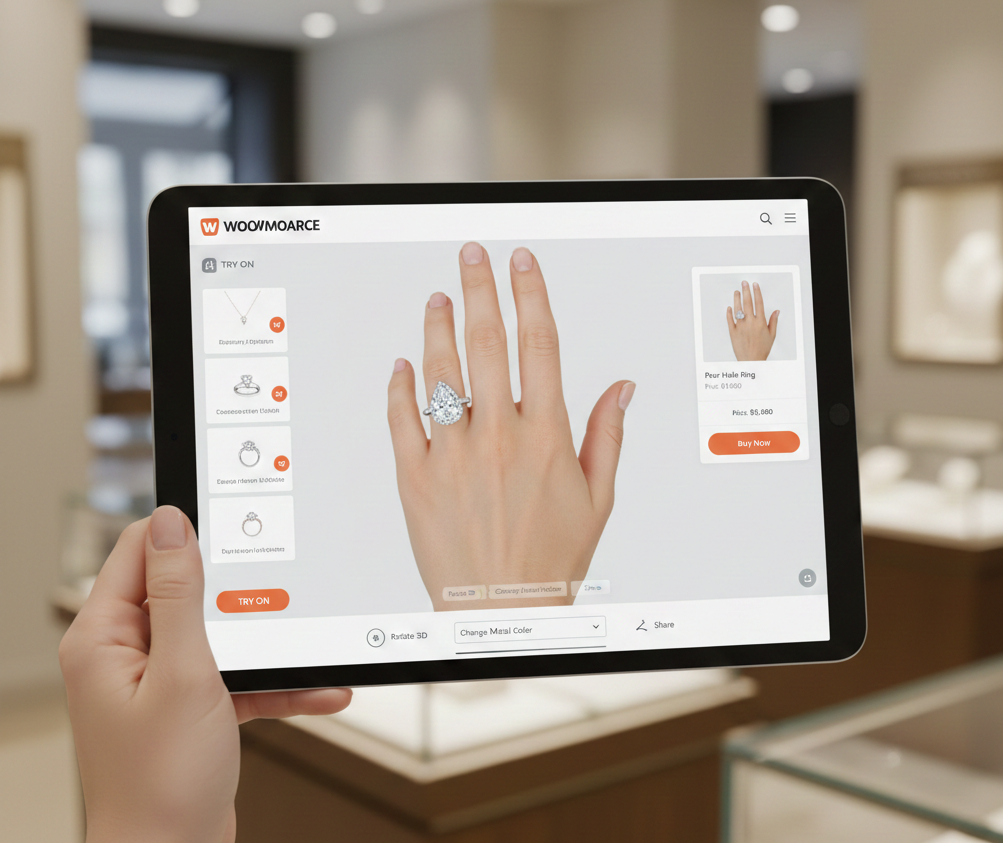 Septum Rings Virtual Try On: How to Let Customers Try Septum Rings Online
Introduction
septum rings virtual try on is the simple, high-impact way to help customers see how clickers, hoops, and horseshoe barbells look on their face before they buy. For e‑commerce managers and jewelry founders, it reduces purchase hesitation, lowers returns, and shortens the path to checkout.
This post explains what septum rings virtual try on is, how septum rings ar try on technology works, the benefits for retailers and shoppers, UX and marketing tips, real examples, and a zero‑code implementation path using tryitonme.com. Try a live demo here.
Quick Summary
- Link-based VTO enables product previews without an SDK or app installation—perfect for PDPs, advertising, and social media.
- The technology combines facial detection, landmarking, and 2D/3D overlays for accurate septum placement.
- Zero-code implementations like tryitonme.com accelerate launches and support multiple variants.
- Key benefits: higher conversions, lower returns, and UGC content that drives social traffic.
what is virtual try on for septum rings
What it is
what is virtual try on for septum rings? It’s an AR/AI-powered tool that overlays a digital septum ring onto a user’s face—either live through the camera or by rendering onto an uploaded selfie—so shoppers can preview how a piece will look and scale on their nose instead of guessing from static photos. See a working example of a link-based septum try-on tool at Photta and learn how piercing filters generally work at CyberLink.
Two common approaches (quick examples)
- Full‑face, live AR: Uses the device camera to place a ring in real time—ideal for immersive PDPs or in‑app experiences (example tools and use-cases discussed at CyberLink).
- Link/image-based try‑on: Generates a shareable URL where users upload a selfie or open the camera in the browser; great for social, email, and paid ads because it requires no SDK or app. Photta demonstrates this workflow.
septum rings ar try on
How septum rings ar try on works
High-level workflow
septum rings ar try on uses computer‑vision and rendering to align jewelry precisely on the nose. The core steps are face detection, landmarking, scale calculation, and overlay/rendering. See technical overviews of nose‑piercing filters at Media.io and Bylo.ai.
Tech components (short bullets)
- Face & keypoint detection: AI identifies facial landmarks (nose bridge, nostrils, septum point) to anchor the jewelry — examples at Photta and CyberLink.
- 2D overlay vs 3D model: 2D overlays are fast and work well for static selfies; 3D models rotate and reflect light with head movement for higher realism—tradeoffs explained at Perfect Image. More on when to use 2D vs 3D specifically for septum rings: cermin.id.
- Sizing & material handling: Algorithms scale ring diameter to face proportions and add metal reflections/highlights to match lighting conditions (examples: Media.io, Bylo.ai).
- Performance & compatibility: Modern mobile browsers can render these effects without an app when assets are optimized and delivery is link‑based (see Photta).
How tryitonme.com delivers AR‑like try‑on via shareable links
tryitonme.com packages septum ring VTO into a zero‑code, link-based experience that needs no SDK or API. Your process is: purchase a 6‑month package based on SKU count; upload standard product photos (front/side where relevant); our team/AI handles all AR processing; and you receive a unique, ready‑to‑use try‑on link in under 3 business days. The link works on mobile browsers for camera or selfie uploads and supports multiple variants (sizes, finishes). View a demo: tryitonme.com/demo and sign up here: tryitonme.com/signup. Pricing and package details are available at cermin.id.
Septum rings online try on — benefits for retailers & shoppers
Business benefits
- Higher conversions: Visual previews shorten purchase uncertainty and drive more completes; see industry writeups at CyberLink and Photta. Reference ROI overview: cermin.id.
- Fewer returns: Visual try‑ons can reduce “wrong look/scale” returns (examples: Photta, CyberLink).
- Higher AOV and discovery: Shoppers who try on pieces are likelier to add complementary items or upgrade finishes (case studies: Essential Beauty).
- Social traffic & UGC: Shareable try‑on images drive earned reach and social proof (see PIXA and Photta).
Shopper benefits
- Confidence: Realistic previews help buyers know if a style fits their face and skin tone (realism notes: Media.io, Bylo.ai).
- Fast comparisons: Try multiple styles/sizes in seconds without physical fit or a piercing.
- Shareability: Easy share links for feedback or social posts.
Why tryitonme.com is the Right Fit for Your Business
- Zero‑code, link‑based deployment: No SDK, no API—drop a URL into product pages, emails, or ads. See demo: tryitonme.com/demo.
- Fast time‑to‑market: Upload product photos and get a live try‑on link in under 3 business days.
- Simple onboarding: Purchase a 6‑month package, send standard photos, and the tryitonme team/AI does the processing. Sign up: tryitonme.com/signup.
- Multi‑channel ready: Links work across web, mobile, and social without additional development.
Real Examples & Use Cases
Proven placements
- Product detail pages (PDP): Add a “Try It On” CTA above the fold to lift engagement. Example tools and brand case studies: Photta, Essential Beauty. Practical PDP add guides for Shopify: cermin.id.
- Social & Stories: Post links in Instagram Stories or TikTok profiles for direct try‑ons (examples at Photta, Bylo.ai).
- Email / SMS: “See this on your nose — Tap to try” drives re-engagement and retargeting.
- Paid ads: Use link-based try‑ons for lower friction retargeting and higher post-click engagement.
Anonymized mini case study (example)
An indie jewelry retailer added tryitonme.com links on PDPs and promoted them in Stories. They reported a ~35% increase in conversions and a ~22% reduction in returns after 60 days (anonymized merchant results; internal metric). Deploy a GIF demo: Tap link → camera → septum overlay → toggle size → share.
Visual guidance (assets to include)
- Hero before/after image: alt text — “Face with septum ring try-on overlay”
- GIF mobile flow: tap link → camera → overlay → share (alt — “Mobile try-on flow for septum ring”)
- Dashboard screenshot: tryitonme.com product configuration (alt — “tryitonme product configuration dashboard”)
- PDP screenshot: Try‑On CTA placement (alt — “Product page with Try It On button”)
How to add septum rings virtual try on to your store
How to add septum rings virtual try on to your store (step‑by‑step with tryitonme.com)
Step 1: Sign up & onboarding
Create a tryitonme.com account and choose a 6‑month package based on SKU count. The onboarding includes packaging, product photo submission, and project setup.
Step 2: Upload product photos (specs)
Send clear, high‑resolution images: front view and side where relevant, neutral background, JPG/PNG preferred. Photta shows recommended product image examples. If you don’t have exact pixel specs from your platform, provide the highest-quality images you have. For generalized photo guidance, see: cermin.id.
Step 3: Configuration & preview
The tryitonme team/AI processes the assets, sets septum alignment points, and creates variants (size, finish). You’ll preview a link and request tweaks before finalizing.
Step 4: Generate & deploy shareable link
Receive the unique URL and embed it on PDPs, add to cart pages, include in email campaigns, or use in social stories and paid ads. Demo link: tryitonme.com/demo.
Step 5: Track analytics & iterate
Track UTMs, try‑on completion rate, conversions attributable to the link, and return rates. PIXA offers measurement guidance; practical measurement plan: cermin.id.
UX considerations specific to septum rings
Checklist for product & UX teams
- Accurate alignment: Lock overlays to the septum landmark; allow manual nudge when needed (notes at Media.io).
- Scale & size controls: Offer diameter options (e.g., small/medium/large) and a visual scale toggle.
- Lighting & tone matching: Add subtle reflections and color fusion for metal finishes (Bylo.ai).
- Left/right toggles & variants: Let users preview different openings and styles.
- Mobile-first performance: Ensure single-tap camera access and an image-upload fallback for older devices.
- Privacy & permission copy: Example camera prompt copy — “Camera access is used only to preview the product on your face. No images are stored without your permission.” (see CyberLink).
- Accessibility: Provide alt text and keyboard/voice paths for non‑camera users.
Design & marketing tips to maximize conversions
Quick tactics
- Button copy to test: “Try It On,” “See It On You,” “Preview on Your Face.” A/B test these.
- Placement: Above the fold on PDPs, next to “Add to Cart,” and in the hero gallery for variants.
- Email & SMS copy: “Tap to see this septum ring on your face — no app needed.”
- UGC & contests: Offer a discount for sharing try-on snaps with a branded hashtag (see Essential Beauty).
- A/B tests: Test CTA placement (gallery vs. sticky button) and copy to measure CTR and conversion lift.
Measuring success
septum rings online try on performance framework
Core KPIs
- Try‑on engagement rate: percentage of visitors who open the try‑on link.
- Conversion lift: purchases from sessions that used the try‑on link (track with UTMs and A/B tests). See PIXA guidance.
- Return rate: compare pre/post VTO launch returns for the product category (references: Photta, Perfect Image).
- Share rate and social referrals.
Measurement cadence: evaluate at 30/60/90 days and iterate.
Common questions & troubleshooting (FAQ)
Q: what is virtual try on for septum rings?
A: It’s an AR/AI overlay that places a digital septum ring on a face for realistic previews. See Photta’s explanation and demo: Photta.
Q: How accurate is a septum rings AR try on?
A: Many tools achieve high realism by matching scale, angle, and lighting—industry examples and demos are available at Photta and Media.io. Accuracy depends on image quality and lighting.
Q: Do users need to install anything?
A: No. Link-based try‑on works in mobile browsers—no app install required. Example link-based flows: Photta.
Q: Can I support many styles/sizes?
A: Yes—variants (sizes, colors, finishes) are supported and can be delivered in a single link. See virtual try‑on overviews at Perfect Image.
Q: Privacy — is camera data stored?
A: Best practice (and what many vendors follow) is local processing with no storage unless the user explicitly saves or shares an image. CyberLink outlines privacy copy examples.
Visual & asset plan (editorial callouts)
Required assets and alt text suggestions
- Hero image (before/after): alt — “Face with septum ring try-on overlay”
- GIF (mobile flow): alt — “Mobile try-on flow for septum ring”
- Dashboard screenshot: alt — “tryitonme product configuration dashboard”
- PDP screenshot: alt — “Product page with Try It On button”
Performance notes: compress images for mobile, test in iOS Safari and Android Chrome, and keep CTAs under or adjacent to visuals linking to tryitonme.com/demo.
Promotion & CTA
Primary CTA variants:
- Try a live demo
- Get started — zero‑code link in minutes
- Book a Demo (enterprise)
Suggested placements: end of intro, after benefits, end of article, and in a sticky sidebar.
Closing / Call to Action
Ready to let shoppers preview septum rings without code? tryitonme.com delivers zero‑code, link-based deployment with fast time‑to‑market—upload your product photos and get a live try‑on link in under 3 business days. Book a Demo.
If you want, I can produce the hero image copy, GIF storyboard, and PDP placement mockups next.