 Optical Frames Virtual Try On RFP: Downloadable Template, KPIs & Timeline
 Optical Frames Virtual Try On RFP: Downloadable Template, KPIs & Timeline
- Prepare a link-based (no-code) RFP for a quick pilot; also compare SDK/API options for long-term integration.
- Use a downloadable RFP package (template, KPIs, timeline, scoring rubric) to expedite procurement and vendor evaluation.
- Focus KPIs on try-on rate, conversion lift, add-to-cart lift, and return-rate delta; measure these with GA4.
- One example vendor (tryitonme.com) offers SDK-free deployment, unique product link delivery, and asset processing within 3 business days.
Introduction — Why every optical frames retailer needs an RFP for virtual try-on
The optical frames virtual try on RFP in this post includes a downloadable, ready-to-send RFP pack (templates, KPIs, timeline) so your procurement or e‑commerce team can move from shortlist to pilot without guesswork.
Why run an RFP for eyewear VTO?
- AR is now a practical retail tool to improve product visualization and shopper confidence — see how Shopify explains how augmented reality supports ecommerce product discovery and increases engagement.
- Industry research highlights AR’s role in improving the shopping experience — read Deloitte’s overview on AR in retail.
- For market context, review AR market and industry trends.
- Short version for busy teams: issuing an RFP helps you control scope, compare like‑for‑like commercial terms (pricing, SLAs), and set measurable success criteria (conversion lift, returns, page engagement). Use the downloadable RFP pack linked below to accelerate procurement and ensure vendor responses map to your KPIs and timelines: Downloadable RFP pack.
Quick overview — Virtual try-on deployment options (SDK/API vs. link-based, no-code)
1. SDK / API integration (custom)
- What it is: vendor provides SDK or APIs that your dev team integrates directly into your site or app.
- Pros: deeper customization, full control over UX and analytics, potentially richer integration with commerce backend.
- Cons: longer implementation, higher engineering cost, ongoing maintenance burden.
2. Link-based / no-code (product link)
- What it is: vendor delivers a shareable URL (or embed snippet) that opens the try-on experience in a browser or in-app webview—no SDK or code changes required.
- Pros: fastest time-to-market, zero or minimal engineering lift, easy sharing across channels (email, SMS, social), simple pilot and rollback.
- Cons: slightly less native integration control; verify analytics and commerce handover options.
Copyable comparison you can paste into your RFP:
"Please provide details and pricing for both:
a) SDK/API integration (include estimated dev hours per platform and sample integration tasks), and
b) Link-based, zero-code deployment (include sample product link behaviors, sharing options, and expected time-to-market)."
Reference for web-based AR standards and browser capabilities: WebXR overview.
Why tryitonme.com is the Right Fit for Your Business
If your procurement objective is rapid, low-risk adoption for optical frames, tryitonme.com is built to match those needs:
- Zero-code, link-based deployment: unique try-on product link delivered—no SDK required.
- Fast onboarding and delivery: 6‑month package purchase; you provide standard photos (e.g., front/side for frames); our team/AI handles all AR processing; you receive the unique try-on link in under 3 business days.
- Multi-channel shareability: product links work across web, mobile, social, email, and in-store kiosks.
- Accurate accessory VTO that prioritizes optical frames use cases, merchandising, and analytics.
Call to action: Book a Demo
Onboarding steps (copyable)
- Purchase 6‑month package for required SKU volume.
- Submit standard product photos (front + side for frames).
- tryitonme.com team/AI processes AR assets.
- Receive unique try-on link for each product within 3 business days.
What to include in an optical frames virtual try on rfp — high-level checklist
Use this checklist as the backbone of your RFP. Each item should map to deliverables and evaluation criteria.
- Background & objectives: business context, target SKUs, objectives (conversion lift, returns reduction, AOV).
- Scope of work: number of SKUs, asset production responsibilities, pilot vs full rollout.
- Functional requirements: link-based option required, optional SDK, shareability, commerce handoff, sample UX flows.
- Technical requirements: asset specs, browser/device support, analytics integrations (GA4), data handling.
- SLAs & support: delivery time per SKU, link uptime, latency targets, support hours.
- KPIs & reporting: primary/secondary KPIs, reporting cadence.
- Pricing model: subscription, per-SKU, per-try-on, or hybrid; include discounts and overage terms — see pricing reference: pricing guide.
- Security & compliance: data processing, DPA, GDPR considerations.
- Acceptance criteria: tests for accuracy, latency, UX, analytics, and go/no-go thresholds.
- Proposal format & timeline: required vendor response sections, Q&A deadline, demo windows.
Downloadable virtual try on rfp template — section-by-section walkthrough
Below is a short walkthrough of each RFP section with copy-paste snippets your team can use.
1. Executive summary
"Our organization seeks proposals for an optical frames virtual try-on solution. Purpose: reduce online uncertainty, improve conversion for eyewear SKUs, and enable fast, cross-channel deployment using a link-based (no-code) option."2. Objectives
Bullet sample:
- Improve conversion for try-on-enabled frames.
- Reduce returns attributable to fit/appearance uncertainty.
- Deploy a pilot in 12 weeks; scale to full catalog thereafter.
3. Scope of work
"Vendor will produce AR-ready assets for [X] SKUs, provide unique try-on links for each product, and support a pilot phase. Includes asset production (based on client-submitted photos), QA, and analytics integration."4. Deliverables
List sample deliverables: Assets per SKU, product try-on links, analytics dashboard access, training docs, support SLA.
5. Timeline
Include your sample timeline (see Timeline & milestones section) and require vendor to detail milestones.
6. KPIs
Include primary/secondary KPIs (see KPI section below) and reporting cadence.
7. Pricing
Request pricing breakdown: per-SKU setup, monthly platform fee, per-try-on or usage fees, pilot pricing.
8. Legal/compliance
Require DPA, IP ownership clarity, NDAs, and data retention policy.
9. Evaluation criteria
Specify weights and scoring rubric (see vendor scoring section).
Template asset: Sample SOW and acceptance criteria
SOW structure (copyable outline):
- Project overview
- Deliverables (list)
- Milestones and dates
- Responsibilities (vendor vs client)
- Acceptance tests and criteria
- Support & escalation
Sample acceptance criteria checklist (copy-paste):
- Try-on link loads within [X] seconds on target devices.
- Try-on matches product orientation for three standard face poses. https://cermin.id/pupillary-distance-try-on-guide
- Analytics events fire to GA4 for try-on start, try-on complete, add-to-cart.
- Uptime of try-on links >= 99% during pilot.
- All delivered SKU assets match naming and metadata standards.
Try on proposal template explained — what to ask vendors and how to score responses
Ask vendors to fill these fields in their proposal:
- Technical approach and architecture (link-based vs SDK).
- Detailed timeline and milestone commitments.
- Pricing breakdown and optional costs.
- Sample work or demo links for optical frames.
- Support model and SLA.
- Security, data processing, and compliance details.
- Client references and case studies.
Suggested scoring weights (example):
- Technical fit & product accuracy: 30%
- Time-to-market & deployment model: 20%
- Cost & pricing flexibility: 25%
- UX / merchant feature set and analytics: 15%
- References & reliability: 10%
Use the vendor-facing template included in the download to request these fields in a consistent format.
KPIs & success metrics for optical frames VTO — targets & measurement methods
Primary KPIs (what procurement should require)
- Try-on rate: % of product page visitors who launch try-on.
- Conversion (try-on users vs non-users): purchases per visitor for those who used try-on.
- Add-to-cart lift: difference in add-to-cart rate for try-on users.
- SKU-level revenue change: revenue per SKU pre/post pilot.
- Return rate delta: change in return rate for try-on enabled SKUs.
Technical KPIs
- Latency (ms): time to interactive for try-on link.
- Link uptime: percentage availability during pilot.
- Compatibility coverage: % of devices/browsers supported.
Measurement guidance
- Use GA4 for event tracking and e‑commerce measurement; ensure vendor supplies events that map to GA4 ecommerce events: GA4 ecommerce measurement.
- See a practical measurement plan for eyewear try-on that maps GA4 events and funnel tracking: Try-on analytics guide.
- Ship a 30/60/90-day benchmarking approach: baseline period (30 days before), pilot (30–60 days), scale optimization (60–90 days).
- Ask vendors to provide weekly reports during pilot and monthly dashboards after launch.
Reference for AR measurement context: Shopify AR & measurement.
Timeline & milestones — sample timeline from RFP to go-live
Sample Gantt-style outline (pasteable):
- Week 0–2: RFP release, vendor Q&A (Procurement)
- Week 3–4: Demos and shortlist (Procurement + Product)
- Week 5–6: Contracting & SOW finalization (Legal + Vendor)
- Week 7–10: Asset collection & AR processing for pilot SKUs (Creative + Vendor)
- Week 11–14: Pilot integration, QA, analytics setup (Product + Vendor)
- Week 15: Pilot launch (Product, Merchandising, Vendor)
- Week 16–28: Optimization and scale (Product, Merchandising, Vendor)
Assign milestone owners in your RFP: Procurement, Product, Creative, IT, Vendor.
Technical & content requirements — asset specs, device & browser support, performance SLAs
Asset specs (eyewear recommendations)
- Required photos per SKU: Front + Side (minimum). If available, include top/angled views and model shots.
- File formats: high-resolution JPG or PNG for photos; alpha-enabled PNG for overlays if requested.
- Naming convention: BRAND_SKU_COLOR_ANGLE.jpg (e.g., Aurora_AF23_BLK_front.jpg).
- Metadata: SKU, frame width (mm), lens type, color, category tag. See practical guidance on frame fit, PD/IPD and fit checks for frames: frame fit guide.
Device & browser support (sample RFP language)
“Vendor must support the latest two versions of major desktop and mobile browsers, plus WebView in common mobile apps. Provide a compatibility matrix.”
Performance SLAs (sample)
- Link time-to-interactive: <= 3s on 4G mobile (vendor to provide objective lab test method).
- Uptime: >= 99% during pilot.
- Support response: initial response within 4 business hours, critical SLA 24/7 escalation.
For guidance on optimizing mobile performance and reducing load/CPU for eyewear try-ons, see: mobile performance guide.
Embedding and sharing
Include language requesting details on how links can be embedded in product pages, popups, email campaigns, and social posts without custom SDKs. For platform-specific embedding examples (Shopify PDP try-on button and embed patterns), see: Shopify embed guide.
Legal, compliance & accessibility considerations (GDPR, data retention, WCAG)
Contract clauses to request in RFP:
- Data Processing Agreement (DPA) and standard contractual clauses as applicable — GDPR guidance: gdpr.eu.
- IP ownership: clarify who owns processed AR assets and whether vendor may reuse anonymized derivatives.
- NDA: for confidential product roadmaps and pricing.
- Data retention policy: minimum and maximum retention windows; deletion on contract end.
Accessibility expectations:
- Request WCAG conformance level target (e.g., WCAG 2.1 AA). Reference: WAI WCAG standards.
Recommendation: include placeholders in template legal sections for your legal team to review and finalize.
Example RFP language — requesting link-based, no-code virtual try-on
"Primary requirement: Vendor must provide a zero-code, link-based virtual try-on option that requires no SDK or development effort from the client for initial deployment. Provide examples of link behavior, sharing options, and sample links for at least three optical frames. Vendors may also provide SDK/API options, but proposals that enable rapid, no-code pilot deployment will be scored higher due to reduced engineering lift and faster time-to-value.""We prioritize link-based deployments to allow rapid piloting across web, mobile, and social channels with minimal engineering resources. While SDKs are useful for long-term integration, a no-code option reduces rollout time and risk for the initial catalog."Sample evaluation example — how tryitonme.com meets rapid deployment & zero-code needs
Model vendor response you can expect from tryitonme.com:
- Purchase model: 6‑month package (client selects SKU quantity).
- Asset inputs: client provides standard photos (front + side for frames).
- AR processing: tryitonme.com team/AI handles all AR model creation.
- Delivery: unique, ready-to-use try-on link per product delivered in under 3 business days.
Use this example in your scoring rubric as a baseline for “time-to-delivery” and “engineering lift” evaluation.
Formats, distribution & gating recommendations for the downloadables
Recommended file formats to publish:
- Word (.docx) and Google Docs (editable)
- PDF (read-only)
- Excel/Google Sheets for scoring rubric and KPI dashboard
- Demo GIF or short MP4 walkthrough
Gating options (recommended):
- Email capture for initial download (good for lead capture)
- Direct download for procurement partners (low friction)
Internal distribution checklist:
- Share with Procurement, Product, Creative, IT, Legal stakeholders
- Schedule vendor Q&A session and demo windows
FAQs — common procurement questions
- Q: How long to implement for a 1,000‑SKU pilot?
- A: Use the sample timeline above; asset processing and pilot integration typically fit into a 12–15 week schedule from award to pilot launch (see Timeline & milestones).
- Q: Can we get a demo before RFP closes?
- A: Yes. Request a live demo or shareable link-based demo; vendors should include demo links in proposals.
- Q: What pricing models exist?
- A: Common models include subscription (platform fee), per-SKU setup, per-try-on usage fees, or hybrid models. Use the vendor proposal template to request detailed pricing breakdowns.
- Q: How is privacy handled?
- A: Request the vendor’s DPA, data retention policy, and compliance statements (see GDPR guidance linked in the legal section).
- Q: What device/browser coverage should we expect?
- A: Require support for the latest two major versions of desktop and mobile browsers and WebView in common mobile apps; request a compatibility matrix and lab test methods for latency.
Next steps & CTA — download the RFP pack and book a demo/pilot
- Primary CTA: Download the complete RFP pack (RFP template, vendor proposal template, sample SOW, KPI dashboard, scoring rubric, timeline): Download RFP Pack
- Secondary CTA: Book a live demo or request a pilot tailored to optical frames: Book a Demo
Microcopy for buttons (suggested):
- Download RFP Pack — Fast, editable templates (Word/Google/PDF)
- Book a Demo — See link-based try-on in action
One-line benefit reminder: Fast, no-code, link-based try-on—pilot in days, not months.
Appendix / downloadable assets (list & what’s included)
Included files in the download pack:
- RFP Template (Word, Google Doc, PDF)
- Vendor Proposal Template (Word/Google)
- Sample Statement of Work (SOW)
- Gantt timeline (editable)
- KPI dashboard spreadsheet (for GA4 mapping)
- Scoring rubric (Excel/Google Sheets)
- NDA and DPA templates (editable)
- Demo GIF/short walkthrough video
Content editor checklist (meta & ALT text guidance)
- Primary meta description (suggested): “Download a ready-to-send optical frames virtual try on RFP pack: templates, KPIs, scoring rubric, timeline, and sample SOW to pilot link-based, no-code VTO.”
- ALT text guidance for images:
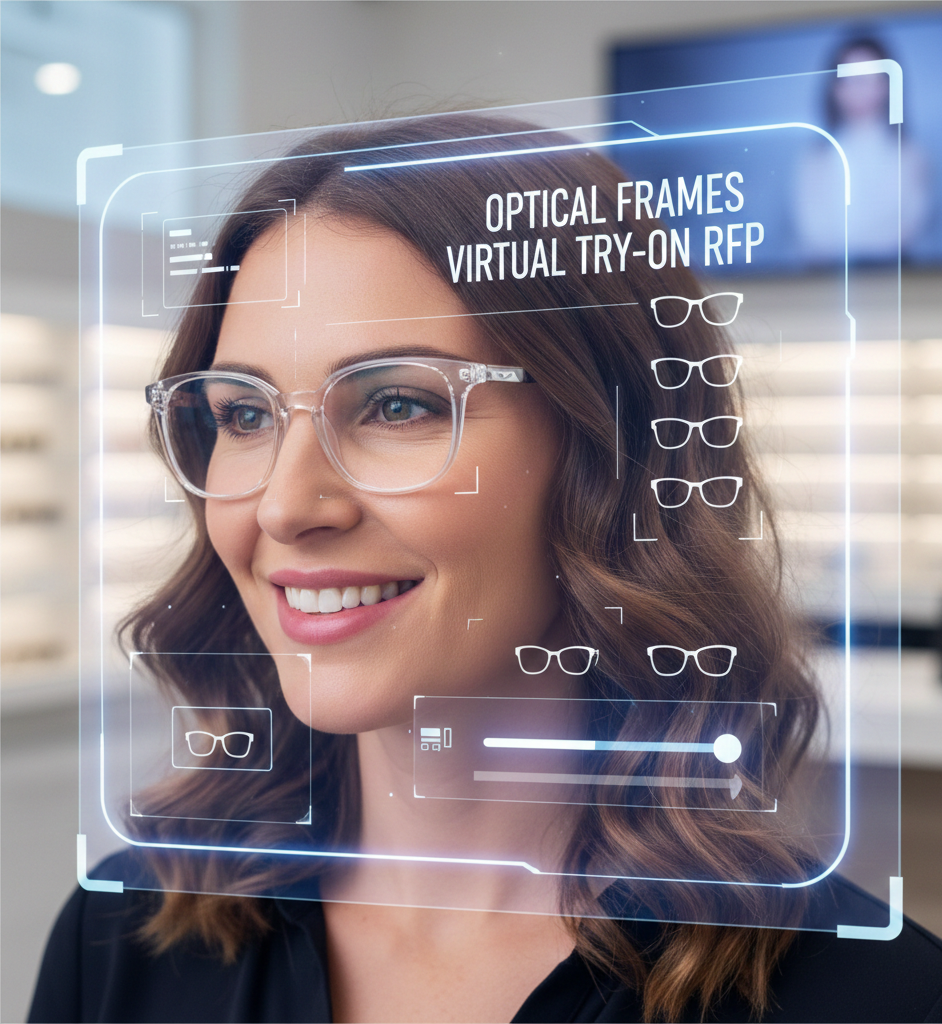
- Hero image: “Virtual try-on for optical frames — shopper testing frames via link-based AR”
- KPI dashboard screenshot: “KPI dashboard for measuring optical frames VTO performance”
- SEO reminders:
- Include primary keyword optical frames virtual try on rfp in title, first paragraph, and at least one H2.
- Use related terms naturally: virtual fitting room, augmented reality shopping, online product visualization, VTO for e-commerce.
Final checklist for procurement (copy-paste)
- Release RFP with explicit link-based requirement + optional SDK use.
- Require vendor demo links and sample SOW.
- Score proposals using weighted rubric (technical 30 / time-to-market 20 / cost 25 / UX 15 / refs 10).
- Run pilot on a representative SKU set (20–50 SKUs) for 30–90 days.
- Validate GA4 events, try-on UX, latency, and return-rate impact before scale.
Ready to get the pack and accelerate your pilot? Download the RFP templates and Book a Demo.
If you’d like, I can:
- Produce the editable RFP and proposal docs right now (Word and Google Doc versions).
- Build the KPI dashboard mapped to the GA4 event names you use.
Tell me which assets you want first and I’ll prepare them.
Additional resources and related guides
- For a full RFP specifically targeted at blue light glasses (copy-pasteable and vendor-ready), see: Blue light glasses RFP.
- For practical guidance on embedding try-on buttons and link-based VTO in Shopify product pages, refer to: Shopify try-on guide.
- To compare pricing options and help build your pricing evaluation section, see: pricing comparison.
- For PD/IPD accuracy, measurement, and how online PD affects fit, consult: PD/IPD guide.
- For frame fit best practices and face-landmark-based fit checks, see: frame fit guide.
- For tips on optimizing mobile performance, Core Web Vitals and latency for eyewear try-ons, read: mobile performance tips.