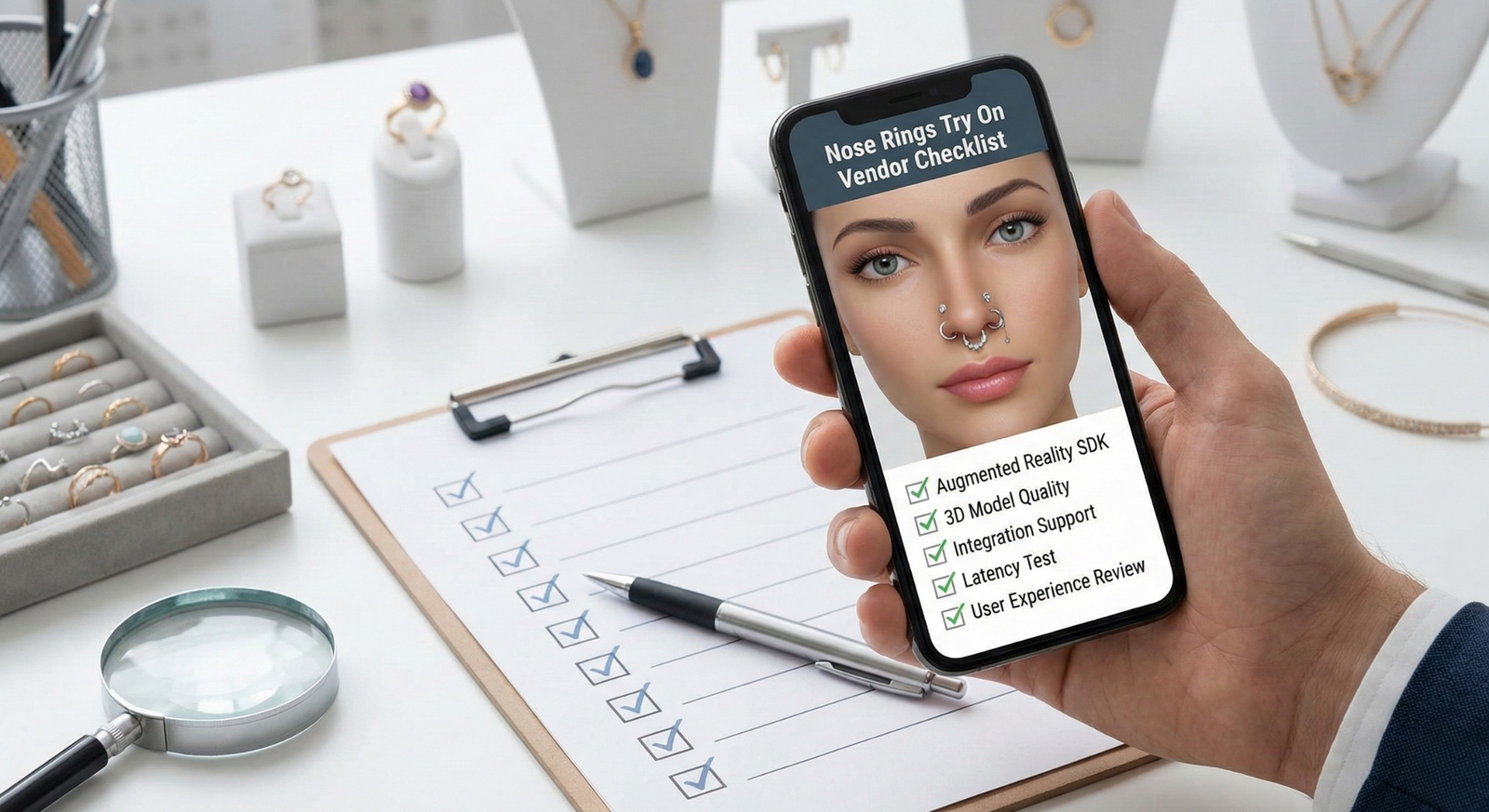
Nose Rings Try On Vendor Checklist — How to Evaluate Virtual Try-On Providers
The nose rings try on vendor checklist helps jewelry teams evaluate virtual try-on (VTO) providers so you can buy with confidence. In this guide we walk procurement, product, and eCommerce teams through the must-have functional, technical, UX, commercial, and legal criteria for realistic nose-ring try-on — and show why shareable, link-based VTO removes common vendor headaches by eliminating heavy engineering and enabling cross-channel reach. For context on the technical challenges of nose-piercing filters, see the overview from Perfect Corp. For an editable procurement brief and RFP template specific to nose-ring pilots, download the nose rings virtual try on RFP.
Quick Summary
- The checklist focuses on placement accuracy, material realism, and product variation support for nose rings.
- Choose a solution link-based/zero-code for quick launch; use the SDK only if deep customization is needed.
- Test vendors with real QA scenarios (different nose shapes, glasses, facial hair, and lighting) and ask for ROI data.
- Clarify SLAs, asset ownership, and data deletion clauses in contracts.
Why a Vendor Checklist Matters for Nose Ring Try-On
Nose rings are uniquely demanding for virtual try-on. They’re small, close to the skin, and require precise placement on the bridge or nostril; reflections and finish (polished metal, gems) must match lighting to look believable. These constraints increase sensitivity to tracking, rendering, and lighting conditions — learn more about the technical nuances in the Perfect Corp overview and see tool examples like Dzine.ai. A formal vendor checklist helps you avoid providers that treat nose jewelry like generic overlays and instead demand nose-specific accuracy, diverse variant support, and inclusive rendering across skin tones and nose shapes. If you need an RFP template, download the nose rings virtual try on RFP.
How to Use This Checklist (Scoring & Prioritization)
We recommend a simple three-tier rubric to evaluate vendors:
- Must-have: Non-negotiable (e.g., accurate placement, GDPR-compliant data handling).
- Nice-to-have: Improves conversion/UX (e.g., photo + live modes, share/save).
- Optional: Future-proofing (e.g., custom AI training, advanced analytics).
Suggested decision matrix (internal guidance): Technical — 40%, UX — 30%, Commercial — 30%. Score vendors 1–10 per criterion, apply weights, and prioritize vendors scoring above ~80/100 as pilot candidates.
Functional Checklist — Must-Haves Specific to Nose Rings
- High-fidelity placement & nostril/bridge tracking that follows subtle head movement and expressions — see Perfect Corp on small accessory tracking.
- Multiple viewing angles: front, 3/4, and side profiles to validate fit and scale — example virtual jewellery tools: Essential Beauty.
- Accurate scale and adjustable sizing presets so the user sees true proportion relative to facial features — rendering guidance: media.io.
- Realistic material rendering with correct reflectivity, plating, and stone color across lighting — see Dzine.ai and GoEnhance.
- Secure simulation of piercings (clip-on vs. post designs) that don’t clip through skin or distort the face — virtual try-on context.
- Inclusive support for varied nose shapes and skin tones to avoid bias — review Perfect Corp on inclusivity.
- Multi-variant support (studs, hoops, septums, different sizes/finishes) and easy SKU mapping — see tryitonme’s no-code jewelry VTO.
Technical Checklist — Performance & Compatibility
- Implementation model: link-based/no-code vs SDK/API — link-based provides instant deployment and zero dev effort while SDKs offer deeper customization (read Essential Beauty).
- Cross-platform support: mobile web, desktop, in-app, social sharing (examples at Bylo.ai).
- Lightweight assets and low latency; ask for asset sizes and load times under typical mobile conditions — performance notes: Bylo.ai and mobile performance playbook: mobile performance guide.
- Browser fallbacks / progressive enhancement so users without camera access still see static previews.
- Security & privacy: GDPR/CCPA compliance, minimal persistent data storage, clear session data policies — see media.io privacy overview.
- Analytics & integrations: event tracking, GA/GA4, Shopify feed sync for SKU mapping — analytics example: GoEnhance. For a measurement plan, see measurement plan.
UX & Design Checklist
- Single-click deep links from product pages or social posts that open the try-on experience immediately — deep-linking example: Essential Beauty.
- Clear CTAs, in-try-on product carousel, and obvious buy buttons.
- Onboarding hints for face positioning and distance to camera — see Perfect Corp onboarding tips.
- Photo capture + live modes, and built-in share/save functionality so customers can send images to friends — features like Bylo.ai.
- Accessibility: alt text for demo images, keyboard navigation, and captions for users who can’t use camera features — context: media.io. For PDP and Shopify UX best practices, see jewelry try-on UX for Shopify.
Integration & Operations Checklist
- Ease of implementation: zero-code shareable links vs SDK timelines — reference: Essential Beauty.
- CMS/product feed compatibility (Shopify, BigCommerce) and SKU sync processes — see Jewelry Try On Shopify guidance.
- Version control and simple update path for new SKUs or variant imagery.
- SLA expectations: onboarding cadence, uptime commitments, support channels — request explicit SLAs in the contract.
- Transparent pricing: subscription vs per-use, clear usage caps, and fees for extra SKUs or custom work — pricing context: media.io and nose-ring pricing examples: nose rings pricing.
Testing & QA Checklist (Practical Tests)
- Accuracy tests across nose shapes, skin tones, and common lighting scenarios — testing notes: Perfect Corp.
- Edge-case tests: user with glasses + nose ring, masks, facial hair, children, and quick head turns — examples: Bylo.ai.
- Load and concurrency tests — measure latency with 100s–1,000s concurrent sessions; refer to mobile performance playbook: mobile performance playbook.
- A/B test framework for conversion and returns: measure add-to-cart, conversion rate, and return rate against control.
- Suggested KPIs: session length in try-on, completion rate, share rate, and conversion uplift. For photo requirements, follow: photo guidelines.
Questions to Ask Try On Vendor
Use these concise questions during demos. They map directly to risk and delivery:
- How is placement accuracy achieved for small accessories like nose rings? See technical explanation from Perfect Corp.
- Do you support link-based, zero-code deployment across web and social? Reference: Essential Beauty.
- What data do you collect during sessions and how is it stored/used? See privacy reference: media.io.
- Can we test with our SKUs, images, and our branding before committing? Ask for test links and an RFP-based pilot scope: nose rings RFP.
- What onboarding and support resources are included?
- How do you measure and report conversion lift, engagement, and returns? Analytics example: GoEnhance.
- What SLAs and latency guarantees do you offer?
- What are your pricing tiers, usage caps, and additional fees?
- Which integrations (Google Analytics, Shopify) do you support?
- Can you share jewelry-specific case studies and anonymized performance data?
Commercial & Legal Checklist
- Exit/termination clauses and data removal obligations.
- Ownership of 3D models, images, and derivative assets.
- Indemnity clauses and limitation of liability.
- Compliance with biometric or youth-protection laws where relevant.
- Refund/credit terms if accuracy/uptime SLAs aren’t met — recommend legal review.
Red Flags & Pitfalls to Avoid
- Vendor insists on long, costly engineering cycles for marginal UX gains — consider link-based alternatives (tradeoffs discussed by Essential Beauty).
- Poor metal or gem realism in demos — see rendering pitfalls at Dzine.ai.
- No analytics or ROI reporting and no case studies.
- Hidden fees or unclear SLAs.
- Vague image/privacy policies — privacy pitfalls: media.io. For platform comparisons, see tryitonme vs Perfect Corp.
Comparative Evaluation — Link-Based / No-Code vs SDK/API
Quick side-by-side:
- Time-to-market: SDK/API — longer; Link-based — near-instant. Read more at Essential Beauty.
- Dev resources: SDK — heavy; Link-based — minimal.
- Maintenance: SDK — ongoing; Link-based — vendor-managed.
- Channels: SDK — site/app; Link-based — web, mobile, social share links (see Bylo.ai).
- Example link-based deployment: tryitonme.com.
Why tryitonme.com is the Right Fit for Your Business
- ZERO-CODE, LINK-BASED DEPLOYMENT — launch try-on via shareable product links without engineering. See tryitonme.com.
- Fast onboarding and delivery: buy a 6‑month package by SKU count, send standard product photos, and get a ready-to-use try-on link in under 3 business days.
- Accessory-focused accuracy — tailored rendering for jewelry and small accessories. See tryitonme no-code jewelry product.
- Cross-channel reach — shareable links work across web, mobile, and social.
- Book a demo: tryitonme.com.
Case Studies & Proof (What to Ask For)
Ask vendors for anonymized conversion uplift, return-rate reduction, and engagement-time metrics tied to jewelry pilots. Request before/after screenshots and demo product links for nose-ring examples — see demos from Perfect Corp and Essential Beauty. Also request vendor-supplied demo links and head-to-head comparisons such as tryitonme vs Perfect Corp and tryitonme examples. Note: any numeric claims should be vendor-supplied and attributed.
Pricing Considerations & ROI Calculator
Include the phrase virtual try on vendor checklist when sharing ROI tools. Basic ROI formula:
ROI Gain = (Conversion Lift % × Average Order Value × Monthly Traffic) − Monthly Cost
Example (hypothetical): 20% conversion lift × $50 AOV × 10,000 visitors = $100,000/month incremental revenue; subtract vendor fees to find net gain. For price expectations specific to nose rings, see nose rings pricing.
Final Recommendation & Decision Steps
- Shortlist vendors that score >80 on your weighted rubric and provide test links.
- Require a pilot: Week 1 shortlist/demo, Week 4 pilot with selected SKUs, Week 8 full rollout (adjust to ops).
- Negotiate a trial period and clear SLAs before signing.
Call to Action & Product Tie-In
Ready to test a nose-ring try-on? Start a demo with tryitonme.com and get a shareable product link in under 3 business days. Download our free nose rings try on vendor checklist PDF and the “questions to ask try on vendor” RFP template to accelerate procurement: download the RFP & procurement playbook.
Assets & Support to Prepare (for Download / Gated Content)
Suggested downloadable assets to create:
- PDF: nose rings try on vendor checklist (printable).
- Interactive scorecard: vendor scoring spreadsheet.
- Sample try-on product link (demo nose ring).
- QA test scripts and usability scenarios.
- Graphics: checklist infographic, comparison table, ROI calculator embed. For photo prep and product image specs, reference: photo prep guide.
Publication, Promotion & Repurposing Plan
Publish this guide on tryitonme.com, promote on LinkedIn and industry newsletters, gate the checklist for lead capture, and pitch guest posts to jewelry and eCommerce outlets highlighting the zero-code, link-based benefits — see Essential Beauty outreach. Pair the guide with platform comparisons and pricing pages like tryitonme pricing to capture purchase-ready traffic.
FAQ
How accurate are nose ring VTO tools?
Top vendors use AI-driven placement, shadowing, and reflective rendering to improve realism — see the Perfect Corp overview for technical details.
What’s the fastest deployment option?
Link-based, zero-code solutions like tryitonme.com typically deliver the fastest time-to-market; see Essential Beauty for examples.
Do these tools track ROI?
Good vendors provide analytics on engagement and conversion; confirm scope during demo. See an analytics example at GoEnhance and a practical measurement plan at measurement plan.
What data is collected and how is privacy handled?
Ask vendors for clear session data policies, GDPR/CCPA compliance, and minimal persistent storage. See privacy context at media.io.
Can we test with our SKUs before committing?
Yes — request test links and an RFP-based pilot scope. Use the nose rings RFP to define pilot requirements.
Final Editorial Checklist Before Publishing
- Primary keyword present in title and opening paragraph.
- All required external links inserted where relevant.
- Tryitonme.com CTA and demo link included.
- Downloadable assets attached or linked.
- Any vendor performance claims are sourced or marked as vendor-supplied.
Notes for the Content & Design Teams
Confirm the title includes nose rings try on vendor checklist and that screenshots/demo links are ready. Provide designers with demo link screenshots, the checklist infographic, and the ROI calculator embed. Verify vendor-sourced claims with documentation before publishing. Need the checklist as a printable PDF or want a live demo? Book a demo with tryitonme.com.