
Necklaces Virtual Try On Pricing: What to Expect, Packages & Cost Drivers
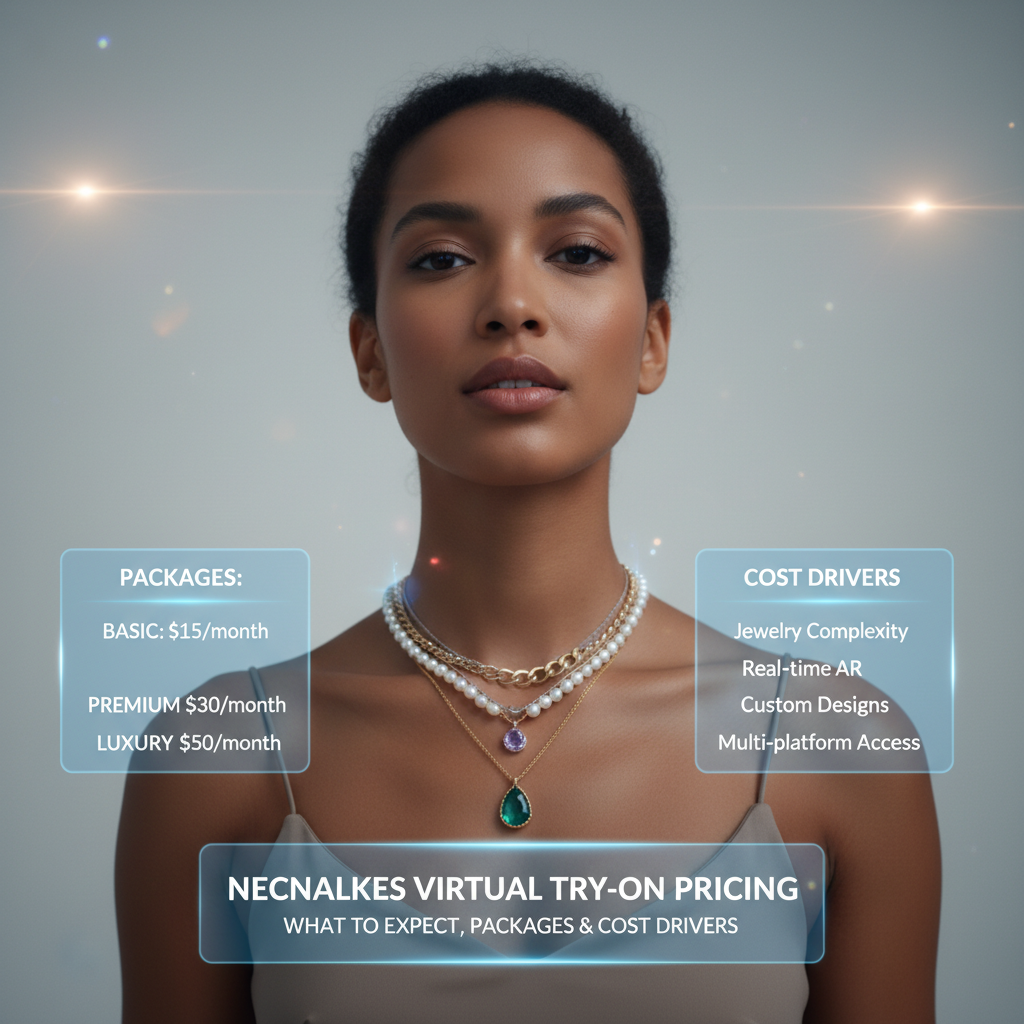
- Virtual try-on (VTO) helps shoppers visualize necklaces at scale, often improving conversion and reducing returns.
- Pricing commonly follows subscription, per-SKU, usage, setup+maintenance, or enterprise/custom models.
- Major cost drivers: SKU count & asset fidelity, rendering realism (2D vs 3D/PBR), tracking complexity, and support/SLAs.
- No-code, link-based solutions reduce time-to-market and developer effort compared with SDK/API integrations.
Introduction
Necklaces virtual try on pricing is the key question for jewelry brands evaluating augmented reality (AR) try-on. This guide explains common pricing models, typical packages, and the inputs that drive cost for necklace VTO—so you can budget accurately and choose the right solution for your store or campaigns.
Quick definitions — what is virtual try on for necklaces and delivery methods
Necklace VTO lets shoppers preview jewelry on themselves using a camera feed or a photo, combining face/neck tracking and realistic rendering so items align and scale correctly. Delivery comes in two main forms: SDK/API integrations that developers embed into your app or site, and hosted, link-based/no-code solutions that deliver a shareable try-on link you can use across web, mobile, and social channels. Both accomplish the same outcome—an interactive fitting experience—but differ in how they’re implemented and maintained. See an example of a link-based, no-code VTO.
Pricing models explained — common ways vendors charge
When shopping for necklace VTO, vendors commonly price by one of several models. Below are typical structures, with short pros/cons for jewelry retailers and where bundled “virtual try on packages” often fit.
Subscription (monthly or annual)
- What it is: Flat recurring fee for a service tier that includes a set number of SKUs, features, and support.
- Pros: Predictable costs, easier budgeting, often includes updates and hosting.
- Cons: You may pay for capacity you don’t use; scaling can require upgrading the plan.
- Fit: Ideal for brands with steady SKU pipelines and ongoing campaigns.
Per‑SKU pricing (one-time or recurring)
- What it is: Fee charged per SKU modeled or prepared for try-on. May be a one-time asset-processing charge or a recurring per‑SKU hosting cost.
- Pros: Easy to tie to catalog size; good for small catalogs or pay-as-you-grow.
- Cons: Large catalogs can become costly upfront.
- Fit: Small to medium jewelers rolling out collections SKU-by-SKU.
Per‑session / usage / pay‑per‑click
- What it is: Charges based on user sessions or impressions of the try-on page.
- Pros: Low upfront cost; scales with actual usage.
- Cons: Harder to forecast if you run spikes in marketing; can be expensive at high traffic.
- Fit: Brands testing demand or running short promotional bursts.
One‑time setup + maintenance
- What it is: Initial setup fee (asset creation, custom integration) plus lower recurring maintenance.
- Pros: Transparent for bespoke work; useful when a high degree of customization is needed.
- Cons: Higher upfront investment.
- Fit: Enterprise stores that need custom integrations, look-and-feel or SLAs.
Enterprise / custom pricing
- What it is: Tailored quotes covering bespoke features, higher SLAs, dedicated support, and larger catalogs.
- Pros: Full control and service level commitments.
- Cons: Long procurement cycles; premium pricing.
- Fit: Large retailers and omnichannel brands.
Where virtual try on packages fit
Vendors often bundle SKUs, analytics, branding, and support into “virtual try on packages.” For example, a package might include X SKUs processed, a branded landing page, standard analytics, and 3 months of hosting/support. Packages simplify procurement—pick the one that matches your SKU count and desired SLA. See an example package description at cermin.id.
Want pricing matched to your catalog size? Request a demo or quote from tryitonme.
Typical pricing tiers & example ranges for necklace VTO
Below are illustrative tier names and sample features. These ranges are indicative estimates only—confirm exact pricing with your vendor.
Starter
- Features: 5–25 SKUs, standard photogrammetry or 2D-overlay processing, hosted link, basic analytics, email support.
- Indicative price band: $200–$1,000 setup + $50–$300/month (estimate).
- Ideal for: New brands testing demand or launching a small collection.
Growth
- Features: 25–200 SKUs, higher-fidelity 3D/photoreal rendering, lightweight branding, analytics dashboard, integrations with e‑commerce platforms.
- Indicative price band: $1,000–$5,000 setup + $300–$1,500/month (estimate).
- Ideal for: Brands scaling their catalog and wanting robust reporting.
Enterprise
- Features: 200+ SKUs, advanced physically-based rendering, custom features (A/B tests, headless APIs if needed), SLAs, dedicated account management.
- Indicative price band: Custom quotes — often $10k+ initial and high monthly fees (estimate).
- Ideal for: Large retailers with omnichannel and integration requirements.
Reminder: these are conservative, illustrative ranges. Get exact pricing from tryitonme for a tailored quote. See a related pricing overview: cermin.id.
Key inputs that change cost (detailed breakdown)
SKU count & asset preparation
How many SKUs you want live is the most direct cost lever—each additional necklace requires asset preparation. Asset types matter:
- Single-view product photos (front/side) are the minimal input for many link-based VTO workflows.
- Multi-view or 360° photography and 3D scans increase fidelity and modeling time.
- Some vendors accept standard studio photos and produce acceptable results for necklaces using AI and manual touch-ups; see an example flow at cermin.id.
Practical guideline (for link-based, no-code VTO): the minimal viable assets are often standard front (and optionally side) product photos taken on a neutral background. More views = better realism and fewer fitting errors, but higher processing time and cost.
Level of realism & technology used
Virtual try on pricing depends heavily on rendering fidelity:
- 2D overlay: Fast and low-cost, places a 2D image on the camera feed. Works for flat necklaces and previewing color/length.
- 3D models: Adds depth, shading and better alignment; supports rotation/lighting adjustments.
- Physically-based rendering (PBR) + physics-aware simulation: Highest realism with drape and motion, ideal for layered necklaces or pieces with complex chains.
Trade-off: higher realism gives better user trust but increases production and compute costs. For many necklace SKUs, high-quality 3D models are recommended if you sell premium pieces; 2D or hybrid approaches work for simpler catalog tiers. Read about 2D vs 3D tradeoffs: cermin.id.
Tracking, fitting complexity & custom features
Neck gait, head pose, and neck geometry tracking affect how realistically a necklace sits and moves on a user. More advanced tracking that handles tilt, movement, and occlusions (hair, collars) requires better algorithms and testing, raising cost. Custom features—A/B testing frameworks, bespoke analytics, e‑commerce platform integrations, or white‑label pages—also add to price. See vendor comparisons at cermin.id.
Deployment channels & support/SLA
Virtual try on pricing varies by channel support. A link-based solution that works across web, Instagram, WhatsApp, and SMS is generally simpler to deploy and cheaper than building custom SDK integrations for apps. Higher support tiers (SLAs, uptime guarantees, dedicated support hours) increase recurring costs—choose based on campaign criticality and expected traffic. See examples of platform integrations: cermin.id.
Want a no-code link-based trial for a pilot collection? See tryitonme’s process and request a demo: tryitonme demo.
Why tryitonme.com is the Right Fit for Your Business
- Zero-code, link-based deployment — no SDK or API integration required; use a simple shareable product link deployable across web, mobile, and social.
- Fast onboarding — buy a 6‑month package by SKU count, send standard product photos, and the tryitonme team/AI handles AR processing.
- Rapid turnaround — customers receive a unique, ready-to-use try-on link for deployment in under 3 business days.
- Accurate accessory VTO — built specifically for accessories (eyewear, jewelry, watches, hats) with domain expertise in fit and scale.
- Flexible packaging — packages based on SKU counts make scaling straightforward. Request a demo or quote: tryitonme demo.
Why a link-based no-code VTO often costs less (and gets to market faster)
No-code, link-based solutions eliminate developer time and integration complexity. Without SDK implementation you avoid:
- Engineering backlog and cross-team coordination.
- App-store review cycles and multiple platform ports.
- Custom integration testing with your checkout or CMS.
That reduces time-to-market (TTM) and total cost of ownership, enabling rapid marketing tests and omnichannel sharing—simply drop the shareable try-on link into product pages, stories, paid ads, or chat. tryitonme’s shareable-link approach follows this model: you send photos, the platform prepares assets, and you receive a link to distribute—typically in under 3 business days.
ROI & break-even considerations for necklace sellers
A simple ROI formula:
Net benefit = (Incremental revenue from VTO — incremental costs) over a period.
Example / illustrative formula:
Incremental revenue = (Baseline monthly sales × % conversion uplift × Average Order Value) × months
Illustrative uplift scenarios (replace with your data): Conservative 5%, Moderate 10%, Optimistic 20%. Example (conservative): baseline 10,000 product page views, 1.5% CR → 150 sales; 5% relative uplift → ~7–8 incremental sales/month, incremental revenue ≈ $900–$1,000/month. Compare that to your monthly VTO cost (subscription + per-SKU hosting) to estimate months-to-break-even.
Comparison (visual) — In-house/custom SDK vs third-party SDK/API vs no-code link-based
| Factor | In‑house / Custom SDK | Third‑party SDK/API | No‑code Link‑based (e.g., tryitonme) |
|---|---|---|---|
| Implementation cost | High (dev + maintenance) | Medium (integration work) | Low (no dev required) |
| Implementation time | Months | Weeks–Months | Days (pilot) |
| Scalability | High (if built well) | High | High for content; limited for deep custom APIs |
| Customization | Maximum | High | Moderate (branding & configuration) |
| Typical price band | High (custom quotes) | Mid–High | Entry–Mid (subscription/per‑SKU) — indicative only |
How to choose the right virtual try on package — buyer checklist
Ask vendors these questions during procurement. Use this as your RFP checklist:
- How is pricing structured (subscription, per-SKU, per-session)?
- What asset types do you accept and what are recommended specs?
- How many SKUs are included per package and what are overage charges?
- What is the typical turnaround time from asset submission to live link?
- Which channels are supported (web, Instagram, WhatsApp, SMS)?
- What analytics and reporting are included?
- Are integrations available for my e‑commerce platform or PIM?
- What SLAs, uptime guarantees, and support hours are included?
- Is white-labeling or custom branding possible?
- Do you offer a pilot or trial so we can measure uplift? See a vendor checklist example: cermin.id.
Ready to evaluate a trial? Book a demo with tryitonme.
Short case example — hypothetical small jewelry brand
Hypothetical example: A small jewelry brand with 40 necklace SKUs chooses a Growth package (illustrative) that includes 50 SKU preparations, a branded landing page, and analytics. They submit front-and-side product photos and receive live try-on links within 3 business days. Over three months of promoting the try-on link in email and paid social, the brand sees a measurable uptick in conversion and a reduction in returns (illustrative). Based on the incremental margin per sale, they recouped the package cost in under four months. All numeric results are hypothetical and should be validated via a pilot.
FAQs — quick answers to common pricing questions
Q: What affects virtual try on pricing the most?
A: SKU count and the fidelity of assets/rendering (2D vs 3D/PBR) are the largest cost drivers.
Q: How long does it take to implement a link-based VTO?
A: Link-based, no-code vendors often deliver a pilot link within days; tryitonme advertises under 3 business days from asset submission.
Q: Do I need 3D scans of each necklace?
A: Not always. Many solutions accept standard product photos and produce acceptable results for necklaces, though 3D scans increase realism and cost.
Q: Are there hidden fees I should watch for?
A: Ask about per‑SKU processing fees, hosting overage charges, and usage-based session fees. Confirm SLAs and support terms upfront.
Q: Is there a free trial?
A: That depends on the vendor—ask for a pilot or demo that includes a sample SKU so you can measure fit and conversion.
Q: How many SKUs per package?
A: Vendors vary—packages range from small (5–25 SKUs) to enterprise (200+). Confirm with the vendor for exact limits.
Next steps & call-to-action
If you’re evaluating virtual try on packages for necklaces, start with a pilot: pick a representative subset of SKUs, gather standard product photos, and run a short test campaign. For a fast, no-code link-based option and a demo tailored to your SKU counts, request a demo or quote at tryitonme. Tryitonme’s onboarding (buy a 6‑month SKU package, send standard photos, receive a live link in under 3 business days) is designed to get you live quickly.
Appendix / assets to include in the post (editor checklist)
- tryitonme demo GIF or screenshot (internal asset)
- pricing comparison table graphic (designer)
- downloadable ROI spreadsheet/checklist (internal asset)
- merchant quote or testimonial (obtain from marketing)
- inline CTAs linking to: https://tryitonme.com/pricing and https://tryitonme.com/demo
Final publisher checklist (required before publishing)
- Verify tryitonme product facts (6‑month package model, asset requirements, 3-business-day turnaround) with product/marketing and replace any “internal info” flags with confirmed copy and links.
- Add credible industry stat(s) on AR/VTO impact on conversion or returns (insert citation).
- Add benchmark pricing examples from 2–3 external vendors (cite sources).
- Replace any “(no reliable source)” flags with verified sources or keep claims generic.