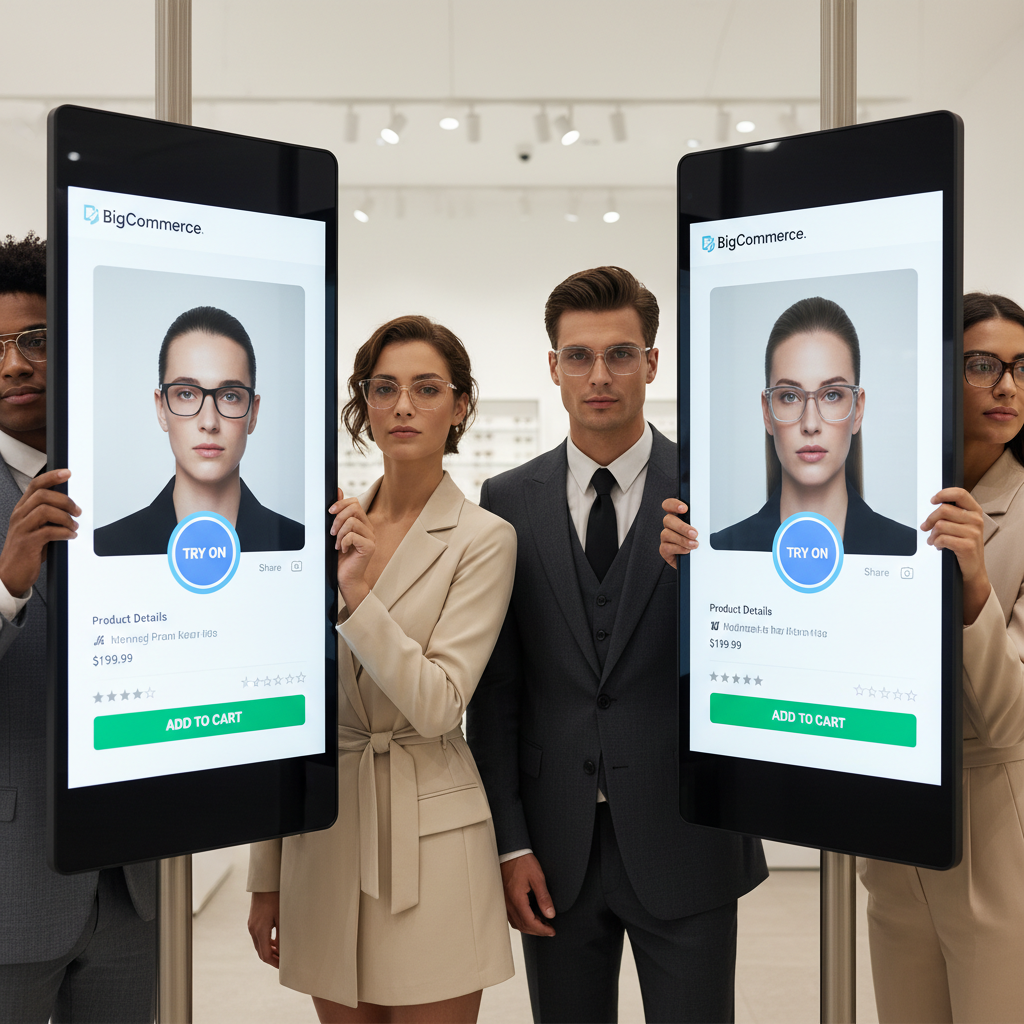
Eyewear Try On UX BigCommerce: Try-On CTA Placement & PDP Conversion Best Practices
Quick Summary
- Place a try-on CTA above the fold near the price and Add to Cart button for discovery and conversion.
- Use concise microcopy (e.g., “Try on virtually,” “See it on you”) and a fallback upload if the camera is rejected.
- Parameterize the try-on link per SKU to ensure consistency between variant selections and previews.
- For no-code BigCommerce, consider a link-based solution like tryitonme.com (shareable per-SKU links).
Introduction
eyewear try on ux bigcommerce is the focus of this guide. We’ll walk you through pragmatic, testable UX decisions—where to put try-on CTAs, what microcopy converts, reliable fallbacks, and how VTO belongs on the PDP funnel. Virtual try-on matters because it removes fit uncertainty and increases shopper confidence; industry resources show big uplifts in engagement and conversion when stores add AR/3D try-on experiences such as those summarized by FittingBox and the broader VTO overview at Glamar.
Who This Guide Is For
This guide is for BigCommerce merchandisers, product managers, UX/UI designers, ecommerce growth managers, and frontend devs who need a low-friction way to add eyewear VTO to PDPs and marketing channels.
Why Eyewear Try-On UX Matters for BigCommerce Stores
Eyewear is visual and size-sensitive—customers worry about scale, temple fit, bridge fit, head tilt, and color. VTO directly addresses these issues and can move key metrics: it boosts engagement and device compatibility (benchmarks cited by FittingBox), drives higher conversions with immersive previews (Glamar), and helps merchants scale across high-SKU catalogs quickly (see Auglio).
For practical fit accuracy references, consult pupillary-distance guidance: pupillary distance guide. For pricing considerations on large optical catalogs see: pricing guidance.
Where to Place the Try-On CTA (try on cta placement)
Placement drives discovery. Follow this hierarchy and test variations.
Primary placement (Above-the-fold near price & Add to Cart)
Recommendation: Place the primary try-on CTA immediately adjacent to price and the Add to Cart button so it’s visible at first glance. This treats try-on as a purchase-assist feature. Implementation: make the button visually distinct but consistent with brand styles and include an icon (camera/face) to signal functionality. See conversion priorities for eyewear PDPs in FittingBox.
Secondary placement (Image carousel overlay / hero image)
Use a contextual overlay icon on the hero image or an on-image CTA that opens the try-on link. Choose hover-triggered overlays on desktop and a persistent icon on mobile hero images. For contextual prompts, see Auglio.
Persistent mobile placement (sticky bottom bar)
On mobile, use a sticky bottom CTA so the try-on action follows the user while scrolling. Follow mobile AR UI and accessibility guidance from NN/g.
Catalog/listing & cross-channel uses (tiles, cart, email/SMS)
Add try-on badges to collection tiles and cart upsells. Because tryitonme links are shareable, they work in email, SMS, social ads, and chat—see omnichannel examples at Auglio and implementation notes at Cermin.
Visual assets to include
- Annotated PDP mockups (desktop + mobile) showing primary CTA, overlay, and sticky options.
- Alt text example: “BigCommerce PDP with try-on CTA placement for eyewear.”
- GIF showing CTA → tryitonme session and a short walkthrough video (optional).
Microcopy & UX Patterns That Convert
The right words lower friction. Use short, clear CTAs and supportive microcopy.
Primary CTA copy (high-converting short phrases)
Short CTAs to A/B test: “Try on virtually”, “See it on you”, “Try this on”, “Preview on your face”, “Virtual try-on”. Benefit-driven variants: “Try on — no app, instant preview” or “See this on your face — live or photo”. For inspiration see FittingBox CTA examples.
Supporting microcopy & permission language
Camera prompt: “Allow camera for live preview — no photos saved.” Privacy reassurance: “Your photo stays on your device and isn’t stored.” Follow NN/guidelines: NN/guidelines.
Copy placement & visual hierarchy
Place a one-line microcopy beneath the CTA (e.g., “No app required • Works on desktop & mobile”) to set expectations. Keep CTA prominence WCAG-compliant for contrast and sizing.
Fallbacks & Accessibility (pdp conversion best practices)
Plan for camera denials, unsupported devices, and low bandwidth.
Camera denied → photo upload flow
If camera permission is denied, present a clear upload flow with “How to take a good photo” tips: face front, neutral expression; even lighting; remove sunglasses/hats; hold phone at eye level. See NN/guidance: NN/guidelines.
Unsupported browser/device → model gallery & 360° views
Trigger a fallback gallery with styling and 360° spin images when the device lacks camera support. Gallery fallbacks recommended by FittingBox.
Low bandwidth → image/GIF preview
Provide an image or GIF preview as a lightweight alternative; see low-bandwidth recommendations from Aiuta.
Accessibility checklist
- Keyboard-navigable modals
- Proper ARIA labels (e.g., aria-label=”Open virtual try-on”)
- Screen-reader description for try-on flow
- WCAG color contrast and alt text
- See NNGroup AR accessibility notes: NN/guidelines
PDP Conversion Best Practices — How VTO Fits the PDP Funnel
Embed VTO as part of a conversion-focused PDP layout.
PDP layout checklist (hero, CTA, specs, social proof)
- Hero with primary try-on CTA + price + Add to Cart
- Variant selector with SKU-parameterized try-on links
- Short specs and lens/fit notes
- Reviews and UGC (include user try-on images)
- Shipping & returns (highlight risk-free policies)
Variant-specific try-on & SKU mapping
Ensure try-on links include SKU parameters so the experience matches color/size choices—map tryitonme URLs per SKU to avoid mismatches between PDP selection and the try-on preview.
Performance & lazy-loading VTO assets
Load try-on links on demand (click-only) and lazy-load heavy widgets. See performance best practices for VTO at Zakeke.
Implementation on BigCommerce with tryitonme.com
Why tryitonme.com is the Right Fit for Your Business (product info)
tryitonme is a ZERO-CODE, LINK-BASED VTO that ships per-product shareable links. Onboarding steps: purchase a package, send standard photos, tryitonme processes AR models, receive a unique try-on link in under 3 business days. Signup/demo: tryitonme signup. Platform overview: Cermin tryitonme overview.
Practical BigCommerce steps (zero-code)
Minimal anchor example (paste into PDP template):
<a href="https://tryitonme.com/product?sku={{product.sku}}" class="try-on-btn" target="_blank" aria-label="Try on this frame">Try on virtually</a>Modal option: lightly embed as an iframe in a modal, and provide a new-tab fallback for accessibility. See integration patterns from FittingBox integration guides.
Cross-channel deployment examples
- Email: Button link to tryitonme SKU URL
- SMS: Short link with UTM
- Social ads: Landing page with try-on CTA
- Chat: Quick link in live chat for guided selling
Measurement, A/B Testing & KPIs (pdp conversion best practices)
KPIs to track
- Try-on CTR (link clicks)
- Try-on → Add-to-cart rate
- PDP conversion rate
- Average order value (AOV)
- Return rate
- Session time on PDP
- See KPI suggestions from FittingBox.
A/B test ideas & hypotheses
- Placement: Above-fold CTA vs. hero overlay vs. sticky bar (hypothesis: above-fold increases try-on CTR).
- Copy: “Try on virtually” vs. “See it on you”.
- Fallbacks: Immediate upload option vs. gallery fallback.
- Run tests 2–6 weeks depending on traffic and measure lift in try-on CTR and downstream conversion.
Analytics instrumentation (quick how-to)
Example GA event for try-on clicks:
gtag('event', 'try_on_click', { 'event_category': 'VTO', 'event_label': '{{product.sku}}' });Use UTM parameters on external campaigns linking to tryitonme. For a copy‑pasteable analytics plan covering GA4 and funnel tracking see: Cermin analytics plan.
Visuals, Assets & Example Case (eyewear try on ux)
Assets to prepare: annotated PDP mockups (desktop + mobile), GIF showing BigCommerce CTA → tryitonme session, short walkthrough video, screenshots of tryitonme VTO session. Use benchmarks from FittingBox and Mobidev to illustrate expected uplifts.
Quick Checklist & Recommended Rollout Plan
Checklist
- Select CTA copy and microcopy
- Place primary CTA above-fold and parameterize by SKU
- Add image overlay + mobile sticky CTA
- Add upload & gallery fallbacks
- Tag try-on clicks with analytics events/UTM
- Launch pilot on top SKUs, run A/B tests, measure impact
Suggested timeline
- Pilot (top SKUs): 2 weeks
- A/B test (placement & copy): 4 weeks
- Scale site-wide after statistically significant wins
Conclusion & Call to Action
Adding VTO to your product pages is a high-impact, low-complexity way to reduce friction and increase conversions on BigCommerce. For a zero-code, link-based approach you can deploy fast, tryitonme.com provides per-SKU shareable links and a simple onboarding flow. Ready to test? Book a demo or create a free tryitonme link and add a try-on CTA to one BigCommerce PDP today: tryitonme signup.
Production & SEO Checklist (editor checklist before publish)
- Title and intro include exact primary keyword (eyewear try on ux bigcommerce).
- H2s use assigned secondary keywords.
- Image alt text includes keyword variants (e.g., “BigCommerce PDP with try-on CTA”).
- All numeric claims have inline citations to research anchors (FittingBox, Glamar, Auglio, NNGroup, Zakeke, Aiuta, Mobidev).
- Product-specific claims about tryitonme.com are labeled as vendor/product info and link to tryitonme signup.
- Visuals: upload 4–6 images/GIFs and caption them.
- Accessibility: ARIA labels and alt text confirmed.
- Analytics: try-on clicks instrumented with events/UTM.
Writer & Designer Deliverables
Writer
- 1,500–2,200 word draft (this document).
- Copy-ready CTAs and microcopy snippets (see CTAs above).
- Inline BigCommerce code snippet for PDP and one-line GA event (examples included above).
Designer
- Annotated PDP mockups (desktop & mobile) with placement options.
- GIF of CTA → tryitonme session.
- Downloadable PDP checklist + A/B test template.
References
- FittingBox — UX features
- Glamar — Virtual Try-On for eyewear
- Auglio — selecting eyewear try-on solutions
- NNGroup — AR ecommerce guidelines
- Aiuta — low bandwidth VTO best practices
- Zakeke — VTO guide
- Mobidev — AR benchmarks
- tryitonme signup
- tryitonme platform overview (Cermin)
- pupillary distance guide
- blue light glasses photo requirements
- mobile performance guide
- pricing guidance for optical frames
- eyewear try-on UX (Shopify)
- tryitonme pricing for accessories
- analytics plan for try-on
FAQ
- 1. What is the best CTA placement for try-on in BigCommerce PDPs?
- Primary placement is above the fold near the price and Add to Cart button—this increases discovery and considers try-on as a purchasing aid. Secondary placements include image overlays and a sticky bottom bar for mobile.
- 2. How do you handle users who decline camera access?
- Provide a photo upload flow with quick tips (face front, even lighting, remove sunglasses). Always offer a gallery/360° view fallback for browsers/devices that don’t support cameras.
- 3. Do you need SKU parameters on the try-on link?
- Yes—parameterize the link per SKU so the preview matches the variant the user selected. For a link-based solution, see tryitonme.
- 4. What is effective microcopy for try-on CTAs?
- Use short, benefit-driven CTAs: for example, “Try on virtually,” “See it on you,” or “Try on — no app, instant preview.” Add a short microcopy below the CTA, such as “No app required • Works on desktop & mobile.”
- 5. How do you measure the impact of VTO on PDPs?
- Track try-on CTR, try-on → add-to-cart rate, PDP conversion rate, AOV, return rate, and session time. Instrument try-on clicks with event analytics (GA snippet example above).
- 6. Can I implement VTO without writing code in BigCommerce?
- Yes—link-based solutions like tryitonme.com offer per-product shareable links that can be pasted into PDP templates without complex SDKs or APIs.