Bracelets Try On Vendor Checklist: How to Evaluate Virtual Try-On Providers

Quick Summary
- Start with a no-code/link-based partner for a quick POC (1–3 SKUs) and assess results using a measurable rubric.
- Prioritize wrist tracking accuracy, size fidelity (mm), and metal/jewel rendering to reduce returns.
- Test channel compatibility: web, mobile, social, email, and fallback for devices without cameras.
- Request a sample POC link, privacy details (frame retention), and event analytics (try→cart, try→purchase).
Introduction
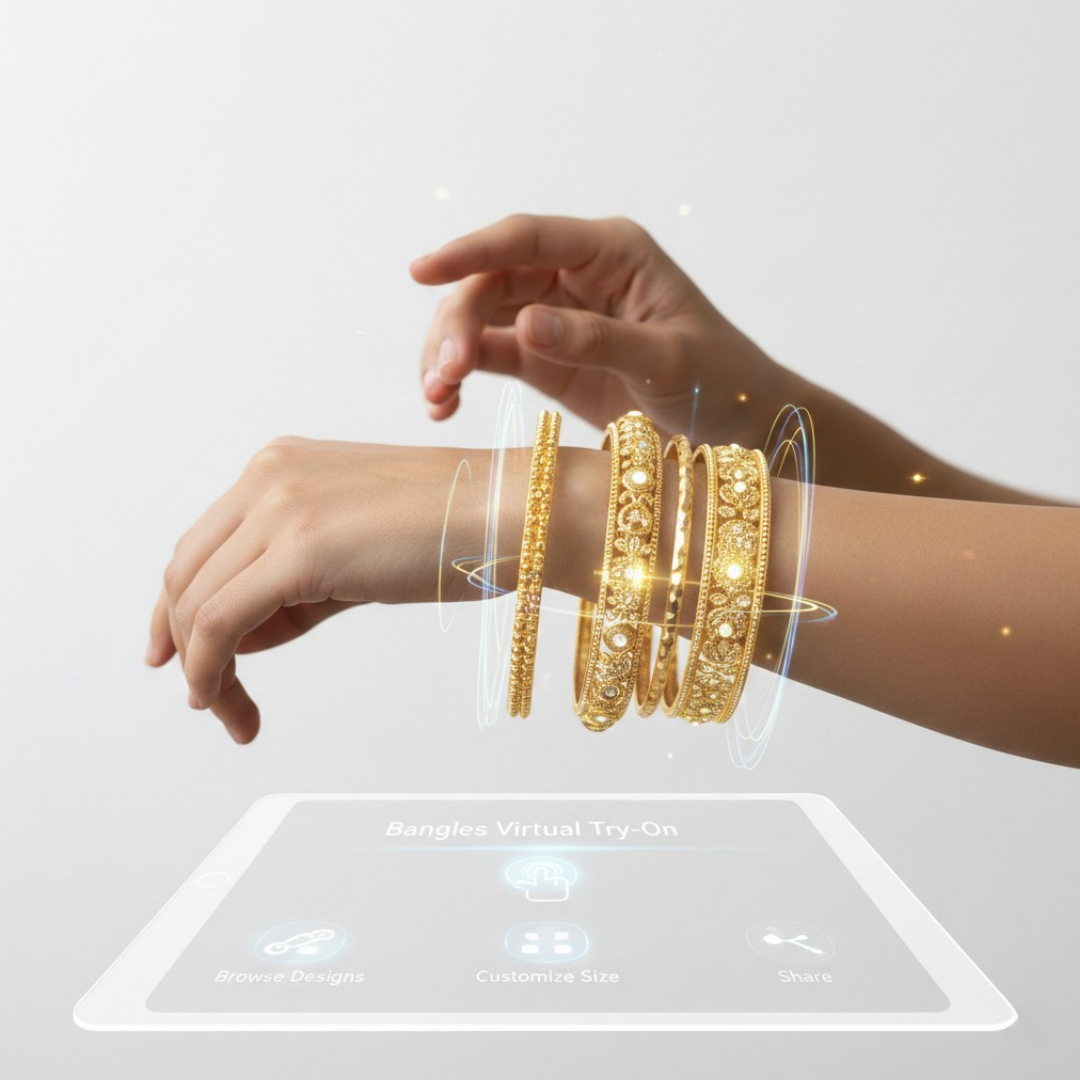
If you sell bracelets, the challenge is clear: buyers are hesitant because size and appearance on the wrist are difficult to assess online. This bracelet vendor try-on checklist helps you evaluate virtual try-on (VTO) providers, which can reduce purchasing friction.
This guide provides a practical vendor-facing checklist, the right questions for demos, and a repeatable scoring method so you can conduct a quick POC and choose the best partner. To avoid integration hassles, you can also request a no-code test link or demo from tryitonme.com. Pricing reference: Cermin.id — Bracelet VTO pricing.
Why Virtual Try-On for Bracelets Matters
Virtual try-on presents several business advantages as well as technical challenges specific to the wristband:
- Conversion and engagement: VTO can drive real uplift — see an industry example at Plumb Club.
- Returns and fit: Accurate wrist previews reduce size-related returns; read the ROI analysis at Cermin.id.
- Omnichannel reach: VTO running across product pages, email, social ads, and in-store increases conversion points — a Shopify implementation guide at CartCoders.
The technical challenges of bracelets: robust wrist/hand detection against pose and occlusion, mm-fidelity for cuffs/bangles, chain dynamics, and realistic metal/gem rendering. Vendors that understand these specific constraints are worth testing: see QReal — Bracelet VTO and TryItOnMe vs. Perfect Corp. comparison.
Types of Virtual Try-On Providers — what to expect
Brief taxonomy (pros / cons / best for):
SDK / API Platforms
Pros: Deep customization, tight UX control, advanced 3D and hand-tracking (good for complex catalogs). Cons: Long development timelines and higher costs. Suitable for enterprises. See technical examples on QReal and Shopify guides on CartCoders.
No-code / Link-Based Platforms (e.g., tryitonme.com)
Pros: Fast launch via shareable product links, zero-code deployment across web, mobile, and social; low asset cost (photos). Cons: Less custom UI options than SDKs. Suitable for rapid testing and omnichannel use. References: TryItOnMe comparison and no-code packages on Cermin.id.
Hybrid / Embedded Widgets
Pros: Balance between managed 3D assets and an embeddable experience. Cons: Asset-heavy, moderate integration. Suitable for merchants who want control without a full SDK project. See example: Kivisense.
Social-Native Tools
Pros: Great for ad creatives and influencer activations. Cons: Limited analytics and difficulty linking to on-site conversions. An example of this is Plumb Club.
Why tryitonme.com is the Right Fit for Your Business
Reasons to choose tryitonme for many accessories merchants:
- Zero-code, link-based deployment — shareable product links that run on any browser/device (no SDK). (tryitonme comparison)
- Fast time-to-market — try-on links can be ready in ~3 business days after onboarding. (tryitonme)
- Accessories-focused accuracy — engineered for small accessories like bracelets, watches, and rings (photo-based AR processing). (tryitonme)
- Simple commercial model — per-SKU packages and short onboarding; request pricing details directly from the vendor. (tryitonme)
Book a Demo — request a free test link untuk memvalidasi fit pada 1–3 SKU sebelum komit.
The Bracelets Try On Vendor Checklist — Section-by-section discussion
Use H3 micro-checklists during the demo. For each item: look at the problem, then what is being asked/verified.
Accuracy & Realism (virtual try on vendor checklist)
Problem: Poor wrist tracking or flat material reduces trust.
What is verified on the demo:
- Pose robustness: tracking for palms up/down, sideways, and partial occlusion — technical reference in QReal.
- Sizing fidelity: can simulate diameter/tightness down to mm and its calibration method — see TryItOnMe.
- Material rendering: metals and gemstones should show specular highlights and texture in various lighting — case study example in Plumb Club.
- Skin-tone and tone mapping: display products across different skin tones and environments — Shopify integration guide in CartCoders.
Implementation & Time-to-Market (bracelets try on vendor checklist)
Problem: Lengthy development projects are delaying revenue and social campaigns.
What was verified:
- Deployment method: SDK/API vs link-based — if link-based, request a sample product link. (TryItOnMe)
- Asset needs: photos only or full 3D models? Request the right photo template. (Price & assets: cermin.id)
- Typical timeline: onboarding steps and estimated delivery (tryitonme advertises quick links). (TryItOnMe)
Channel & Device Compatibility (virtual try on vendor checklist)
Problem: The demo is good but just running on the desktop is not enough.
What is tested:
- Channels: product pages, mobile web, Instagram Stories/ads, email links, QR codes, in-store tablets (Kivisense, TryItOnMe).
- Fallbacks: What happens on devices without a camera? Static preview or size guide? (CartCoders)
UX & Conversion Flows (virtual try on vendor checklist)
Problem: If the try-on is difficult to use, customers won’t convert.
What to validate:
- One-click entry to try-on from product page or ad.
- Can users add a product to cart directly from the try-on view?
- Share / screenshot actions for social proof. (Plumb Club)
- A/B testing hooks and tagging for experimentation. (CartCoders)
Integration & Data (virtual try on vendor checklist)
Problem: Without event data, ROI is difficult to prove.
What is required:
- Integration: Shopify/Magento compatibility and SKU mapping requirements. (cermin.id)
- Analytics events: view-to-try, try-to-add-to-cart, try-to-purchase exported to GA/Segment. (TryItOnMe)
Privacy & Compliance (questions to ask try on vendor)
Problem: Camera data is sensitive — request a clear policy.
Must ask:
- Does the vendor retain camera frames or photos? What is the retention policy? (TryItOnMe privacy notes)
- How is the GDPR/CCPA opt-in and consent UI handled? (Jewelers Mutual guidance)
Support, SLAs & Process (questions to ask try on vendor)
Problem: Onboarding stalls can kill a pilot’s momentum.
What needs clarification:
- Onboarding timeline and roles (asset delivery → AR processing → link delivery). (TryItOnMe)
- Response time for critical issues and uptime targets.
Cost & ROI (bracelets try on vendor checklist)
Problem: Hidden costs (3D, SDK dev) can add up.
What needs to be probetted:
- Pricing model: per-SKU packages, licensing terms, extra fees for 3D or custom development. (TryItOnMe)
- ROI benchmarks and proof points for conversion lift/return reduction (see industry examples). (Plumb Club)
Accessibility & Inclusivity (virtual try on vendor checklist)
What to require:
- Keyboard navigation, alt previews for non-camera users, text alternatives and clear AR fallbacks. (Zakeke accessibility)
Security & Scalability (bracelets try on vendor checklist)
What to ask:
- CDN distribution for global speed and secure session handling. (Kivisense)
- Capacity planning: how to handle spikes in ad campaigns.
Practical “Virtual Try On Vendor Checklist” — copyable yes/no list
Use this during the demo — tick yes/no and add notes.
- Realistic wrist tracking under varied poses?
- mm-level sizing calibration available?
- True metal/gemstone rendering?
- Works on web, mobile, and social via link/QR?
- No-code link-based option available?
- POC turnaround < 1 week (sample link)?
- Requires photos only (no 3D) for basic SKUs?
- Exposes try-to-cart and try-to-purchase analytics?
- Clear privacy policy: no camera frame storage?
- SLA and onboarding plan documented?
- Transparent pricing per SKU/package?
- Accessibility fallbacks present?
Questions to Ask During Vendor Demos — “questions to ask try on vendor”
Grouped, copyable questions for vendor calls.
Technical / Product
- How does your system detect and track wrists/hands? How do you handle occlusion? (QReal technical notes)
- What is your process for physical-size calibration—can you demonstrate mm accuracy? (TryItOnMe)
- Do you require photos only or full 3D models? What photo templates do you provide? (CartCoders)
- Is deployment SDK/API-based or shareable link-based? Can you provide a sample link? (TryItOnMe)
- Which channels are supported (web product page, Instagram Stories, email links, QR)? (Kivisense)
- Can analytics events be exported to GA/Segment and what events are tracked? (CartCoders)
Commercial / Process
- What are the short and long-term costs, onboarding fees and SKU bundling? (TryItOnMe)
- What is your SLA for onboarding, link delivery, and issue response? (TryItOnMe)
- Do you have conversion/return benchmarks for bracelet categories? (Plumb Club)
Legal / Compliance
- How do you handle GDPR/CCPA, and what data (if any) do you retain? (Jewelers Mutual)
- Can you provide your privacy policy and data retention terms?
Evaluation Rubric & Scoring Methodology
Scoring (0–10 per category) with weighting:
- Accuracy — 30%
- Implementation & Time-to-Market — 20%
- Channels — 15%
- Analytics — 15%
- Cost/Commercial — 10%
- Support/SLA — 10%
Example calculation:
Vendor A: Accuracy 8, Implementation 9, Channels 7, Analytics 6, Cost 8, Support 7.
Weighted score = (8×0.30) + (9×0.20) + (7×0.15) + (6×0.15) + (8×0.10) + (7×0.10) = 7.65 / 10.
Run the POC for 3 SKUs and compare the final results with this rubric.
Common Pitfalls & Red Flags to Avoid
- Long SDK timelines preventing ads and social tests. (TryItOnMe)
- Vague analytics: no try-to-cart/purchase events. (CartCoders)
- Promises of “perfect realism” without validation or demo data. (Plumb Club)
- Photo/camera data retention without a clear consent and deletion policy. (Jewelers Mutual)
- Hidden 3D or integration fees that are not disclosed upfront. (CartCoders)
Implementation Plan & Timeline (recommended phases)
- Phase 0 — Prepare assets & plan (1–2 weeks): SKU list, photos per vendor template. (CartCoders)
- Phase 1 — POC (1–3 weeks): 1–5 SKUs; collect engagement & conversion signals. (TryItOnMe)
- Phase 2 — Catalog rollout (2–8 weeks): scale across SKUs; integration of analytics & cart flows. (CartCoders)
- Phase 3 — Optimize & Advertise: use ads, email & social links for omnichannel lift.
Metrics to Measure Success (KPIs)
- Try-on rate (sessions where users use try-ons). (CartCoders)
- Try-to-cart and try-to-purchase lift (vs control). (Plumb Club)
- Session duration & engagement. (Kivisense)
- Return rate reduction (fit-related returns). (QReal)
- CPA / ROAS improvement for ads using VTO links. (TryItOnMe)
Case Study Suggestions / Examples to Include
- Anonymized real example (ask for tryitonme metrics): Photo upload → link creation → embedded in email campaign → measured try-to-cart lift & return reduction. (TryItOnMe)
- Hypothetical example (verify before publishing): Campaign with 3 bracelets showing 25% conversion uplift & 15% fewer returns — verify with vendor.
Vendor Decision Matrix (quick comparison)
| Provider | Method | Time-to-Launch | Asset Needs | Channels | Pricing model | Analytics | Bracelet fit |
|---|---|---|---|---|---|---|---|
| tryitonme.com | No-code link | Minutes / links in ~3 business days | Photos | Web / mobile / social | Per-SKU packages | Built-in events | Designed for accessories (tryitonme) |
| QReal | SDK / 3D | Weeks | 3D models | Web / apps | Custom | Advanced hand-tracking | Strong for hand/bracelet tracking (QReal) |
| Kivisense | Embed/Hybrid | Weeks | 3D | Web / in-store | Subscription | Yes | Good for stores (Kivisense) |
Sample RFP / Email Template to Send to Shortlisted Vendors
Subject: Request — Bracelet VTO POC and Demo

Hello [Vendor],

We’re evaluating bracelet virtual try-on solutions. Please provide:
- A sample POC link for 1–3 bracelet SKUs (no SDK required). (https://tryitonme.com/tryitonme-jewelry-vs-perfect-corp/)
- Wrist/hand-tracking technical details and occlusion handling. (https://www.qreal.io/bracelet-virtual-try-on)
- Asset requirements and onboarding timeline (expected link delivery). (https://tryitonme.com/tryitonme-jewelry-vs-perfect-corp/)
- Privacy policy and data retention terms. (https://tryitonme.com/tryitonme-jewelry-vs-perfect-corp/)
- Pricing for a 6-month, per-SKU package and SLA document. (https://cermin.id/bracelets-virtual-try-on-rfp)

Thanks,
[Name / Role / Contact]
Final Recommendation & Call to Action
Recommendation: For most jewelry brands looking for a quick omnichannel test and lower integration risk, start with a no-code link-based partner and run a 1–2 week POC on 3 SKUs using the rubric above. If speed and simple deployment are your priorities, tryitonme.com is designed for this use case—request a free test link or book a demo to validate fit in days, not weeks.
Appendix — Resources, Glossary & Downloadables
Resources to bookmark
- 7 jewelry retailers using VTO — Plumb Club
- TryItOnMe vs Perfect Corp — deployment comparison
- Bracelet VTO technical notes — QReal
- Shopify VTO implementation guidance — CartCoders
- Kivisense VTO overview
- Privacy guidance for jewelry tools — Jewelers Mutual
- Accessibility guidance for VTO — Zakeke
Glossary (short)
- AR anchor: point used to fix the product on the wrist. (TryItOnMe)
- Environment map: lighting reference to render realistic highlights.
- LOD (Level of Detail): 3D model complexity for performance.
Downloadables to produce
- Printable Checklist PDF (derived from the Practical Checklist).
- Vendor comparison matrix (editable spreadsheet + PNG).
- Copyable “Questions to Ask Try On Vendor” block.
Next step: run a fast POC. Use the yes/no checklist during vendor demos, score each vendor using a rubric, and request verified case metrics from your shortlisted vendors. To get started immediately, book a demo or request a free test link from tryitonme.com.
FAQ
1. What is a try-on link and why is it important?
A try-on link is a shareable URL that opens the VTO experience without SDK integration. It’s important because it allows for quick POCs, social/email campaigns, and testing without heavy development.
2. What is the typical POC time for a link-based solution?
It depends on the vendor, but no-code/link-based solutions can provide sample product links within a few business days (~3 business days according to certain providers like TryItOnMe).
3. How do you test measurement accuracy down to the mm?
Ask for a physical calibration demo, measurements on a reference object, and sample SKUs with physical comparison data. Verify the vendor’s calibration method and see a live demonstration.
4. What should I check about camera data privacy?
Ask for frame/photo retention policies, whether frames are stored, how consent is handled (GDPR/CCPA), and options for non-storage or on-device processing. Reference: Jewelers Mutual.
5. Is accessibility important in VTO?
Yes. Providers should offer keyboard navigation, alt previews for non-camera users, and text alternatives for an inclusive experience. Accessibility guidelines: Zakeke.