Rings Try On Vendor Checklist — How to Evaluate VTO Providers for Rings and Run a Fast Pilot
- What to look for: accuracy/realism, delivery model (link-based vs SDK/API), onboarding workflow, analytics, and privacy/compliance.
- Pilot approach: require a 10–50 SKU zero-code pilot, score each criterion 1–10, and weight accuracy highest (suggested: 30%).
- Minimum bar: set a pass threshold (e.g., 75/100) before committing to long-term contracts.
- Fast option: consider link-based, no-code pilots to avoid dev lift and speed time-to-market (link-based VTO overview, no-code benefits).
- Next step: download the checklist PDF and run the 30-day pilot plan below.
Introduction
This post helps jewelry merchants evaluate virtual try-on vendors for rings, run a fast pilot, and avoid costly vendor mistakes. If you’re buying VTO for rings, this rings try on vendor checklist gives procurement and product teams a practical, repeatable way to score vendors, run a 10–50 SKU pilot, and select a solution that balances accuracy, time-to-market, and total cost of ownership (TCO).
Why a rings try on vendor checklist matters
You’re buying more than an AR effect — you’re buying commercial outcomes: higher conversion, lower returns from sizing mistakes, and an uplift in average order value (AOV). See an ROI primer on ring VTO: Rings VTO ROI. Virtual try-on for jewelry can help achieve these goals when implemented well; industry primers explain the customer and merchandising benefits (VTO benefits, jewelry e‑commerce features).
The wrong vendor creates real procurement risks: prolonged engineering cycles, high TCO from integrations and maintenance, poor realism that increases returns, and vendor lock-in. These tradeoffs are particularly visible when comparing SDK/API approaches with link-based/no-code models (integration tradeoffs: trillion.jewelry, link-based vs SDK). A checklist saves time and money by turning vendor selection into a scored, auditable procurement decision.
How to use this virtual try on vendor checklist
- Embed the checklist in RFPs and vendor evaluations.
- Ask vendors for a live sample or shareable link for 10–50 SKUs.
- Score each criterion 1–10; multiply by weights and sum to a 100-point total.
- Require a live pilot before any long-term commitment.
Scoring example: Accuracy = 30% weight. Vendor scores 7/10 → 7 × 0.30 = 2.1. Time-to-launch = 20% weight. Vendor scores 9/10 → 9 × 0.20 = 1.8. For pilot guidance see an industry overview: VTO guidance.
Why tryitonme.com is the Right Fit for Your Business
If you need a rapid, procurement-friendly pilot, tryitonme.com is built for link-based, zero-code deployment:
- Zero-code, link-based deployment — shareable product links that run in web, mobile web, and social without SDK installs (see link-based overview).
- Fast onboarding — purchase a 6‑month package, send standard product photos, tryitonme team/AI handles AR processing, and receive the ready-to-use try-on link in under three business days (pricing & onboarding).
- Low friction pilot — no engineering required, so you can validate business metrics quickly (no-code benefits).
Onboarding (exact steps)
- Purchase a 6‑month package by SKU volume.
- Send standard product photos (e.g., front/side for rings).
- tryitonme.com team / AI performs AR processing.
- Receive a unique, ready-to-use try-on link for deployment within ~3 business days.
Call to action: Book a Demo / Request a pilot link.
The rings try on vendor checklist (core evaluation criteria)
Accuracy & realism
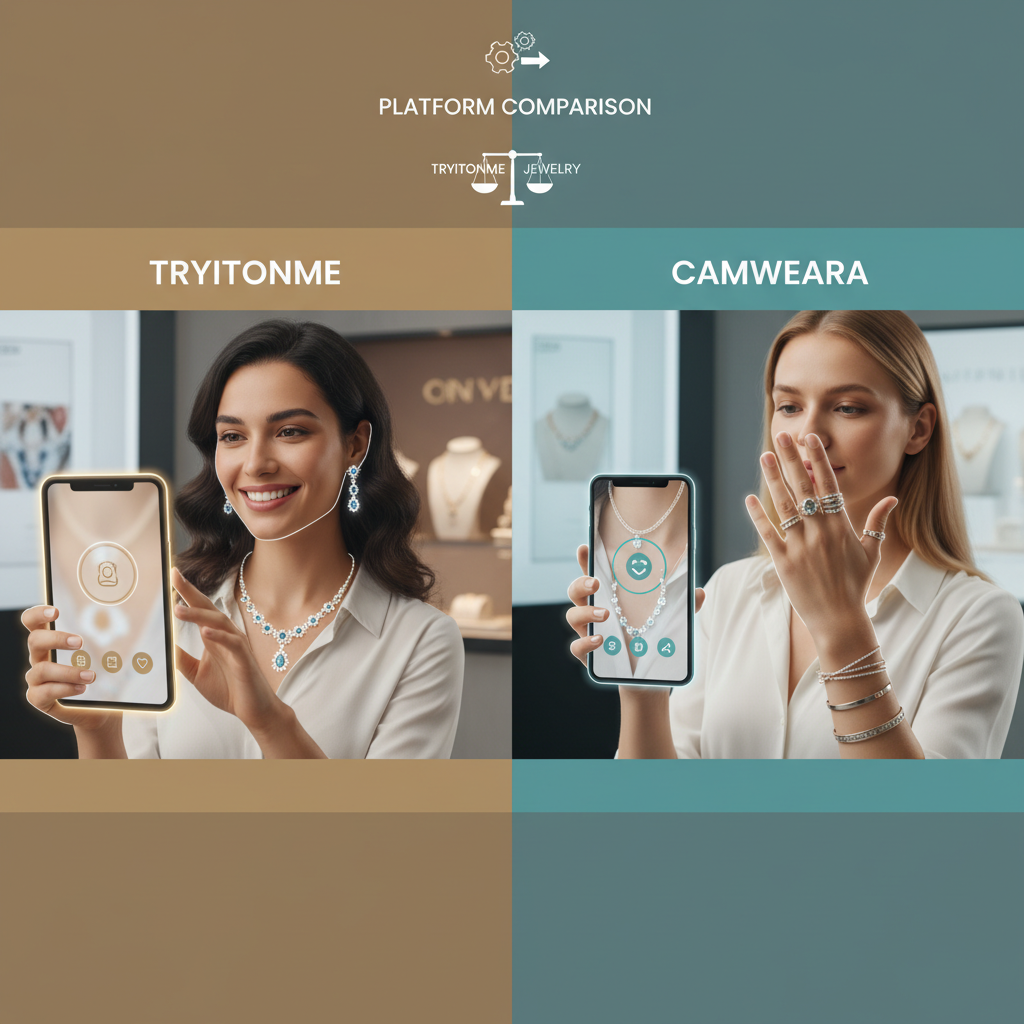
Demand ring-specific behavior: correct diameter simulation, knuckle pivoting, stacking across fingers, left/right hand detection, realistic metals/gemstone rendering, and lighting/skin-tone adaptation. Ask for live demos that show stacking and knuckle pivots under varied lighting conditions (ring-specific features: Perfect Corp ring AR; rendering notes: rendering guide). Compare vendor claims where possible: tryitonme vs Perfect Corp.
Technical approach & deployment model
Ask vendors to declare delivery method: link-based/no-code, SDK, or API. Confirm where try-on links run (web, mobile web, native apps, social) and require cross-browser/device compatibility tests (see SDK vs link-based: glamar overview).
Implementation speed & cost
Require clear timelines for pilots and production launches. Get a TCO estimate covering setup fees, subscription or per-impression pricing, and expected internal dev effort (time-to-launch comparisons: Zakeke; TCO considerations: Jewel360). Pricing reference: rings VTO pricing.
Product onboarding & asset workflow
Verify accepted inputs (which photo angles), bulk import capabilities, variant mapping, and whether the vendor converts 2D photos to AR-ready assets (2D→3D guidance; asset requirements: Perfect Corp asset specs).
User experience & commerce flows
Test camera onboarding, positioning guidance, save/share features, add-to-cart flows, and basic accessibility (keyboard navigation, screen readers). UX expectations are covered in jewelry e‑commerce guides: Aureate Labs. Example storefront integration: Shopify try-on.
Performance, reliability & fallbacks
Require data on page-load impact, latency, CDN/edge delivery, uptime SLA, and graceful fallbacks for unsupported devices (performance considerations: performance notes).
Analytics & measurement
Ask for engagement metrics (try-ons, CTR to product, add-to-cart), return-rate linkage, and integration options (Google Analytics, Shopify, Magento). Analytics guidance: analytics & KPIs.
Privacy, security & compliance
Confirm camera permission UX, image retention policy (no-image retention is preferred), GDPR/CCPA compliance, and data processing locations (privacy considerations: privacy & e‑commerce).
Support, SLAs & onboarding
Demand a written onboarding plan, documentation, training, support hours, and bug-fix SLAs (onboarding expectations: glamar onboarding).
Legal, IP & portability
Validate ownership/licensing of generated AR/3D assets, indemnity clauses, and exit/portability terms so you’re not locked in (IP considerations: IP guidance).
Roadmap & extensibility
Ask about planned support for other accessories, analytics feature additions, and options for custom UI work (roadmap examples: Perfect Corp roadmap).
Virtual try on vendor checklist — ring-specific technical checklist (detailed)
Minimum demo demands and test cases
- Ask vendors to demonstrate fit accuracy across multiple finger sizes and stacking scenarios. Vendor-provided benchmark idea: “95%+ fit accuracy across finger sizes 4–12” (request audit data) — see ring-AR reference: Perfect Corp.
- Test cases: stacking, left/right hand, knuckle pivot, occlusions (gloves), tattoos, and low-light conditions.
- Failure cases to try: camera permission denied, low bandwidth, older devices.
Art/asset specs
Accepted formats: glTF, OBJ. Require PBR textures and low polygon targets for mobile (<10k polys) where possible (technical benchmarks: 2D→3D benchmarks; AR ring examples: Perfect Corp).
Practical demo & 30-day pilot plan
Week 0: RFP with checklist + NDA; upload 10 representative ring SKUs (mix of sizes and styles). Reference pilot timelines guidance: pilot guidance.
Week 1: Vendor provides live try-on links for your 10 SKUs (link-based pilots enable same-day/no-dev demos; see: link-based pilots).
Week 2: Internal QA + shopper panel testing (quantitative fit checks; qualitative ease-of-use surveys) — guidance: QA & shopper testing.
Week 3: A/B test on PDP traffic (control vs VTO). Measure CTR to try-on, add-to-cart lift, and early conversion signals.
Week 4: Analyze results and vendor scores against your weighted template; decide whether to expand catalog-wide.
Questions to ask try on vendor (ready-to-use list)
Copy/paste this into vendor RFPs and call scripts:
- Delivery method: Link-based no-code, SDK, or API? (If link-based, where do links run?) — link-based overview
- Pilot timeline: Steps and ETA to launch a 10–50 SKU pilot? — pilot ETA
- Do you support ring sizing, knuckle pivoting, and stacking? Provide demo examples. — ring features
- What asset formats do you accept? Do you offer 2D-to-3D conversion? — 2D→3D
- How do you measure and validate accuracy? Can you share validation data? — validation & metrics
- What analytics are provided and how do they integrate with GA/Shopify/Magento? — analytics integration
- Pricing: tiers, setup fees, per-impression charges? — pricing considerations
- Privacy: Do you retain camera images? GDPR/CCPA compliance? — privacy
- SLAs and support hours during pilot and production? — support & SLAs
- References/case studies for jewelry brands? — case study resources
- Cross-device compatibility and fallback strategy? — compatibility
- Versioning and asset portability? — asset portability
- UI customization options and CTA control? — UI customization
- Social sharing support for try-on links?
- What red flags should we watch for during demos?
Comparison scoring template (how to rank vendors)
Suggested weights:
- Accuracy: 30%
- Time-to-launch: 20%
- Cost: 15%
- Analytics: 10%
- Support: 10%
- Security: 5%
- Roadmap: 10%
How to score: Rate vendor 1–10 in each category. Multiply score × weight; sum weighted scores for a 100-point total. Set a minimum pass threshold (suggested 75/100). Example scoring template idea: pilot scoring template.
Common pitfalls and how to avoid them
- No pilot: Require a live 10–50 SKU pilot before signing.
- Heavy dev lift: Favor link-based/no-code for pilots if speed matters (link-based guide).
- Ignoring analytics: Insist on GA integration and conversion lift tracking (analytics).
- Poor device testing: Run QA across old/new phones and desktop.
- Underestimating asset costs: Confirm 2D→3D conversion options and prices (asset costs).
- Privacy oversights: Require no-image retention or clear data policies (privacy).
- Vendor lock-in: Negotiate asset ownership and portability (portability).
Real-world examples & case studies (how to present vendor proof)
Ask vendors for verifiable case studies with baseline, test size, and measurement method. Industry guides show VTO benefits for jewelry broadly (Zakeke guide, Aureate Labs). Example vendor claim: tryitonme.com reports a pilot with X lift metrics (vendor claim — request audit data). Always request raw data or GA snapshots to validate vendor ROI claims (engagement rings checklist).
Post-selection rollout checklist
- Import and QA full catalog with vendor.
- Train storefront and customer-service teams; create a VTO merchandising playbook (merchandising playbook).
- Marketing: Launch social link campaigns, PDP try-on links, and email flows (marketing ideas).
- Monitoring: Weekly analytics during launch; quarterly asset refresh schedule (monitoring).
Downloadable assets, visuals & CTA
Assets to include with procurement:
- PDF checklist (one-page decision guide).
- Editable vendor scorecard (Google Sheet / CSV).
- Infographic: link-based vs SDK comparison table.
- 2–3 short GIFs showing shareable try-on links in action (tryitonme demo assets suggested).
If gating downloads, use UTM tags: utm_source=blog&utm_medium=download&utm_campaign=vto_checklist. For downloadable scorecard, provide a Google Sheet link for buyers to copy and re-use.
Measurement & KPIs for the blog post
Track these post-publish KPIs:
- Demo requests and pilot sign-ups (primary conversions).
- Checklist downloads and scorecard copies.
- Organic ranking for target keywords (rings try on vendor checklist, virtual try on vendor checklist, questions to ask try on vendor).
- Time on page and scroll depth.
Suggested UTM for CTA links: ?utm_source=blog&utm_medium=cta&utm_campaign=vto_pilot
Conclusion & next steps
A disciplined rings try on vendor checklist turns vendor selection from guesswork into a measurable procurement process. Run a short 10–50 SKU pilot using the scoring template above, insist on analytics and privacy assurances, and favor link-based no-code pilots when speed is a priority. Ready to move fast? Download the checklist and scorecard, then request a tryitonme.com demo/pilot link to validate in days — not months.
Why tryitonme.com is the Right Fit for Your Business (recap)
- Accurate accessory-focused VTO for rings, stacking, and realistic rendering.
- Speed: ready-to-use try-on links in ~3 business days for pilots.
- Easy integration: zero-code, shareable product links for any web, mobile, or social channel.
- Simple onboarding: purchase 6‑month package → send standard photos → tryitonme team/AI processes → receive link.
References (selected)
Deliverables included with this draft
- Downloadable PDF checklist (one-page).
- Editable vendor scorecard (Google Sheet/CSV).
- Infographic: link-based vs SDK comparison.
- 2–3 demo GIFs showing shareable try-on link flows (use tryitonme demo assets).
If you want, I’ll generate the downloadable checklist PDF and the Google Sheet scorecard now and prepare the GIFs from tryitonme demo assets — tell me which SKUs or demo assets to use and I’ll assemble them.
FAQ
1. What is a link-based/no-code pilot and why choose it?
A link-based/no-code pilot is a trial run as a shareable URL that runs on the web or mobile web without SDK integration. Choose this for rapid validation because it eliminates development lift, accelerates time-to-market, and allows testing of 10–50 SKUs in days or weeks (link-based overview).
2. How many SKUs should be included in the pilot?
Recommended: 10–50 representative SKUs (mixed sizes, metals, styles). This is enough to evaluate accuracy, stacking, and lighting variations without requiring a full catalog process.
3. How to score vendors objectively?
Use a weighted template: score 1–10 per category, multiply by the weight (e.g., Accuracy 30%, Time-to-launch 20%), then sum for a total of 100 points. Set a threshold (e.g., ≥75) to pass.
4. What privacy questions should be asked?
Ask about whether the vendor retains camera images, their data retention policy, data processing location, and GDPR/CCPA compliance. Best preference: no image retention and clear contracts regarding user data (privacy guidance).
5. What asset formats are required?
General: glTF or OBJ with PBR textures. For mobile, request a low polygon target (<10k) and a 2D→3D conversion option if you’re starting from product photos (2D→3D).
6. How long does onboarding typically take?
For link-based zero-code pilots, organized vendors can provide a demo link within ~3 business days of receiving product photos/scripts; larger onboarding packages and SDK/API integrations will require more time and development effort (tryitonme onboarding).